18 Best AI Agent Platform Comparison Tools for 2026
AI agent platform comparison built for ops leaders, find the right scope fit in 2026 and reclaim a full day of lost time.
 Skydive 42 min read
Table of contents
Most AI agent platform comparisons measure the wrong thing. Here is what actually determines whether a platform closes the seams in your workflow, or just adds one more.
Most heads of operations think the right AI agent platform is the one that ranks highest on the comparison table, best features, most integrations, cleanest UI, and that once they pick it, cross-functional work will get handled. They’re tallying integrations, scanning pricing tiers, and checking off template libraries, which is a reasonable approach to buying software, but the wrong approach to buying this category of software. The variable that actually determines whether a platform solves your problem is scope, not feature count, and most comparison guides never surface it.
The AI agent platform market is growing fast enough that the category itself is still being defined. Industry analysts tracking the AI agent market have identified at least several distinct platform archetypes, from reactive single-task agents to orchestrated multi-agent systems, and those categories describe fundamentally different products, not different tiers of the same one. A platform that automates one person’s task queue and a platform that coordinates work across multiple roles, tools, and handoff points are not comparable on the same spreadsheet. See our AI teammates for how this works in practice.

An AI agent platform is a system that enables software agents to perceive inputs, reason about them, and take actions autonomously, without a human specifying each step. That definition separates it cleanly from a workflow automation tool, which executes steps you pre-define. The practical difference: agents decide what to do next; workflow tools do what you already told them to do.
Most vendor pages blur this line deliberately. A tool that runs a fixed sequence of API calls is not an agent platform. It’s a scheduler with a chat interface.
Platform choice depends on technical stack, control requirements, and workflow complexity. The key categories in 2026 run from reactive agents (respond to a single trigger, no memory) through tool-using agents (browse, write, query) to multi-agent orchestration systems (role-based handoff, persistent context across sessions). Each step up the spectrum requires more from the platform’s architecture, and more from the buyer’s clarity about what work actually needs doing.
The failure mode practitioners consistently describe is buying at the wrong point on this spectrum.
Key takeaways
- Most AI agent platform comparisons rank tools by feature count, integrations, templates, UI polish, which tells you what a platform can do in isolation, not whether it survives contact with cross-functional work.
- The 90-day abandonment cliff in enterprise AI deployments is a structural problem, not a feature-selection problem: agents that live outside where work already happens get routed around, not adopted.
- A single-agent chatbot automates one person’s to-do list. It does not fix coordination across roles, and no amount of integrations changes that math.
- Picking the wrong platform rarely looks like failure on day one, the cost shows up later, when you realize you’ve become the manual bridge between every agent handoff.
- Six criteria actually predict whether a platform holds together at scale: coordination architecture matters more than integration count, and role-spanning handoffs matter more than template libraries.
- Not all ‘multi-agent’ platforms mean the same thing, most still require someone to map the steps in advance; the distinction between orchestrated workflows and autonomous handoffs is where most comparisons go quiet.
- SkyDive’s Multi-teammate model closes that gap directly: each teammate carries its own identity, scope, and history, and teammates hand off to each other without anyone pre-mapping the steps, so cross-functional work moves without you becoming the bridge.
The Real Cost of Picking the Wrong AI Agent Platform (Before You See the List)
The common assumption is that the right AI agent platform is the one that ranks highest on the comparison table, best features, most integrations, cleanest UI, and once you pick it, cross-functional work will get handled. That assumption is wrong, and the cost of holding it is rarely visible until the damage is already done. Picking the wrong AI agent platform is rarely a clean mistake you can undo in an afternoon.
The real damage accumulates quietly, across weeks of fragmented work, abandoned tools, and judgment that never gets encoded because the operator is still manually stitching every system together. There is a third cost most comparisons never mention: discovering, only after setup, that the platform cannot perform at acceptable speeds on your actual hardware, with hours of configuration time lost to a constraint that was never disclosed in the demo.

Failure Mode 1 - Single-Platform Fragmentation, Every Cross-Tool Seam Stays Manual
The average knowledge worker already manages a significant stack of tools before any AI agent enters the picture. Adding a single-workflow agent to that environment does not close the seams between systems. It adds one more.
Industry research consistently finds that enterprise software adoption fails not at launch but at the seams, when work spans multiple functions and no single platform covers the full breadth of what needs to happen. An ops director who duct-taped three separate agents together, one for research, one for CRM, one for Slack summaries, does not have an AI solution. She has a new engineering job she did not apply for.
The architecture itself is the problem: every cross-tool seam that the platform does not own natively becomes a manual obligation that lands back on the operator. SkyDive is built multi-teammate by default, which means the architecture starts from the assumption that real work is never a single workflow. Each teammate operates in its own per-teammate sandbox with browser access, and the full team surfaces across every channel you already use, so there is no new seam introduced when work crosses a function boundary.
Granular permissions and team collaboration controls mean each teammate’s scope is defined once and held, so coordinating a team through complex, multi-step workflows does not require constant re-specification of who owns what at each stage. That is not a feature addition on top of a single-agent core. It is the structural difference between a platform that closes seams and one that multiplies them.
Failure Mode 2 - The Week-Two Drop-Off
An ops director who duct-taped three separate agents together, one for research, one for CRM, one for Slack summaries, does not have an AI solution. She has a new engineering job she did not apply for.
Most AI agent platform choices stall after the demo. The trial looks promising. The demo is clean. Then week two arrives and the platform still needs the operator to specify every step before anything happens.
Broader industry trends document this pattern as systemic, not anecdotal: digital adoption of enterprise software stalls within 90 days post-launch for a significant share of deployments, regardless of how well the platform ranked on a feature comparison. What most teams report at the enterprise level points to the same barrier: AI adoption fails not because the technology is wrong but because the overhead of operating it was never removed. The tool gets abandoned not because it is bad, but because using it still requires the operator to manually bridge the gaps between systems, and that overhead is never visible in a demo.
The operators who avoid week-two drop-off are the ones who get real output from AI tools rather than a stream of suggestions that still require a human to act. SkyDive is built toward that standard: memory and persistence mean context accumulated in week one is still live in week four, so the team is not re-explaining state on every run. Scheduled runs handle recurring work without requiring the operator to re-trigger each cycle.
Pre-built teammate templates compress the time from setup to first real output. MCP (Model Context Protocol) support and built-in tools mean the platform arrives with the connective tissue already in place, rather than requiring the operator to wire each integration by hand. The cumulative effect is a reduction in the back-and-forth communication overhead that keeps teams mired in status updates instead of the work that actually moves outcomes.
How to Choose an AI Agent Platform - The 6 Criteria That Actually Matter
Most AI agent platform evaluations start in the wrong place, comparing feature lists and integration counts while the real predictor of success sits elsewhere: whether the platform eliminates the friction between a business need and a completed action. The criteria below are built around that distinction, covering what actually separates platforms that stick from the ones your team quietly stops using within 90 days. If you are responsible for making AI work operationally, not just piloting it, these are the questions worth asking before you commit.
The 90-day abandonment cliff in enterprise AI deployments is not caused by poor feature selection. It is caused by a structural mismatch between where agents live and where work already happens. This means the most practically important criterion for any AI agent platform evaluation is not integration count or UI quality, but whether the platform’s outputs surface natively inside the tools your team uses every day. Feature count is the wrong scoreboard.
A platform can support hundreds of integrations and still leave you, the Head of Operations, manually stitching every handoff together, maintaining every workflow, and re-engineering the whole setup every time a process shifts. The real question is how much friction sits between a business need and a completed action. The teams we work with at SkyDive describe this friction in a specific way: they are not struggling to find AI tools, they are drowning in tools that don’t stick, tools that demand constant re-configuration, and tools that quietly push work back onto the human the moment a process gets even slightly complex.
That friction has a measurable cost. According to an MIT report, 95% of generative AI pilots at companies are failing. Across the market, 42% of companies abandoned most AI initiatives in 2025, up from just 17% in 2024.
Failure comes not from feature gaps but from structural mismatches, platforms that don’t fit the technical stack, don’t integrate deeply enough, or require manual coordination the team expected to be automated. The six criteria below cut through that noise before you open a single vendor page.
1. Autonomy Model - Does the Platform Complete Work or Just Draft It?
The first split in the market is between platforms that generate suggestions for a human to execute and platforms whose agents own an outcome end to end. If the output is a draft, the coordination work stays on your team’s calendar. Evaluate whether the platform can carry a task from trigger to completed action, including the handoffs between tools, without a person routing every step. That single distinction predicts more of the 90-day outcome than any feature checklist.
2. Integration Breadth - How Many Tools and Triggers Does the Platform Support Natively?
A platform that connects to 300 tools but requires you to configure every trigger manually shifts the engineering burden onto your team. The operative question is whether the platform surfaces its outputs inside the tools your team already opens every day. Platforms that require employees to leave Slack or email to interact with an AI see adoption collapse regardless of how impressive the integration list looked at purchase.
The structural answer to this problem is multi-channel access combined with scheduled runs, so agents are reachable wherever your team already works and they execute proactively without waiting to be invoked. SkyDive is built around this by default: every teammate runs across multiple channels, and scheduled runs mean workflows progress on their own timeline, not yours. Support for MCP (Model Context Protocol) extends this further, allowing teammates to connect with the broader ecosystem of tools your stack already depends on, without bespoke engineering for each connection.
The goal is to stop trialing tools that don’t stick. That only happens when the platform meets your team where they are, not the other way around.
3. Security and Compliance Posture - SOC 2, GDPR, and SSO as Non-Negotiables
42% of companies abandoned most AI initiatives in 2025
95% of generative AI pilots at companies are failing
For most enterprise procurement processes, SOC 2 Type II compliance is a hard gate, not a preference. What most teams operating inside regulated industries report is that governance, permissions, and auditability are critical selection criteria, particularly when handling customer data. Evaluate whether the platform offers role-based access controls and a clear audit trail.
A platform that fails this criterion eliminates itself from the shortlist regardless of how capable its agents are. SkyDive addresses this directly through granular permissions and team collaboration controls, ensuring that the right teammates, human and AI, have access to exactly the right scope of work, and no more. When a platform is multi-teammate by default, permissions architecture is not an afterthought; it is the foundation that makes delegation safe.
Each teammate also operates within a per-teammate sandbox with browser, which contains execution scope and reduces the blast radius of any misconfiguration.
4. Agent Reliability and Observability - Can You Actually Answer ‘Is This Agent Working?’
The question most platform evaluations skip is the one that surfaces at 9 a.m. on a Tuesday when a critical workflow has silently stalled: can I actually tell what my agents are doing, and who owns what right now?
This is where multi-step workflow coordination becomes the differentiating capability, not a feature bullet. SkyDive is designed to help you coordinate your team through complex, multi-step workflows without losing track of who owns what at each stage. Memory and persistence mean that context does not evaporate between steps or sessions, agents retain what they know, and handoffs do not require a human to re-brief the system from scratch.
For teams that have experienced the quiet failure mode of an AI tool that appeared to be running but was producing nothing actionable, this is the architectural difference that determines whether a platform survives past the pilot. Broader industry trends consistently show that lack of observability and unclear ownership of automated steps are among the primary structural causes of enterprise AI project abandonment. Pre-built teammate templates accelerate this further: rather than building reliability from scratch, teams start from a working baseline and configure from there, reducing the time between procurement and a production-grade deployment.
The practical outcome: your team stays focused on high-impact work instead of status updates, because the platform handles the back-and-forth communication overhead that currently consumes the hours between decisions.
5. Total Cost of Ownership - Modeling the Hidden Costs Beyond the License Fee
Platform license fees routinely represent less than half of true AI agent deployment costs once you account for inference compute, fine-tuning runs, human-in-the-loop review tooling, and ongoing prompt engineering labor. Any credible AI agent platform comparison must model TCO across a 24-month horizon, not just year-one pricing. This criterion hits hardest for mid-market teams with constrained engineering headcount. The tradeoff: platforms with the lowest sticker price almost always carry the highest hidden operational overhead.
6. Orchestration Architecture - Single-Agent Simplicity vs. Multi-Agent Coordination at Scale
The orchestration model baked into a platform determines whether your agents can hand off tasks, share memory, and recover from partial failures, or whether each agent operates as an isolated silo. For teams building complex, multi-step workflows across IT, finance, or customer service, this is the most consequential architectural decision in the AI agent platform comparison. The tradeoff: true multi-agent orchestration introduces coordination overhead and debugging complexity that single-agent platforms simply don’t have.
Comparing the Top AI Agent Platforms at a Glance - What Each One Actually Does
Scan any AI agent comparison table long enough and a pattern emerges: every row looks roughly equivalent once you filter for “multi-agent support” and “integrations.” The columns answer what each platform can do. They cannot answer whether it will hold together when work crosses from your ops function to your GTM team to a customer success handoff, with no one manually stitching the seams. According to the LangChain State of AI Agents report, the market has matured into at least four distinct platform categories:
- Developer orchestration frameworks
- Low-code workflow builders
- Cloud-execution agents
- Enterprise ecosystem platforms
Comparing them feature-for-feature, without that context, is like comparing a commercial kitchen to a microwave because both heat food.
1. SkyDive - Best for Teams That Want AI Teammates, Not Just Chatbots
SkyDive deploys AI teammates that handle real operational work inside Slack, email, iMessage, and web chat, no workflow builder required. Teams describe what they need and SkyDive builds a multi-agent setup from that description. It’s the right pick for operators who want a fleet of specialized agents working in parallel, not a single-threaded assistant. The tradeoff: less granular control for teams that want to hand-craft every node in a workflow.
2. Relevance AI - Best for No-Code Agent Builders Who Need Custom Tools
Relevance AI lets non-engineers build agents with a visual interface and a library of pre-built tools, positioning it as an accessible path to a working agent for GTM and ops teams that lack dedicated engineering support. Configuration speed will vary by use case and team familiarity, so treat vendor deployment timelines as a starting estimate rather than a guarantee. The tradeoff is scope: it is an enterprise play, designed for larger organizations with structured deployment budgets, and the customization depth that makes it powerful also means early configuration decisions compound quickly if the use case shifts.
3. Stack AI - Best for Enterprise Teams Needing Human-in-the-Loop Approval Flows
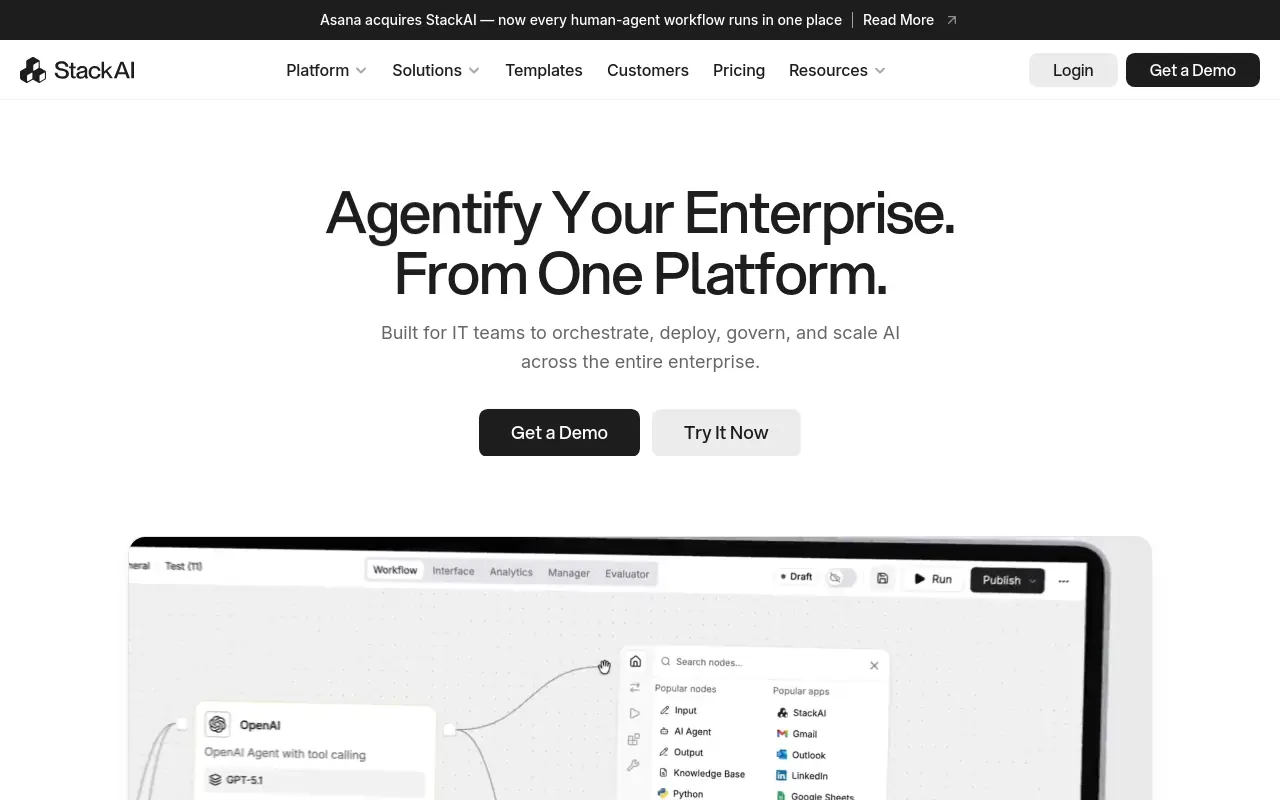 Stack AI is purpose-built for enterprise AI deployment with a visual interface, hundreds of SaaS integrations, and strong human-in-the-loop controls that let teams insert approval checkpoints into any agentic workflow. It’s the right choice for IT-governed environments where auditability and safe automation matter as much as speed. The tradeoff is that its approval-workflow depth adds configuration overhead that smaller teams may find excessive.
4. Kore.ai - Best for Large Enterprises Managing Agent Sprawl Across Frameworks
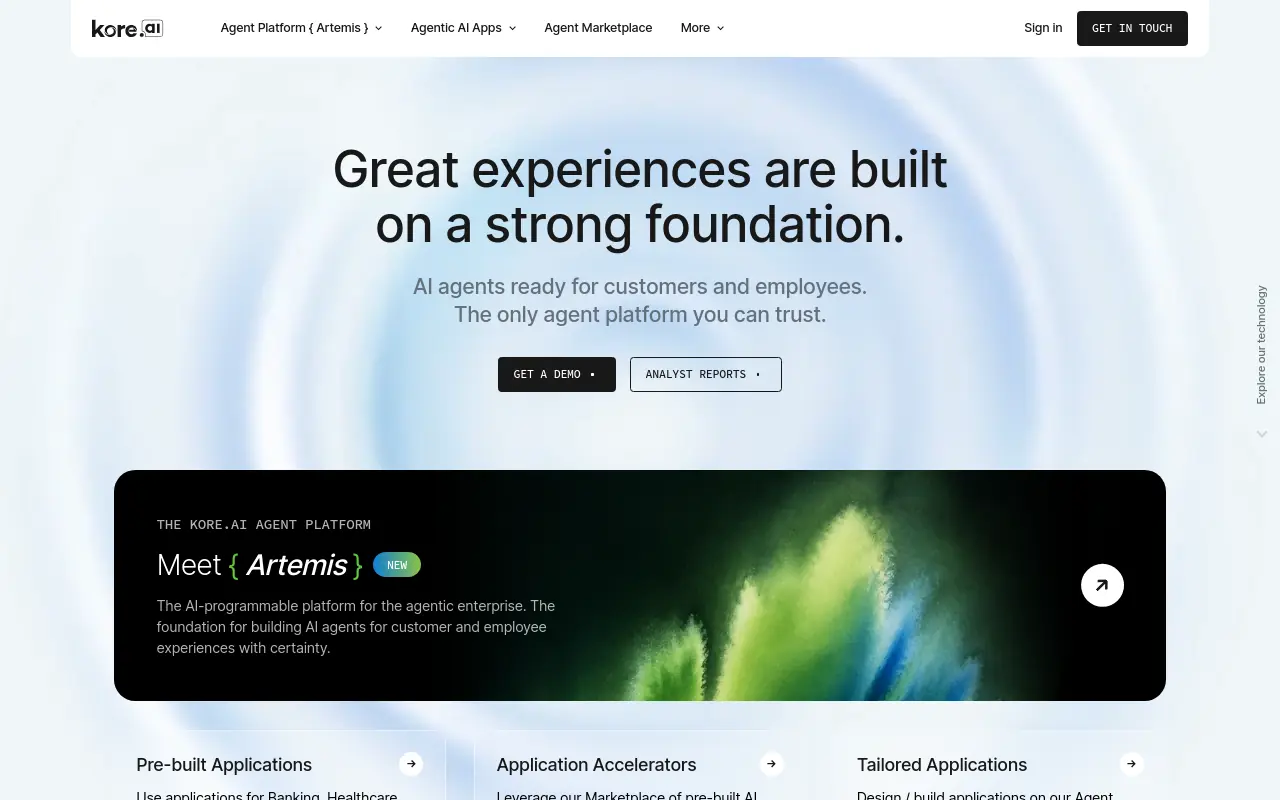 Kore.ai addresses a problem most comparison tables ignore: what happens when an enterprise already has multiple agent deployments running on different frameworks and needs a governance layer across all of them. For a 20-person startup, it is structural overkill; for a 2,000-person organization with fragmented AI tooling, it is one of the few platforms that treats agent management as an enterprise discipline.
5. n8n - Best for Technical Teams Who Want Open-Source Workflow Automation
n8n offers self-hosted deployment under a Sustainable Use License, with 1,000-plus integrations and a visual workflow builder that handles conditional logic, loops, and error handling. The open-source model gives technical teams full data control and the ability to run local LLMs via its AI agent starter kit. The real cost is engineering overhead: every workflow step must be defined before anything runs, which means the operator becomes the architect.
6. IBM Watsonx - Best for Regulated Industries Requiring Explainable AI Agents
IBM Watsonx is the default choice when explainability and audit trails are regulatory requirements, not preferences. Financial services, healthcare, and government buyers get governance tooling baked into the platform rather than bolted on afterward. The tradeoff is deployment complexity and cost: teams without dedicated IT support will find the setup timeline longer than lighter-weight alternatives.
7. Gumloop - Best for Marketers Building Automated Content and Research Pipelines
Gumloop’s visual canvas makes it accessible to marketers who want to automate content research, drafting, and distribution without writing code. The structural limitation is that every connection between steps is something a human must define and maintain. When a process shifts, someone has to update the canvas, which means the automation is only as current as the last person who touched it. Teams with stable, well-documented workflows will get the most mileage; teams whose processes evolve frequently will feel that maintenance overhead compound over time.
8. Microsoft Copilot Studio - Best for Organizations Already Deep in the Microsoft Ecosystem
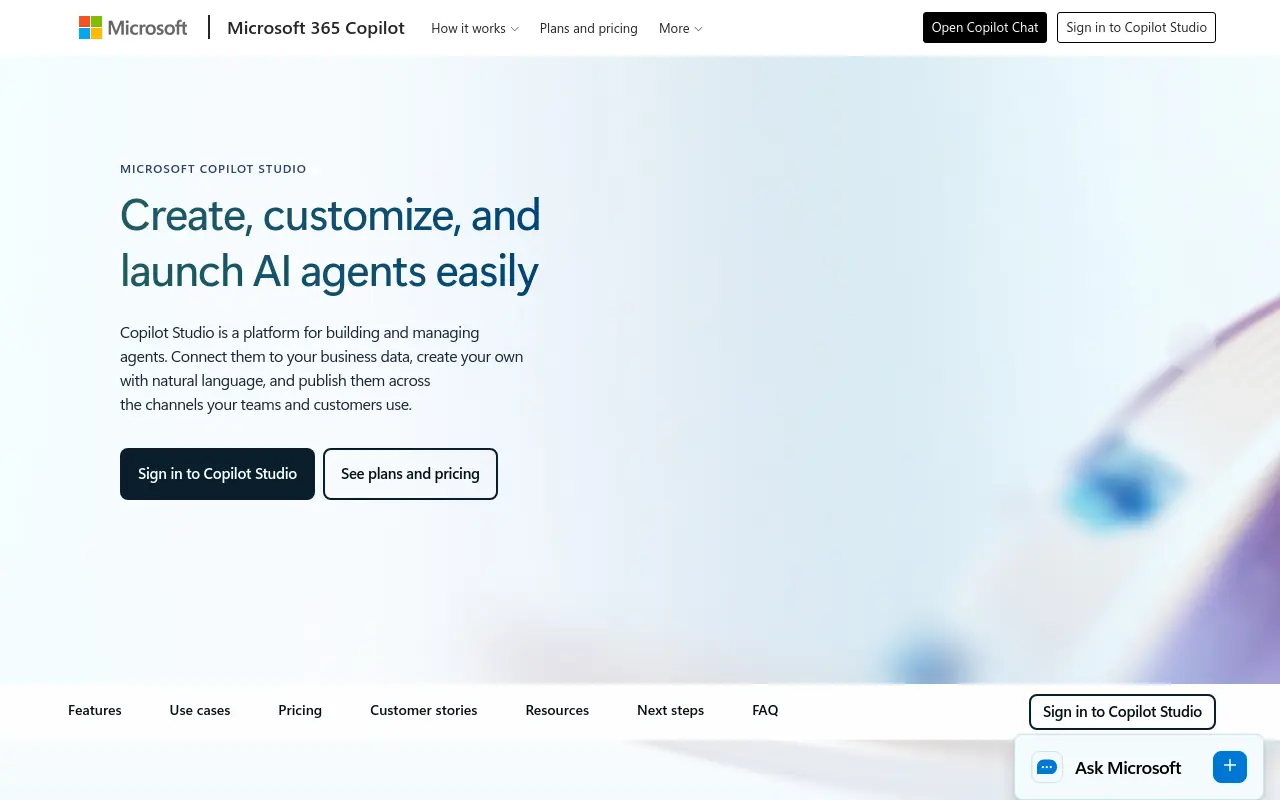 Microsoft Copilot Studio lets teams build custom AI agents that integrate natively with Microsoft 365, Teams, SharePoint, and Dynamics. For organizations already standardized on Microsoft infrastructure, the integration depth is unmatched. It’s the right pick when the goal is extending existing Microsoft workflows with agentic AI. The tradeoff is that it’s tightly coupled to the Microsoft ecosystem, teams using mixed-vendor stacks will find it limiting.
9. Flowise - Best for Developers Who Want a Visual LangChain Agent Builder
Flowise provides an open-source, drag-and-drop interface for building LangChain and LlamaIndex-based AI agents without writing boilerplate code. It’s the go-to for developers who understand LLM frameworks but want to prototype and deploy faster. Self-hosting keeps data on-premises. The tradeoff is that Flowise inherits the complexity of the underlying frameworks, teams without LLM knowledge will struggle to configure agents meaningfully.
10. Sema4.ai - Best for Enterprise Python Developers Building Reliable Agentic Workflows
Sema4.ai targets enterprise development teams building production-grade AI agents in Python, with a framework designed for reliability, observability, and long-running task execution. It’s the right pick when engineering teams need fine-grained control over agent behavior and want robust error handling baked in. The tradeoff is that it’s a developer-first platform, business users cannot build or modify agents without engineering involvement.
11. MindStudio - Best for Non-Technical Builders Who Want AI to Build Their Agent
MindStudio features an AI-assisted agent creation flow that builds a working agent from a description, getting users 90% of the way there without manual configuration. It’s ideal for solo operators and small teams who want to ship AI-powered tools quickly without learning a new platform deeply. A Chrome extension further extends reach. The tradeoff is limited depth for complex multi-agent orchestration or enterprise-grade governance requirements.
12. AgilePoint - Best for Process-Oriented Teams Bridging BPM and AI Agent Automation
AgilePoint combines traditional business process management with AI agent capabilities, making it the right choice for enterprises that have existing BPM investments and want to layer agentic AI on top of structured workflows. It supports low-code process design with AI decision nodes embedded throughout. The tradeoff is that its BPM heritage can make it feel rigid compared to newer agent-first platforms built for dynamic, unstructured task execution.
13. XMPro - Best for Industrial and OT Environments Deploying AI Agents on the Edge
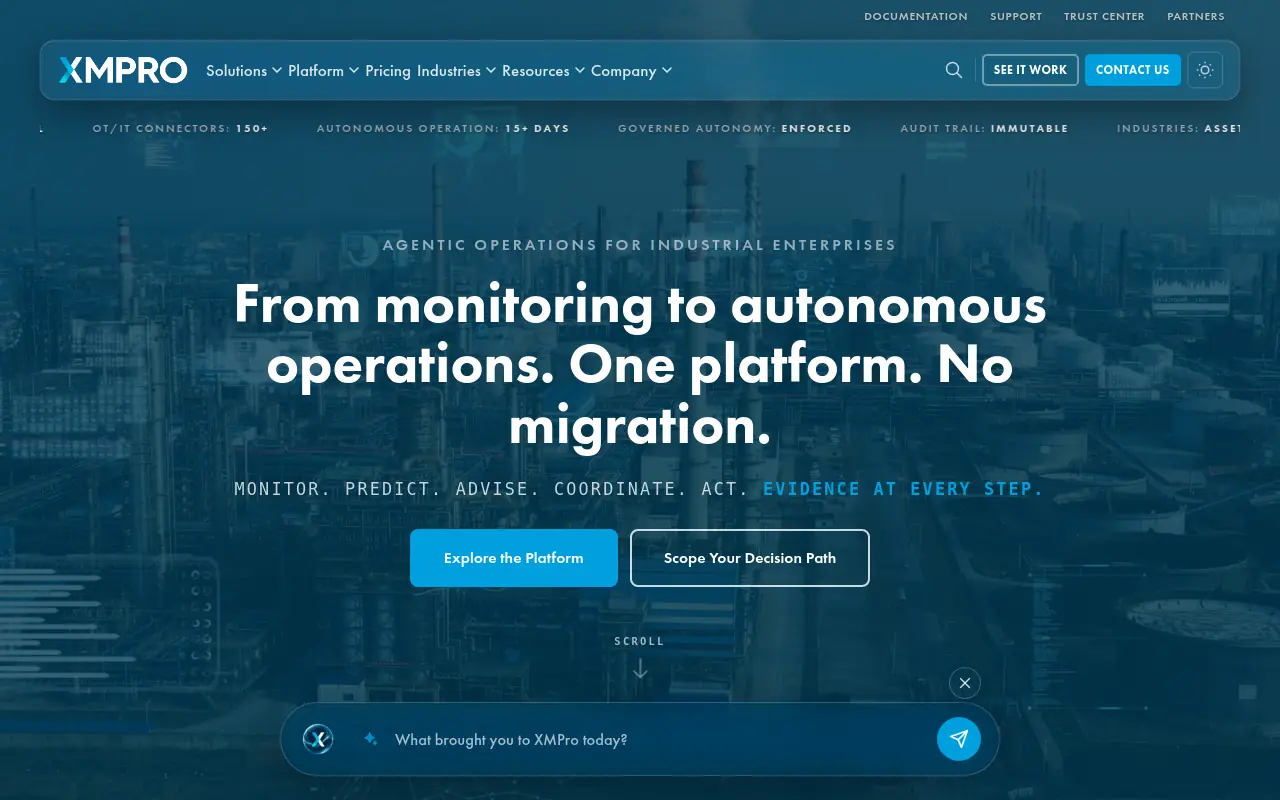 XMPro is purpose-built for operational technology environments, manufacturing, utilities, and industrial IoT, where AI agents need to run close to the data source on edge infrastructure. It provides real-time event stream processing with agentic decision-making layered on top. The tradeoff is narrow applicability: XMPro is a specialist platform that delivers exceptional value in industrial contexts but is not designed for general knowledge-work automation.
14. Vertex AI Agent Builder - Best for GCP-Native Teams Wanting Managed Agent Infrastructure
Google’s Vertex AI Agent Builder provides a fully managed environment for building, deploying, and scaling AI agents on Google Cloud, with native access to Gemini models and Google Search grounding. It’s the right pick for engineering teams already on GCP who want managed infrastructure without standing up their own orchestration layer. The tradeoff is cloud lock-in and a pricing model that can escalate quickly at high agent-call volumes.
15. Lutra AI - Best for Knowledge Workers Who Need Agents That Connect SaaS Apps Instantly
Lutra AI focuses on helping individual knowledge workers and small teams build agents that automate tasks across their existing SaaS stack, email, spreadsheets, CRMs, and more, with minimal setup. It’s designed for speed of deployment over configurability, making it ideal for operators who want automation running in minutes. The tradeoff is limited scalability: Lutra is optimized for personal and team-level automation, not enterprise-wide agent orchestration.
The 18 Best AI Agent Platforms for 2026 - Broken Down by What They’re Actually Built For
Feature columns blur fast. Multi-agent support: check. API integrations: check.
Custom workflows: check. The checkmarks multiply until every platform looks identical, and the decision gets harder rather than easier, because those columns never surface the question that actually determines whether you’ll still be using the platform in 90 days: does this handle work that moves between people, systems, and roles, or does it just automate one person’s to-do list faster? The reason that abandonment rates have more than doubled in a single year is not that companies picked the wrong platform; it is that they evaluated platforms as if they were replacing individual tasks rather than replacing the coordination system that moves work between roles.
AI-native companies that succeed do not pick a higher-ranked tool; they deploy agents that span sales, ops, finance, and support simultaneously. Evaluating platforms by use-case depth for a single function while ignoring whether the platform can carry context and accountability across role boundaries is the selection error that turns a pilot into a sunk cost, a pattern documented repeatedly in research on enterprise AI abandonment. According to industry research, selecting an AI agent platform based on feature rankings, integration counts, or UI quality does not guarantee cross-functional work gets handled.
The hidden failure mode is that most platforms require users to operate inside a new environment, creating an adoption gap that comparison tables never capture. That gap is where pilots die. It is also where the honest trade-off for each platform below lives, so read each entry with one question in mind: does this platform handle the seams between roles, or does it hand that job back to you?
Each entry below names the pain the platform avoids and the pain it quietly creates. That second label is the one most comparison lists skip.
1. SkyDive - Best for Teams That Want AI Teammates, Not Just Chatbots
Most ops teams handle cross-functional coordination by becoming the router themselves: triaging requests, pasting context between tools, and nudging the right person at the right moment. The hidden cost is that the operator’s judgment becomes the system, which means the system stops when they do, and institutional knowledge walks out the door the moment that person leaves or moves roles. SkyDive is built to make that judgment persistent.
Each AI teammate carries a distinct identity, scope, memory, and history, so the context and decision-making logic that would otherwise live in one person’s head is encoded, retained, and accessible across the team. Memory and persistence are first-class features, not add-ons: teammates remember prior interactions, maintain continuity across sessions, and carry accumulated context into every handoff, so the next person who picks up a workflow isn’t starting from zero. The architecture is multi-teammate by default.
Rather than a single bot handling requests sequentially, SkyDive coordinates teams of teammates through complex, multi-step workflows without losing track of who owns what at each stage. Each teammate operates inside its own sandboxed environment with a built-in browser, and granular permissions let team leaders define exactly what each teammate can see, access, and act on, so cross-functional coordination doesn’t mean cross-functional exposure to everything. For teams that live in Slack, email, and iMessage, SkyDive’s multi-channel access means teammates show up where work already happens, not inside a new interface that requires a new login and a new habit to form.
Industry research identifies this adoption gap, the friction of operating inside a new environment, as a primary driver of pilot failure, and it is the gap SkyDive’s channel-native design is explicitly built to close. Teammates arrive with built-in tools and capabilities and pre-built teammate templates, so teams don’t start from a blank canvas. MCP (Model Context Protocol) support extends connectivity to external systems, and scheduled runs let teammates execute recurring tasks autonomously without a human trigger.
The result is a reduction in the back-and-forth communication overhead that keeps teams stuck on status updates rather than the work itself. The honest trade-off: this architecture is built for teams of 15 to 50 where work genuinely spans functions. A solo operator automating a single workflow will not feel the full benefit; the multi-teammate coordination layer is most valuable when handoffs between roles are the actual bottleneck, not individual task speed.
2. Microsoft Copilot Studio - Best for Microsoft 365-Centric Organizations
If your team already lives inside Teams, SharePoint, and Outlook, Copilot Studio is the lowest-friction path to deploying agents that act on real organizational data. The platform connects to Microsoft Graph, which means agents can read calendars, draft documents, and trigger Power Automate flows without any custom integration work. The trade-off is real: Copilot Studio is most powerful when your stack is deeply Microsoft-native, and organizations running a mixed SaaS environment will hit configuration complexity quickly. It is also a platform that rewards teams with a dedicated IT owner, not one person wearing every hat.
3. LangGraph - Best for Engineering Teams That Need Full Agent State Control
LangGraph gives developers explicit control over agent state machines, which matters enormously when agent loops need to be predictable in production rather than just impressive in a demo. The graph-based execution model lets engineers define exactly how agents transition between states, retry on failure, and surface errors without silent hallucination. The pain it creates is the same as the pain it solves: every node in the graph requires a Python engineer to build and maintain it. Teams without dedicated ML engineering capacity will find themselves maintaining infrastructure rather than shipping outcomes. Most beneficial when production reliability is non-negotiable and engineering resources are not the bottleneck.
4. CrewAI - Best for Role-Based Multi-Agent Development
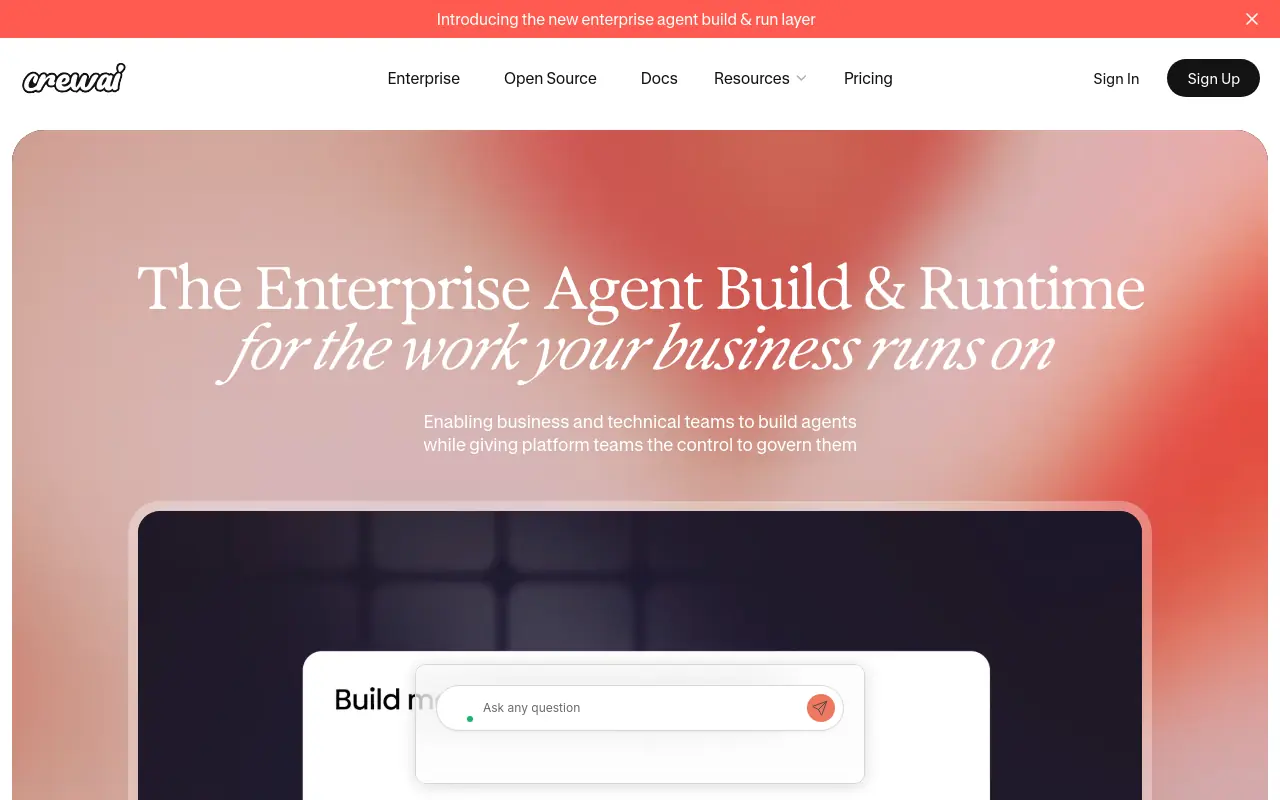 CrewAI has built genuine momentum in the developer community for role-based agent orchestration, where each agent is assigned a job title, a goal, and a set of tools, then coordinated by a crew manager. The framework is approachable compared to lower-level alternatives, and its GitHub star count reflects real adoption among practitioners who want multi-agent structure without writing a full orchestration layer from scratch. The trade-off is maintenance: as crew complexity grows, debugging why one agent’s output broke another’s downstream task requires engineering patience that non-technical operators simply do not have. Best suited for teams with a developer who will own the codebase long-term.
5. Salesforce Agentforce - Best for Revenue Teams Already on Salesforce CRM
Agentforce is a purpose-built CRM-native agent offering for Salesforce-centric teams. Agents can qualify leads, update records, trigger follow-up sequences, and surface deal risk without leaving the CRM context. Pricing scales with usage and seat count, and ops buyers evaluating this platform should model costs carefully before committing because the per-conversation pricing structure can accelerate quickly as agent volume grows. The platform’s limitation is its boundary: Agentforce is excellent at Salesforce-shaped work and significantly less useful the moment a workflow touches a system outside the Salesforce ecosystem.
6. Google Vertex AI Agent Builder - Best for GCP-Native Enterprise AI Deployments
Vertex AI Agent Builder gives data and engineering teams a managed environment for building agents that sit directly on top of Google Cloud infrastructure, BigQuery data, and enterprise search indexes. The grounding capabilities are strong: agents can reason over large document corpora and structured data without requiring a separate vector database setup. The trade-off is that this platform is genuinely enterprise-grade in its complexity, not just its pricing. Smaller teams without GCP expertise will spend more time on infrastructure configuration than on the agents themselves. Most beneficial when the organization already has a GCP data estate and a cloud engineering team to manage it.
7. IBM watsonx Orchestrate - Best for Regulated Industries Requiring Governance-First AI
Regulated industries, particularly financial services and healthcare, face an AI adoption constraint that most platforms ignore: every agent action needs an audit trail, a permission boundary, and a compliance review path. watsonx Orchestrate was designed with that constraint as a first-order requirement rather than an afterthought, making it a defensible choice for organizations where an unexplained agent action creates legal exposure. IBM’s FedRAMP authorization and published compliance documentation provide third-party grounding for this positioning. The pain it creates is pace: governance-first architecture slows deployment cycles, and teams that want to move fast will find the approval layers frustrating. Worth the friction only when regulatory risk genuinely outweighs speed.
8. UiPath AI Agents - Best for Blending RPA Automation with Agentic AI
UiPath has one of the largest installed bases in enterprise RPA, with tens of thousands of organizations already running attended and unattended bots across finance, HR, and operations workflows. Adding agentic AI on top of that existing infrastructure is a logical next step for those organizations because the integration layer is already in place. The trade-off is the prerequisite: if you do not already have UiPath RPA deployed, adopting it now to get the agentic layer is a significant infrastructure commitment, not a quick pilot. For teams without existing UiPath infrastructure, the entry cost in time and licensing makes other platforms more practical starting points.
9. n8n - Best for Integration-Led Workflow Automation with AI Decision Points
N8n sits at the intersection of workflow automation and agentic AI, letting technical users build complex integration graphs where AI models make branching decisions at specific nodes. The self-hosted option gives data-sensitive organizations full control over where their data flows, which is a genuine differentiator against cloud-only tools. The honest limitation is that n8n rewards operators who think in workflow graphs.
When a process changes, someone has to update the graph. That maintenance burden is invisible during the pilot and very visible six months later when the original builder has moved on and the workflow breaks silently. Most beneficial for teams with a dedicated technical operator who will own the automation layer.
10. SimplAI - Best for Teams Prioritizing Full Agent Lifecycle Observability
SimplAI addresses a problem that only becomes visible after deployment: understanding why an agent made a specific decision, where it failed, and how to improve it without rebuilding from scratch. The platform’s observability tooling gives teams structured logs, evaluation pipelines, and feedback loops that most agent frameworks treat as optional extras. The trade-off is that observability depth adds setup overhead upfront. Teams that want to deploy an agent in an afternoon and iterate later will find SimplAI’s structured approach slower to start than simpler alternatives. Most valuable for organizations running agents in customer-facing workflows where a bad output has a real cost.
11. Databricks - Best for Data-Intensive Organizations Building Agents on Their Own Data
Databricks is not primarily an agent platform. It is a unified data and AI platform that has added agent capabilities on top of a foundation that already holds an organization’s most valuable structured and unstructured data. For teams where the agent’s value depends entirely on the quality and freshness of proprietary data, building on Databricks means the agent is always reasoning over the real data, not a stale export. The limitation is scope: Databricks agents are built for data-intensive use cases, and teams looking for general-purpose task automation will find the platform over-engineered for their needs.
12. Gumloop - Best for No-Code Teams Building Agentic Automation Visually
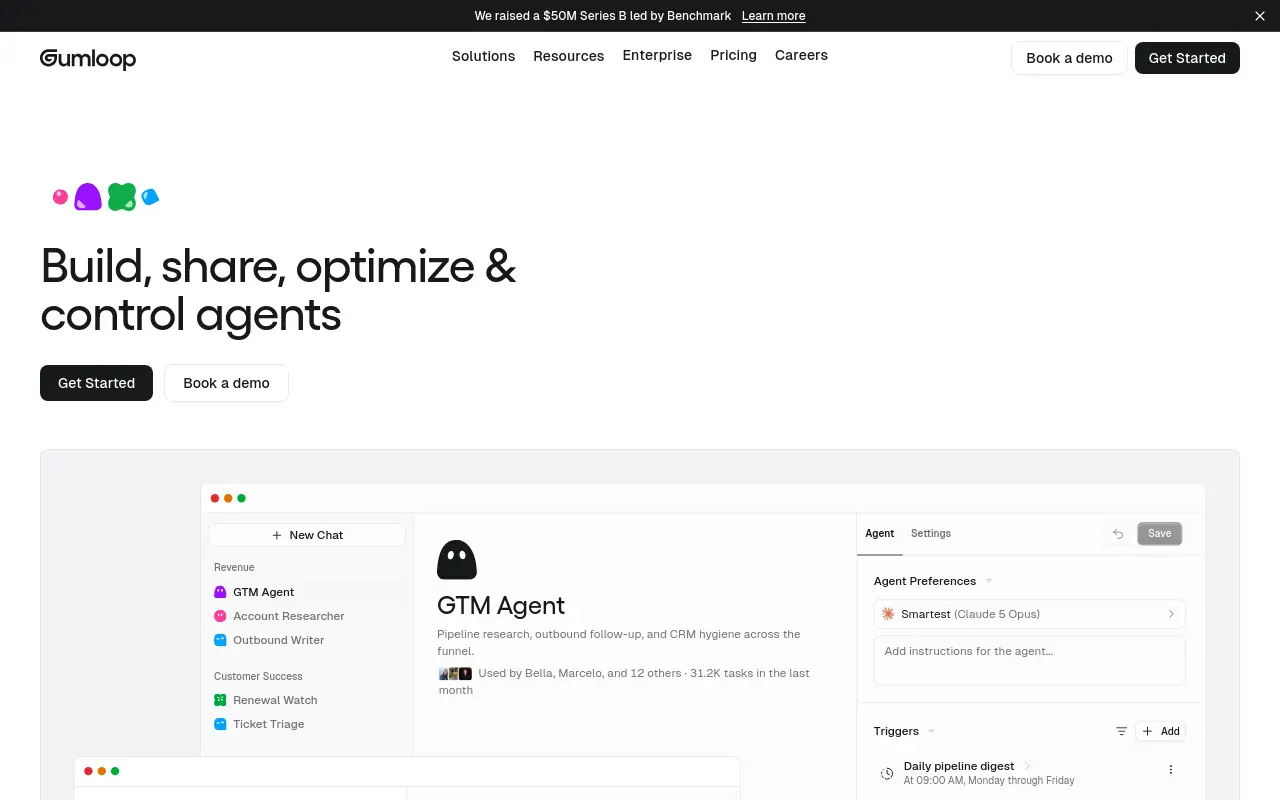 Gumloop offers a visual canvas for building agentic workflows without writing code, which lowers the barrier to entry for operations and marketing teams who want to automate multi-step processes without engineering support. The interface is genuinely approachable, and the platform handles a meaningful range of AI-powered tasks. The ceiling-hitting moment that practitioners consistently report is when a workflow needs conditional logic that is more complex than the visual builder can express cleanly. At that point, the no-code abstraction becomes a constraint rather than an advantage, and the team either simplifies the workflow or brings in a developer. Best suited for automating well-defined, repeatable processes rather than dynamic, judgment-heavy ones.
13. Sana - Best for Enterprise Knowledge Work and HR-Adjacent Agent Workflows
Sana is built around organizational knowledge: surfacing the right information to the right person at the right moment, automating onboarding flows, and supporting learning and development workflows at scale. For HR and people operations teams, it addresses a real coordination problem where institutional knowledge is scattered across documents, wikis, and the heads of people who might leave next quarter. The trade-off is specialization: Sana is excellent at knowledge-centric workflows and less suited to operational automation that spans finance, GTM, or customer success. Teams looking for a general-purpose agent platform will find its focus too narrow.
14. Kore.ai - Best for Conversational AI Agents in Customer Service Operations
Kore.ai has deep roots in enterprise conversational AI, with a platform designed to handle high-volume customer interactions across voice, chat, and digital channels. The tooling for intent recognition, dialog management, and escalation routing is mature, which matters when the failure mode is a customer hitting a dead end and churning. The limitation is the same as its strength: Kore.ai is optimized for structured conversational flows, and organizations that need agents to take complex back-office actions, not just answer questions, will find the action-taking capabilities less developed than the conversation-handling ones. Most beneficial for customer service teams with high interaction volume and defined resolution paths.
15. Fin by Intercom - Best for SaaS Companies Wanting an AI Agent on Top of Existing Support Data
Fin is a fast path to an AI support agent for SaaS companies already using Intercom. According to industry research, teams with a mature knowledge base can have Fin reasoning over existing help center content, conversation history, and product documentation without a separate data pipeline, measured in hours of setup rather than weeks. The honest trade-off is containment: Fin is a support agent, not a general-purpose one, and its value is proportional to the quality of the underlying content it reasons over. Teams with thin or outdated documentation will get thin, outdated answers. The platform does not fix a knowledge management problem; it amplifies whatever is already there.
16. Cursor - Best for Individual Developers and Small Teams Wanting AI-Native Coding Agents
Cursor has meaningfully shifted expectations for AI-native development environments, earning strong adoption among individual developers and small engineering teams based on its reported user growth and active developer community. It embeds agents directly into the coding workflow so that context, codebase understanding, and task execution happen inside the tool developers already use. For individual contributors and small engineering teams, the productivity gain is concrete and fast.
The trade-off is scope: Cursor is a coding agent, and its value is entirely contained within software development workflows. Operations buyers evaluating platforms for cross-functional work automation will find it irrelevant to their use case. Worth evaluating only if the primary bottleneck is engineering output, not operational coordination.
17. Upsolve AI - Best for Business Teams Needing Self-Serve Data Analysis Agents
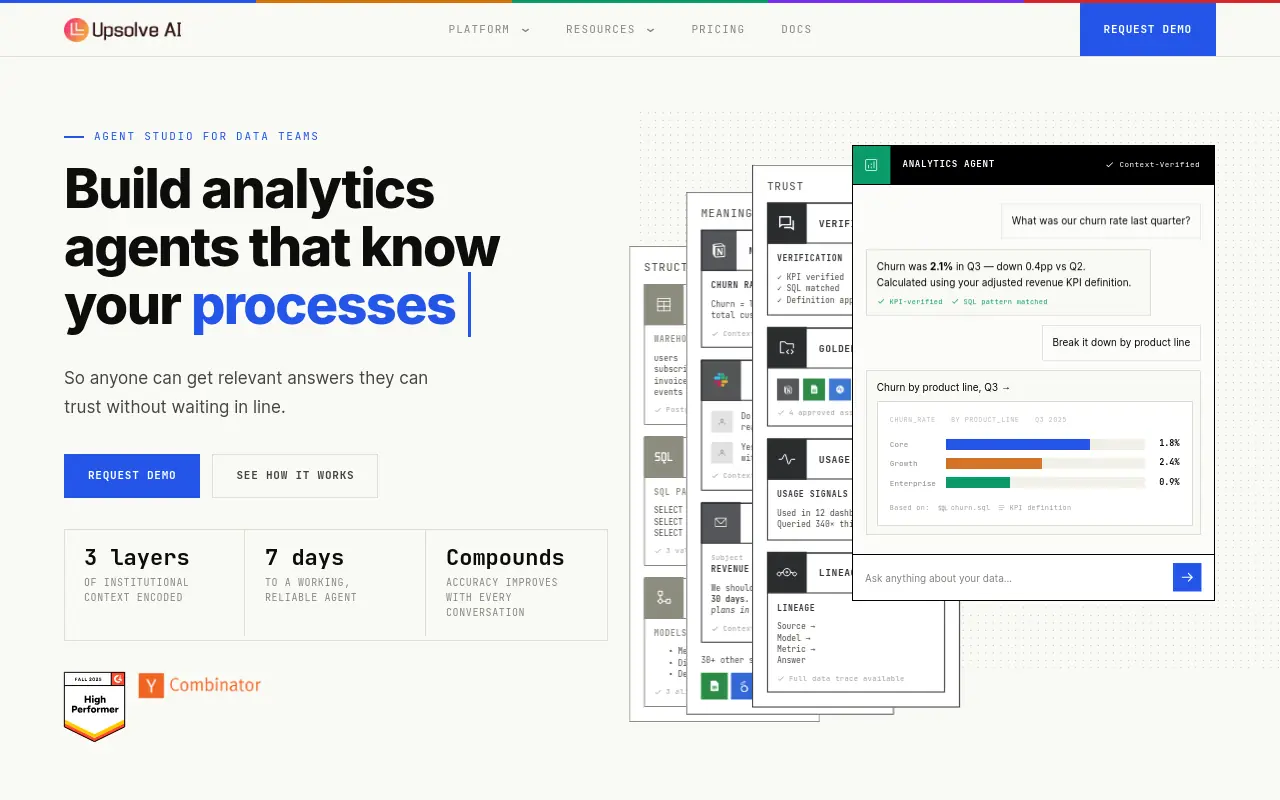 Upsolve AI lets non-technical business users ask questions of their data in plain language and get structured analysis back without routing every request through a data analyst or BI team. For operations and finance teams where data questions pile up faster than analysts can answer them, this creates a meaningful reduction in the queue. The limitation is depth: Upsolve AI is optimized for answering questions, not taking actions based on the answers. Teams that want an agent to analyze data and then trigger a downstream workflow will need to connect it to additional tooling. Most beneficial when the primary bottleneck is data access, not data-driven execution.
18. Tellius - Best for Enterprise Analytics Teams Wanting Agentic AI Over Complex Data
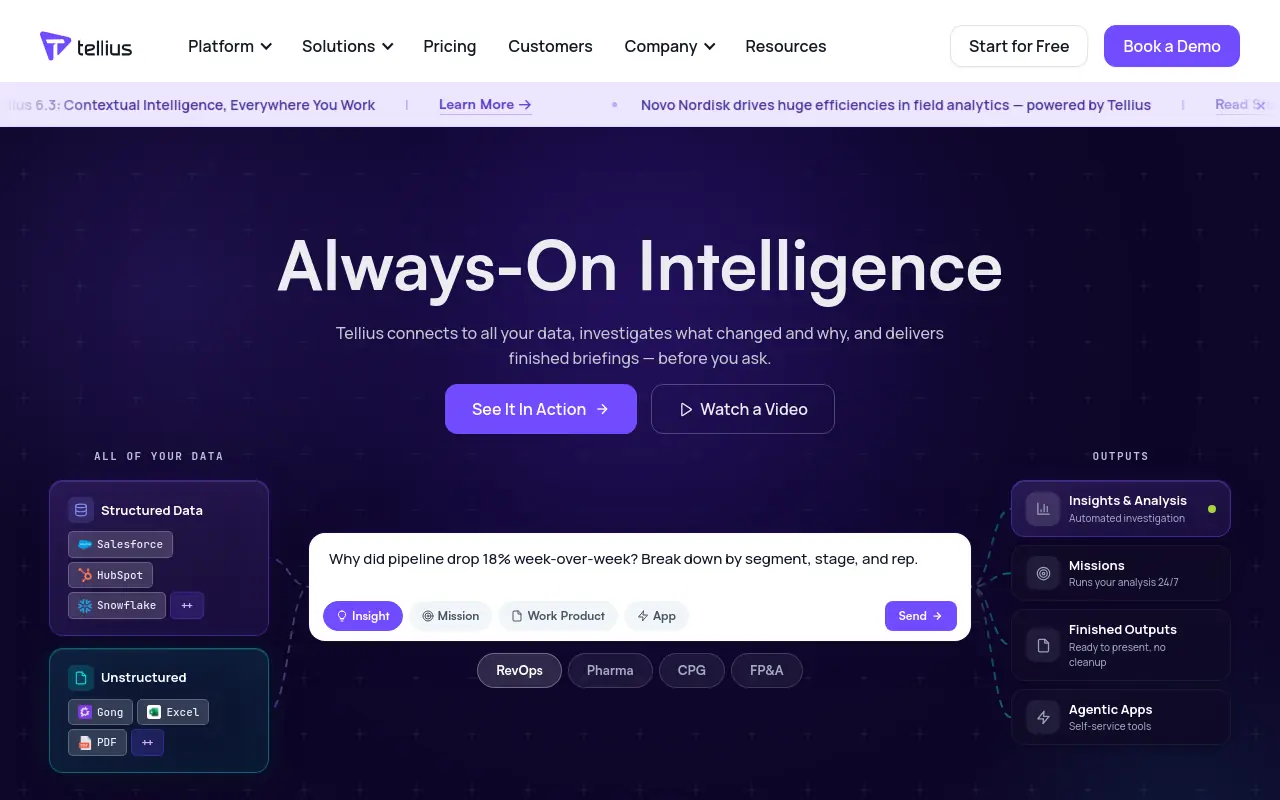 Tellius combines natural language querying with automated insight generation across large, complex datasets, letting analytics teams surface patterns that would otherwise require weeks of manual analysis. The platform’s agentic layer can proactively identify anomalies and generate explanations without waiting for a human to ask the right question. The trade-off is the same one that applies to most enterprise analytics platforms: the value is proportional to data quality and governance maturity.
Organizations with inconsistent data models or poor master data management will find that the agent surfaces confusion as confidently as it surfaces insight. Most beneficial for analytics teams that have already solved their data foundation problems.
The pattern across all 18 platforms is consistent with what researchers describe as the coordination gap: most platforms handle work that belongs to one role, one system, or one workflow. The moment a task needs to cross a boundary, the operator becomes the handoff layer again. That is not a feature gap. It is an architectural one, and no integration count or UI score captures it.
The average knowledge worker already manages over a dozen SaaS tools in their daily workflow, according to industry research. Adding a platform that requires yet another interface to open, another login to remember, and another workflow to maintain raises the real cost of adoption well above what any feature comparison shows. The platforms that survive week two are the ones that meet the team where the work already happens.
Eighteen platforms, eighteen honest trade-offs. But a list this long can create its own kind of paralysis. The next section cuts through it with a three-question decision framework that eliminates most of these options in under two minutes, leaving only the platforms that actually match how your team’s work moves.
Related Reading
- What Is Agentic AI for Business Operations and Why It Matters
- How Much Does an AI Agent Cost? 2026 Pricing Breakdown
- Zapier AI Agent: Build and Automate Smarter Workflows
- AI Agent Framework Comparison: Top Picks Ranked for 2026
- 15 Best Agentic Automation Tools to Try in 2026
- Gumloop vs Zapier: Which Tool Wins for AI Automation?
- 13 Top AI Automation Tools I Tested and Ranked for 2026
- 13 Best AI Automation Software Tools I Tested in 2026
- RPA vs AI Agents: Which Automation Wins in 2026?
- 12 Best AI Automation for Sales Tools That Actually Work
How to Choose the Right AI Agent Platform for Your Team - Without Getting Burned Twice
Eighteen platforms. One spreadsheet. And somehow, the decision feels harder after the research than before it. The problem isn’t information shortage; it’s that most evaluation frameworks ask the wrong question. Feature scores tell you what a platform can do in isolation. They don’t tell you whether it can handle work that crosses a role boundary without you becoming the bridge.

Three Questions That Shrink Your AI Agent Platform Comparison to a Shortlist
Three questions do more filtering work than any comparison table. They don’t rank platforms. They eliminate categories. A Head of Ops who needs research routed to a CRM update, then to a customer success follow-up, can discard 14 of 18 platforms in under two minutes using this logic alone.
Why Coordination Span, Not Feature Count, Is the Decisive Variable
Broader deployment trends consistently show that the majority of enterprise SaaS deployments underperform adoption targets, and the failure pattern is consistent: the platform handled one workflow cleanly, then stalled the moment work crossed a system or role boundary. The operator filled the gap manually. Within 90 days, the tool was quietly abandoned.
The decisive variable is coordination span: how much of the work lives inside one role versus how much crosses between roles, systems, or functions. This is the exact failure pattern teams we work with describe when they come to us mid-deployment. The first workflow demoed perfectly.
The second required someone to manually transfer context between a research step and a CRM update. By week three, that person was the bottleneck. The platform wasn’t broken; it was simply built for a single lane.
Cross-functional GTM work, follow-through sequences that touch more than one system, support workflows that need judgment and handoff, none of these survive on a single-agent architecture. The coordination cost doesn’t appear in the demo, and eventually surfaces in the quiet decision to route around the tool entirely.
SkyDive is built multi-teammate by default, not as an add-on or enterprise tier, but as the structural assumption. Each teammate runs in its own per-teammate sandbox with browser access, meaning context doesn’t collapse when work moves from one function to the next. Granular permissions and team collaboration controls mean you can define who owns what at each stage without creating a governance gap.
Memory and persistence carry context forward across runs so that a follow-through sequence, research to CRM update to customer success action, completes without the operator becoming the relay. That’s what it means to automate follow-throughs without losing context, and it’s what most teams report as the structural gap that now claims nearly half of all enterprise AI initiatives. The operations buyer who synthesizes a shortlist by eliminating platforms that lack deep governance controls, escalation paths, role-level permissions, and human-override trails will avoid this failure pattern.
A shortlist decision that does not audit how a platform handles accountability when work crosses role boundaries will produce the same outcome: employees quietly self-selecting workarounds within 90 days of deployment.
Question One - Does the Work Cross More Than One Person or System?
If yes, eliminate single-agent platforms now. Single-agent tools are genuinely strong at automating one person’s repeating tasks. They are structurally incapable of handing context between roles without the operator mapping every transfer manually.
That mapping cost is invisible at demo stage. It surfaces in week three. SkyDive’s multi-teammate architecture addresses this directly.
Scheduled runs, pre-built teammate templates, and MCP (Model Context Protocol) support mean that cross-functional workflows, the kind that touch sales, operations, and customer success in a single sequence, can be coordinated without standing up custom engineering for every handoff. Built-in tools and capabilities reduce the surface area where context gets dropped. The result is that teams can handle cross-functional GTM work without hiring a dedicated workflow engineer to babysit every transfer.
Question Two - Do You Have an Engineer Who Will Own This Long-Term?
If yes, open-source and developer-first frameworks, LangGraph, n8n, CrewAI, become viable options whose flexibility justifies the setup cost. If no, eliminate any platform that requires ongoing ML engineering to maintain workflows or debug agent failures. The ops team member who built the initial workflow rarely stays in that seat indefinitely, and platforms that depend on institutional engineering knowledge create a single point of failure the moment that person moves on.
SkyDive’s pre-built teammate templates and no-engineering-required configuration mean the workflow isn’t held together by one person’s tribal knowledge. Multi-channel access and scheduled runs operate without ongoing intervention. When the person who set up the initial workflow moves on, the system continues, because it was built from a description, not from custom code that only one person can read.
Question Three - Does the Platform Live Where Your Team Already Works?
If your team lives in Slack, email, and shared docs, eliminate platforms that require everyone to adopt a new interface. The 90-day abandonment data is unambiguous: agents that surface outputs outside the tools a team already opens get routed around, not adopted. A platform can be architecturally sound and still fail here, because adoption is a habit problem before it is a capability problem. SkyDive’s multi-channel access means teammates show up in Slack, email, iMessage, and web chat, where the work already happens, rather than behind another login.
Platform Elimination Framework - Three Questions, Five Minutes
| Question | If YES → | If NO → |
|---|---|---|
| Does the work cross more than one person or system? | Require multi-agent or role-based handoff; eliminate single-agent tools (Fin, Cursor, Upsolve AI, Gumloop) | Single-agent or task-specific tools are sufficient |
| Do you have an engineer who will own this long-term? | Open-source or developer frameworks are viable (LangGraph, n8n, CrewAI) | Eliminate platforms that require ongoing ML engineering; prioritize managed or no-code options |
| Is compliance, auditability, or regulatory review a hard gate? | Require SOC 2 Type II, role-based permissions, and audit trails (watsonx Orchestrate, Stack AI, IBM Watsonx) | Eliminate platforms that treat governance as optional |
Apply all three questions sequentially. Any platform that fails a question relevant to your context is off the shortlist, regardless of feature score. The teams that get this right preserve team capacity for judgment-heavy support work, reduce the back-and-forth communication overhead that consumes senior attention, and keep high-impact work from getting buried under status updates that exist only because the platform couldn’t carry context on its own.
Next steps
If your cross-functional work still routes through a human every time it crosses a role boundary, the path forward starts with a platform whose architecture matches that reality from the first deployment, not after a failed pilot. Start with our AI teammates.
The 90-day abandonment cliff described in the evaluation criteria section happens because platforms surface outputs outside the tools teams already use, making adoption collapse regardless of feature scores. The coordination gap named in the platform breakdown confirms the deeper problem: no comparison table captures whether a platform carries context across role boundaries or hands that job back to the operator. Together, those two findings point to one action: evaluate the architecture before the feature list, specifically whether the platform is multi-teammate by default and whether its memory and handoff logic survive real cross-functional work.
Start with AI teammates to see how a multi-teammate architecture handles the seams your current stack leaves open. From there, you can map existing workflows to specific teammates, define permissions by role, and run a scheduled sequence end-to-end without rebuilding your stack or hiring someone to maintain it.
Frequently Asked Questions
What’s the difference between an AI agent platform and a workflow automation tool?
Agents decide what to do next on their own; workflow tools execute steps you already pre-defined. A tool that runs a fixed sequence of API calls is not an agent platform, it’s a scheduler with a chat interface.
Why do so many AI agent deployments get abandoned after the first few weeks?
The root cause is a structural mismatch: the overhead of operating the platform was never removed, so the operator is still manually bridging gaps between systems, work that was never visible in the demo. Broader data backs this up: 42% of companies abandoned most AI initiatives in 2025, up from just 17% in 2024, and digital adoption of enterprise software stalls within 90 days post-launch for a significant share of deployments.
Does it matter how many integrations an AI agent platform supports?
Integration depth matters more than integration breadth. A platform that connects to hundreds of tools but requires you to manually configure every trigger shifts the engineering burden onto your team, and platforms that require employees to leave Slack or email to interact with an AI see adoption collapse regardless of how impressive the integration list looked at purchase.
What security and compliance features should I require before shortlisting an AI agent platform?
SOC 2 Type II compliance is a hard gate for most enterprise procurement processes, not a preference. Beyond that, you should evaluate whether the platform offers role-based access controls, granular permissions, and a clear audit trail, particularly if your workflows handle customer data or operate in a regulated industry.
How do I know if a platform will hold up once a workflow spans multiple teams or functions?
The core failure mode is structural: platforms that don’t own the seams between systems natively turn every cross-tool handoff into a manual obligation that lands back on the operator. The key architectural question is whether the platform is built multi-teammate by default, starting from the assumption that real work is never a single workflow, rather than bolting multi-agent support onto a single-agent core.