Gumloop vs Zapier: Which Tool Wins for AI Automation?
Gumloop vs Zapier breaks down for ops leaders who need a tool that stops fragmentation and gives them back a full day.
 Skydive 17 min read
Table of contents
Both tools promise to get you off the ops treadmill. Neither one can encode the judgment keeping you on it. Here is where they actually differ, and where both hit the same wall.
Picking between two automation tools sounds like a strategic decision. Most heads of operations think: “If I pick the right automation tool and build the workflows correctly, I’ll finally get the repetitive, cross-tool work off my plate and stop being the operator.” In practice, it often just means choosing which canvas you’ll spend your weekends maintaining.
See our AI teammates for how this works in practice. Both Gumloop and Zapier sit in the same fundamental category: visual workflow builders where a human maps every step, owns every connection, and inherits every break. The surface differences are real.
The underlying assumption is identical.
Zapier, Trigger-Action Workflows at Massive Scale
| Feature | Zapier | Gumloop |
|---|---|---|
| App integrations | 9,000+ apps | Significantly smaller library |
| Core model | Trigger-action (linear, rule-based) | Canvas-based with AI-native nodes |
| AI models supported | ChatGPT (OpenAI) via integration | GPT-4, Claude, Gemini (native nodes) |
| Free plan | $0 / limited tasks per month, limited Zap steps | $0 / limited credits per year, 1 seat |
| Entry paid plan | Paid tier / task-based pricing | Paid tier / credit-based pricing, unlimited seats |
| Team plan | Team-tier pricing / task-based, multi-user | Team-tier pricing / credit-based, up to 10 seats |
| Scale signal | Processes a very large volume of tasks per month | Backed by Benchmark, Y Combinator |
| Who builds the flow | You | You |
That last row is the one worth sitting with. Zapier (and Make) are workflow-first tools with agent behavior bolted on top, which makes them feel limited for anyone seeking true AI agent capabilities.
Gumloop, AI-Native Canvas Built for Conditional Logic
Gumloop’s canvas is purpose-built for AI logic, offering two core capabilities:
- A canvas with loops, branching, subflows, and sentiment classification
- Native support for GPT-4, Claude, and Gemini as first-class routing primitives baked into the architecture itself
Those aren’t add-on steps bolted to the side. When workflows are predictable and linear, that distinction carries little weight. When the AI’s output needs to determine what fires next, it carries a lot.
Key takeaways
- Gumloop and Zapier solve different problems, Gumloop is built AI-native for LLM-heavy pipelines; Zapier wins on breadth with 9,000+ integrations, but neither was designed for work that requires judgment across tools.
- Choosing the wrong canvas doesn’t just cost money; it costs the ops lead’s weekend, because every edge case that wasn’t mapped at build time becomes a manual fix.
- Zapier’s task-based billing stays predictable until one high-volume trigger blows through the monthly ceiling, at which point the math changes fast.
- The work that breaks most often isn’t inside any single tool. It lives in the seams between them, where billing history, an open support ticket, and a CRM note all need to be read together before anyone can act.
- Building a canvas is not the same as removing yourself from the process. Most automation workflows just move the bottleneck from the task to the maintenance queue.
- SkyDive’s Multi-teammate model closes that gap without a canvas: each teammate carries its own identity, scope, and history, and hands off to the next one without anyone mapping the steps in advance.
AI Capabilities Compared - Where Gumloop Pulls Ahead and Where Zapier Holds Its Ground
The common assumption is that if you pick the right automation tool and build the workflows correctly, you’ll finally get the repetitive, cross-tool work off your plate and stop being the operator. The AI capabilities comparison between these two tools is genuinely interesting, but most ops teams are asking the wrong question about it. Counting LLM nodes and agent modes treats AI capability as a feature checklist. The more useful question is: what happens when the AI’s output has to determine what happens next, and who actually makes that call?

Gumloop’s AI-Native Canvas - What “Built for AI” Actually Means in Practice
Gumloop isn’t a trigger-action tool with an AI tab grafted on. It was designed as an agent builder from the start, which means the language model functions as a core routing mechanism, not a decoration you wire in after the fact. Operators can build loops that extract unstructured information mid-flight, branch off AI output directly, and chain LLM nodes in ways that would require ugly workarounds anywhere else. That architectural difference is real. For teams where AI-driven workflow branching is the primary design challenge, Gumloop gives you more native pathways for LLM-driven routing without the duct tape.
Zapier’s AI Layer - Capable Add-On or Architectural Afterthought?
Zapier’s foundation is trigger-action automation. The AI additions sit on top of that foundation; they don’t restructure it. One trigger, one chain of actions: that model was built for predictable, linear work. AI steps can generate content, classify inputs, and summarize text, but they cannot restructure the chain itself based on what the AI decides. The chain is already drawn.
The AI colors inside the lines. This is an honest architectural constraint, one any ops leader evaluating Zapier for judgment-heavy workflows should understand before they’re 40 hours into a build.
The Judgment Gap - What Neither Canvas Can Encode for You
The most important AI capabilities comparison is between canvas and the judgment that never made it into any canvas at all. An ops leader who builds a Gumloop flow for lead qualification still personally handles the borderline cases, because the decision criteria for “borderline” live in their head, accumulated from dozens of past calls, never written down anywhere a workflow can reach. Both tools require you to pre-encode every branch before the AI can act on it. The AI handles generation. You still handle the judgment about what should happen next, and that judgment never makes it into any canvas.
Pricing and Integrations - The Real Cost of Picking the Wrong Canvas
Pricing models that look reasonable during evaluation have a habit of becoming expensive surprises once real workflows hit production volume. Both Zapier and Gumloop structure their costs in ways that obscure the true bill until a team is already dependent on the tooling, and the gap between sandbox testing and live automation is exactly where that gap bites. Understanding how each model behaves under actual load is the difference between a cost that scales with your business and one that quietly outpaces it.

Zapier’s Task-Based Billing - Predictable Until Volume Hits You
Zapier prices by tasks: every action a Zap performs counts as one. The Free plan covers a limited number of tasks per month; Professional tiers unlock meaningfully higher allowances. That sounds manageable until a single high-volume automation, a notification trigger firing on every inbound lead, burns through the monthly ceiling in week two.
The per-task rate drops at higher tiers, but total monthly spend climbs fast. The friction point that catches most teams off guard is the gap between experimentation and production. Cost becomes a real concern only after workflows leave sandbox mode and start running at actual business volume.
By then, teams are already dependent on the tooling, and the bill is already higher than the pricing page implied.
A small startup that underestimates one automation’s frequency learns this mid-billing cycle, not before signup.
Gumloop’s Credit Model - Right-Sized for AI Runs, Wrong-Sized for Scale
Gumloop prices around credits rather than tasks, which fits AI-heavy workflows better in theory. Credits account for compute weight, so a single LLM call costs more than a simple data pass. In practice, credits disappear faster than expected once workflows move from experimentation into regular production. This is the same pattern that trips teams on Zapier, just dressed in different units.
The break-even math shifts the moment a second or third AI node enters the flow. For teams scaling AI-heavy automations, the credit model trades one kind of unpredictability for another. What neither platform addresses structurally is the coordination overhead that grows alongside automation complexity: the back-and-forth over who owns which workflow, who approved the last change, and why a run that worked yesterday is failing today.
Integration Breadth as a Tiebreaker and Why It’s Often the Wrong One
Zapier connects to 9,000+ apps, the broadest integration library in the category. For teams with sprawling stacks, that number is real and it matters. But integration breadth only wins if every tool in your stack is in the library.
Teams that chose a canvas for its AI logic have ended up keeping a second automation tool running in parallel because three key integrations weren’t available. Breadth is the floor. It tells you what’s possible on day one, not what you’ll actually be able to connect by quarter three.
The more pointed question is whether the AI layer running on top of a connection can act intelligently across it, and that’s a question neither platform’s integration count answers.
The Maintenance Tax Neither Pricing Page Discloses
Here is the cost that never appears in a pricing comparison: the hours an ops leader spends rebuilding flows when something upstream changes. An API update breaks a Zap. A connected app shifts its field names. A new tool joins the stack and three existing workflows need rewiring. None of this is accounted for in task tiers or credit buckets. The maintenance burden scales with workflow complexity, not with the plan you’re on, and it compounds every time the stack evolves, which for most ops teams is constantly.
Related Reading
- How to Measure AI Agent ROI Before You Scale
- The Future of Agentic AI For Customer Support Explained
- 13 Best Agentic AI Platforms in 2026 for Autonomous Work
- 13 Best AI Agent Integrations to Automate More in 2026
- 14 Best Browser Use Agent Tools for AI Web Automation 2026
- The Ultimate AI Automation Tutorial for Beginners (2026)
- AI Agent vs Assistant: Key Differences Compared (2026)
- How To Measure AI Agent ROI With Proven Metrics
- What Are Parallel AI Agents? A Complete 2026 Guide
- 13 Best AI Agents for Marketing Teams in 2026
- How to Set AI Agent Permissions Without Losing Control
Pros, Cons, and When to Choose Each Tool - Without the Vendor Spin
Feature lists are a comfortable place to start a comparison. They’re also where most ops leaders go wrong, because the question is which tool fails you first when real work hits it. The synthesis most vendor comparisons miss: Gumloop’s AI-native architecture and Zapier’s 9,000+ app integration library aren’t competing on the same dimension.
They solve for different bottlenecks. Gumloop removes the ceiling on what logic a workflow can execute. Zapier removes the ceiling on which tools that workflow can touch.
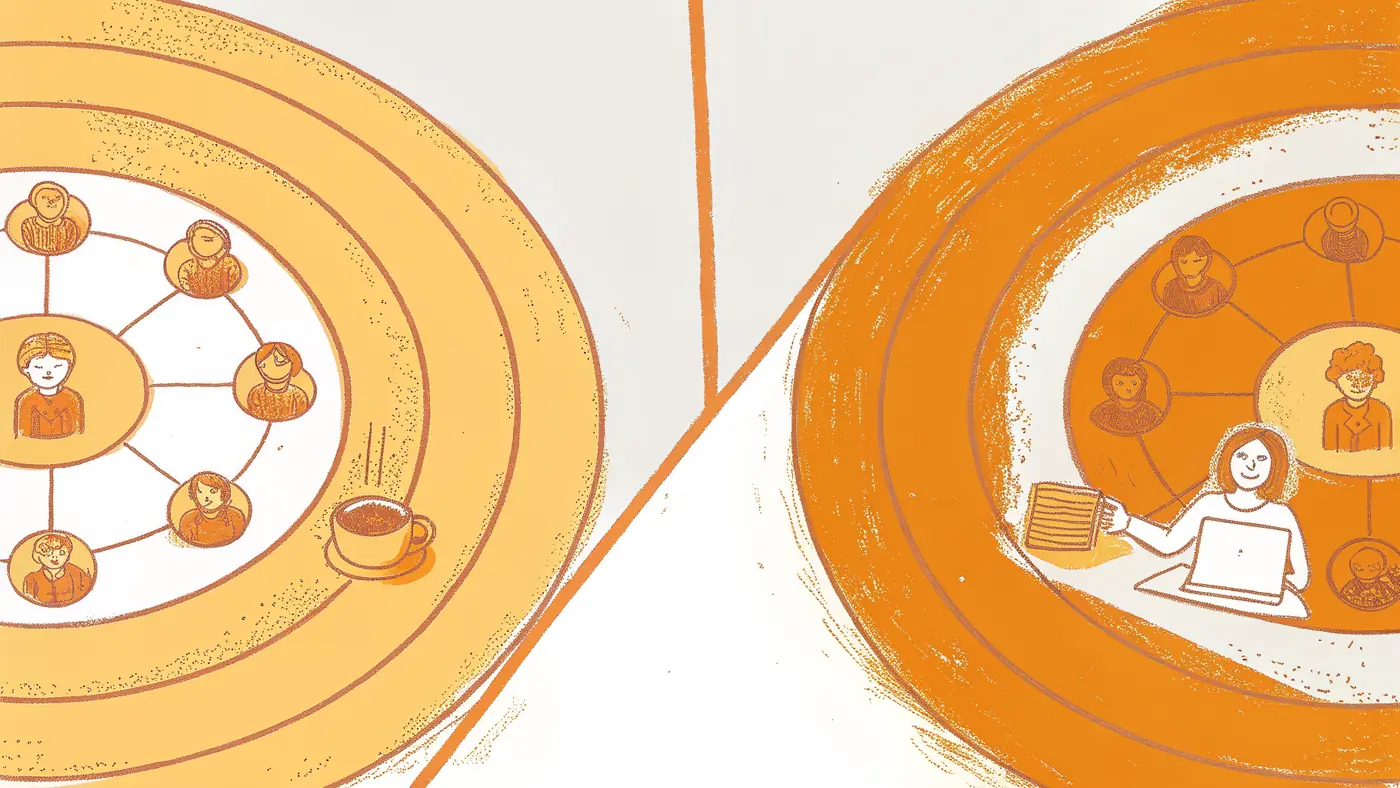
But neither removes the operator from the equation. Both still require a human to pre-encode every decision path, branch condition, and exception handler before any automation runs. The tool choice determines the shape of your operator tax, not whether you pay it.
Where Zapier Genuinely Wins - Breadth, Reliability, and Predictable Linear Logic
Zapier’s core advantage is coverage. With 9,000+ app integrations, it connects more tools out of the box than any comparable platform. For an e-commerce ops team routing Shopify orders through Klaviyo and Gorgias in a clean post-purchase sequence, the trigger-action model is well-matched: native connectors for all three, no custom middleware required.
The linear model is also easy to audit: every step is visible, every condition is explicit, and a new team member can read the flow without a walkthrough. That transparency is underrated.
Where Zapier Breaks Down With AI-Driven Decisions
The problem surfaces the moment AI enters the chain. Zapier’s AI capabilities were added onto a trigger-action foundation not originally built for AI-driven decision making. When an LLM’s output needs to determine which branch fires next, the linear model fractures. You end up writing elaborate conditional logic to anticipate every possible AI response, which means you’re pre-encoding judgment rather than automating it. Task-based billing compounds this: at high volume or with AI-heavy runs, costs scale faster than most ops budgets expect.
Where Gumloop Genuinely Wins - AI-First Branching and Faster Iteration on Complex Logic
Gumloop was built for exactly the scenario Zapier struggles with. Its canvas treats LLM nodes and branching conditions as first-class primitives, not workarounds. A SaaS company classifying inbound leads by AI-scored intent and routing them to different sequences can build that logic directly into the flow, with no hacking around a trigger-action constraint. Iteration is faster too: changing a branch condition doesn’t require rebuilding upstream steps. That alone saves hours when the logic needs tuning, which it always does.
Where Gumloop Breaks Down - Integration Gaps, Ramp Time, and Enterprise Immaturity
Gumloop’s integration library is substantially smaller than Zapier’s. For teams with complex, multi-tool stacks, that gap is real. The canvas also carries a steeper learning curve; the flexibility that makes it powerful for AI-heavy logic makes it harder to hand off to someone who didn’t build it. And as a younger platform, enterprise-grade features like audit logs, SSO, and SLA-backed support are still maturing. Teams with compliance requirements or large IT governance overhead will feel those gaps.
Quick Decision Framework - Gumloop vs Zapier
| Scenario | Choose Zapier | Choose Gumloop |
|---|---|---|
| Stack breadth is top priority | ✅ 9,000+ integrations | ⚠️ Smaller library |
| Primary need is AI-driven branching | ❌ Workarounds required | ✅ Native LLM routing |
| Team needs predictable, auditable linear flows | ✅ Trigger-action is transparent | ⚠️ Canvas adds complexity |
| Billing predictability matters | ✅ Task-based is easy to forecast | ⚠️ Credit burn can surprise |
| Rapid iteration on AI logic | ⚠️ Rebuilding steps required | ✅ Faster branch changes |
| Enterprise-grade maturity needed | ✅ Established platform | ⚠️ Still maturing |
If you tick more boxes in one column than the other, that’s your tool. If the tiebreaker is the last row, the one about who builds the flow, keep reading.
The Work Neither Gumloop Nor Zapier Was Built to Handle
Both Gumloop and Zapier were built around a canvas, and a canvas requires you to know the shape of the work before it arrives. The hardest operational work, the kind that spans billing history, open tickets, and CRM notes before anyone can make a call, never arrives with a predictable shape. That structural mismatch is what this section unpacks.

The Seam Problem - Why the Hardest Work Never Shows Up on Any Canvas
The work that breaks most often isn’t inside any single tool. It lives in the seams between them, where a customer’s billing history, their open support ticket, and a note buried in your CRM all need to be read together before anyone can make a call. No canvas touches that work.
It stays in your head. According to Harvard Business Review’s Collaborative Overload research, collaborative activities consume 80% or more of the typical work week, and cross-team friction concentrates precisely at those seams, where contextual judgment is required and predefined automation patterns break down. The work that would most benefit from automation is the work no canvas can pre-map, because it arrives in unpredictable forms and requires reading context across systems that were never designed to talk to each other.
Pre-Mapping Is the Bottleneck, Not the Solution
Every canvas-based tool shares one structural requirement: a human must map every decision path before any work can move. That’s fine for a predictable, repeatable sequence. It’s a dead end for the work that changes shape every time it arrives.
A cross-tool handoff between your CRM, billing platform, and support queue, one that requires judgment about a customer’s history, doesn’t have a trigger condition. It has a situation. Situations can’t be pre-encoded.
Harvard Business Review research found that 75% of cross-functional teams fail to meet their objectives, a failure rate that tracks directly with the coordination gaps no workflow builder addresses.
What “Judgment Work” Actually Looks Like and Why Flowcharts Can’t Hold It
Judgment work arrives without warning. A customer escalates mid-renewal. A vendor misses a deadline that affects three downstream teams. A hire falls through the week a product ships. None of these have a clean trigger. All of them require someone to read context across tools, weigh competing priorities, and make a call. nShift (2023) found that logistics teams alone spend 50% of their time on manual tasks, most of which involve exactly this kind of cross-system coordination. The canvas doesn’t reduce that load. It documents the parts that were already predictable.
A Different Model - Teammates With Scope and Memory
The structural answer to judgment work is a system that can hold context across tools, interpret intent, and act without requiring someone to have drawn the path in advance, one where the coordination layer has scope, memory, and defined ownership baked in, rather than inherited from whoever last touched the diagram.
50% of logistics time spent on manual tasks 80%+ Of the work week consumed by collaboration
Next steps
If your automation stack keeps pulling you back in every time a process changes or a new tool joins the stack, the path forward starts with recognizing that the canvas was never the bottleneck. It was the requirement to pre-encode every decision path before any work could move.
The maintenance tax neither Gumloop nor Zapier discloses means every API change, every upstream update, every edge case outside the original logic turns you back into the workflow architect. The seam problem compounds that further: 80% or more of the work week is consumed by collaboration, and the majority of that work lives between tools no canvas can reach. Together, they point to a model where the coordination layer doesn’t require you to have drawn the path in advance.
Start with AI teammates to see how teammates built from plain language, with persistent memory and defined scope, handle the cross-tool coordination work that canvas builders document but never actually remove from your plate.
Frequently Asked Questions
Is Zapier or Gumloop easier to use for someone without a technical background?
Zapier’s trigger-action model is generally easier to hand off to non-technical users because every step is visible and explicit, and a new team member can read the flow without a walkthrough. Gumloop’s canvas carries a steeper learning curve, the flexibility that makes it powerful for AI-heavy logic makes it harder to hand off to someone who didn’t build it.
Which platform is better if my team needs AI to decide what happens next in a workflow?
Gumloop was purpose-built for exactly that scenario: its canvas treats LLM nodes and branching conditions as first-class primitives, so AI output can directly determine which branch fires next. Zapier’s AI capabilities sit on top of a trigger-action foundation not originally built for AI-driven decision making, meaning you end up writing elaborate conditional logic to anticipate every possible AI response rather than letting the AI route the workflow.
How does Zapier’s task-based pricing compare to Gumloop’s credit model in practice?
Zapier charges per action a Zap performs, which feels predictable until a high-volume automation burns through the monthly ceiling faster than expected. Gumloop’s credit model accounts for compute weight, a single LLM call costs more than a simple data pass, so credits can disappear faster than expected once workflows move into regular production, trading one kind of billing unpredictability for another.
Does Zapier or Gumloop work better for enterprise teams with compliance and governance requirements?
Zapier is the more established platform for enterprise needs. Gumloop is a younger platform where enterprise-grade features like audit logs, SSO, and SLA-backed support are still maturing, so teams with compliance requirements or large IT governance overhead will feel those gaps.
What kind of work can’t either Gumloop or Zapier actually automate?
Neither tool can handle judgment work that arrives without a predictable trigger, think a customer escalating mid-renewal, a vendor missing a deadline affecting multiple teams, or a cross-tool handoff that requires reading context across a CRM, billing platform, and support queue simultaneously. Both tools require a human to pre-encode every decision path before any automation runs, which means the work that changes shape every time it arrives stays outside any canvas.