Best AI Coworker Tools in 2026 That Actually Boost Output
Founders still doing everything need an AI coworker, not another chatbot. Find the 2026 tools that actually take work off your plate.
 Skydive 27 min read
Table of contents
Your AI tab graveyard is not a habit problem. It is a category problem: chatbots answer, agents trigger, and neither one takes work off your plate the way a real coworker does.
Most founders and CEOs under 30 believe “the right AI tool is out there; I just haven’t found the one with the right features yet.” The tab graveyard, ChatGPT, Notion AI, a half-built Zapier workflow, isn’t evidence of bad habits. It’s evidence of a mismatch between what the tool is and what the founder actually needed.
The founder is the operator for sales, ops, hiring, finance, and everything in between. That’s a structural reality of a lean team. According to GTIA’s research on SMB AI adoption, small business owners aren’t slow to try new tools; they’re slow to retain them, because the tools don’t absorb work.

They reflect it back. See our AI teammates for how this works in practice.
Every time a founder re-opens a chat interface to re-explain context, re-specify a task, or reconstruct a workflow that didn’t save itself, a small piece of judgment stays locked in their head instead of moving through the business. That compounding judgment debt is invisible on a P&L. It shows up instead as a founder still answering the same operational questions at 11pm that they answered six months ago.
This pattern is consistent enough to be structural, not accidental. Second Talent’s analysis of AI adoption data, drawing on US Census Bureau figures, found that the gap between reported AI adoption and verified sustained use is enormous. Most tools are trialed, not retained. The tool was always a question-answering interface, and the founder needed something that takes work off their plate permanently. Those are different categories. No prompting habit fixes a category mismatch.
Key takeaways
- The tab graveyard, ChatGPT, Notion AI, a half-built Zapier workflow, isn’t a habit problem; it’s a mismatch between prompt-based tools and founders who needed a teammate, not a vending machine.
- An AI coworker isn’t defined by features, it’s defined by whether it still runs in week two without you watching it.
- 60% of team time goes to work about work: communicating, searching, context-switching. That’s the load an AI coworker absorbs, not a chatbot.
- The unlock isn’t one AI answering questions, it’s a bench of specialized teammates handing off to each other across ops, finance, marketing, and engineering.
- Fit is structural, not motivational. The clearest signal: a 15-to-50-person team where the founder is still the default operator for too many domains.
- Start where you’re the bottleneck, not where it’s easiest to demo. Low-stakes summarization tasks don’t free up founder capacity, they just add another tab.
- SkyDive lets teams build AI teammates that handle real work inside Slack, email, iMessage, and web chat, the same channels the team already runs on, so the bench actually gets used.
What Is an AI Coworker and Why It’s Not a Chatbot or an Agent
Think of the difference this way: a vending machine dispenses what you select, but a new hire figures out what needs doing. The common assumption among founders who’ve tried AI tools in the past two years is that the right AI tool is out there; they just haven’t found the one with the right features yet. In reality, most of them have been working with vending machines while hoping for hires.
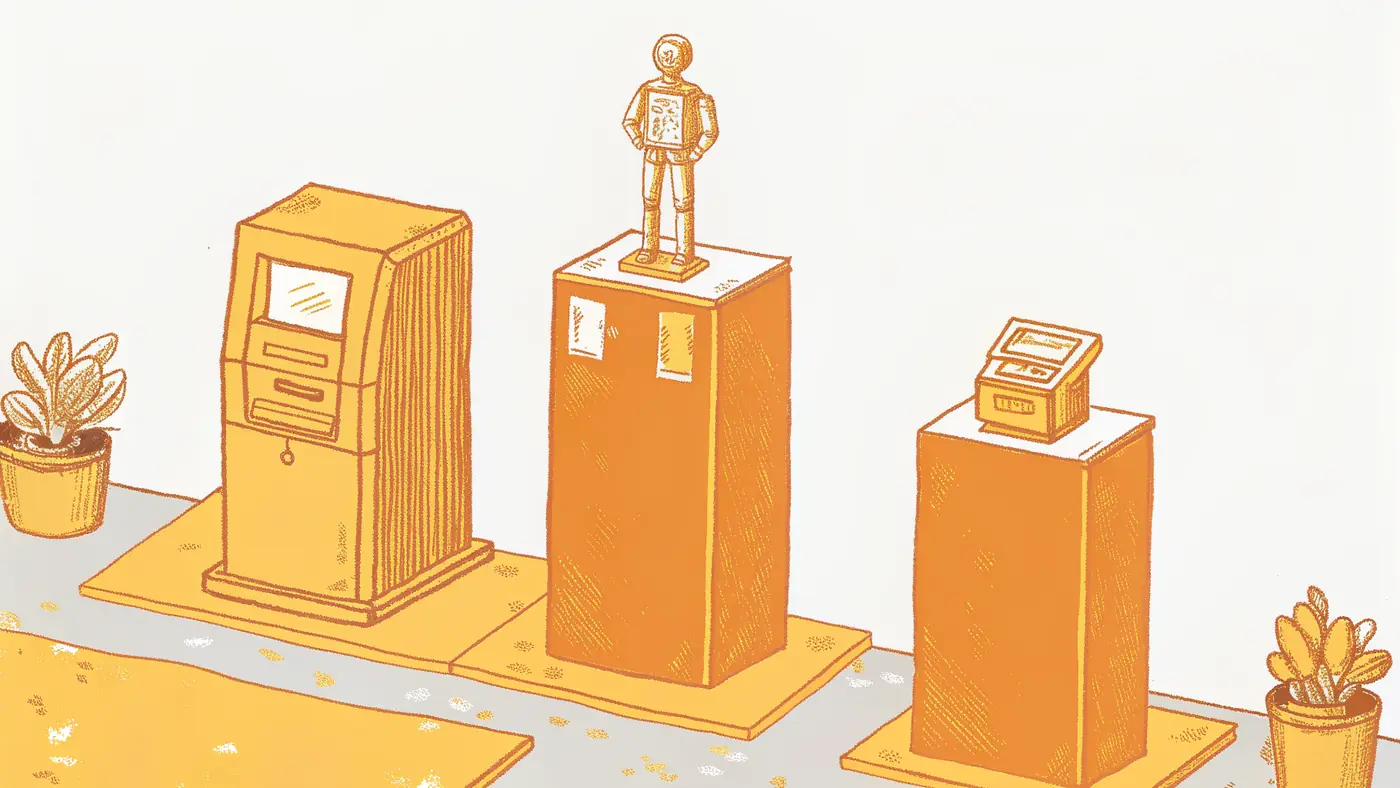
The Three-Tier Stack - Chatbot, Agent, and AI Coworker
A chatbot answers. An AI agent fires on a trigger. An AI coworker takes a high-level goal and determines the steps itself.
These are not points on a spectrum. They are categorically different systems. The confusion is a reasonable response to marketing language that deliberately blurs the lines. The result is misconfigured setups, wasted time, and a founder who concludes AI “doesn’t work,” when what failed was the category assumption, not the technology itself.
| System | How it works | Who drives the logic |
|---|---|---|
| Chatbot | Prompt interface: you ask, it responds, nothing happens until you ask again | Human, every time |
| AI Agent | Conditional rule: when X happens, do Y, useful, but brittle | Human designs the logic upfront |
| AI Coworker | Receives a goal (the kind you’d write in a job description) and decides what to do next without being walked through it | The system itself |
One of the most persistent practical problems knowledge workers face is conflating these categories. Teams configure something like an AI agent and expect it to behave like a coworker, then burn hours debugging the gap when it doesn’t.
There is a second, subtler failure mode worth naming: AI models designed around “computer use,” navigating visual interfaces the way a human would, are fundamentally mismatched to how large language models process information. A model reading a screen of buttons and dropdowns is doing something it was not optimized for. A true AI coworker operates through structured integrations and defined tool access, not by squinting at a UI. SkyDive is built around this distinction: each teammate gets a per-teammate sandbox with browser access and built-in tools and capabilities, but the architecture is designed around what LLMs are good at, not around mimicking a human clicking through menus.
The Onboarding Test
If you have to re-explain it every time, it’s not a coworker. The clearest test is whether you have to brief it again on Monday.
A pattern that surfaces repeatedly among founders who’ve trialed AI tools: the tool works fine the first session, then the next day it’s blank. No memory of the project, no context about the client, no awareness that this task connects to the one from last week. So the founder re-explains. Then re-explains again. Tools requiring constant human prompting function as prompt interfaces rather than autonomous systems; they shift cognitive load from one place to another rather than removing it from the founder’s plate.
That’s the hidden cost. Every tool that demands re-prompting keeps the founder’s judgment trapped inside the system rather than freed from it. Knowledge workers who feel overwhelmed by rapidly evolving AI tools are often not struggling with the tools’ raw capabilities; they’re struggling because those capabilities reset at the session boundary, making practical application in real work contexts feel like pushing water uphill.
SkyDive is built around memory and persistence as a core architectural feature, not an afterthought. A SkyDive teammate retains context across sessions: it knows the project, the client, and how last week’s task connects to this one. You don’t re-brief it on Monday. That shift, from session-scoped to persistent, is what moves a tool from “prompt interface” to something that functions like an actual coworker who was here yesterday and will be here tomorrow.
Autonomous Multi-Step Execution - The Capability That Defines a True AI Coworker
An AI coworker takes a high-level goal, determines the necessary steps, and executes across multiple tools without the founder staying in the loop. The research on where that time goes is striking:
- According to the Asana Anatomy of Work Index (2023), 60% of workers’ time goes to work about work, communicating about tasks, searching for information, and switching between tools, rather than on the skilled, judgment-intensive work they were actually hired to do.
- Qatalog and Cornell University’s Idea Lab found that it takes an average of 9.5 minutes to regain focus after switching between applications.
- Clockify data shows that recurring administrative tasks consume a disproportionate share of the working week, time that compounds invisibly until someone maps it.
60% of their time goes to work about work
The practical implication is straightforward: reducing the back-and-forth communication overhead so a team can stay focused on high-impact work instead of status updates is a structural change in how work gets done. SkyDive is built multi-teammate by default, with scheduled runs that fire without human initiation, MCP (Model Context Protocol) support for deep tool integration, granular permissions and team collaboration controls, and pre-built teammate templates that compress setup time. The goal is to coordinate complex, multi-step workflows without losing track of who owns what at each stage, and to get real output from AI tools, not suggestions that still require a human to execute every step.
Key Capabilities of AI Coworkers - What They Actually Do Across Your Stack
Most founders shopping for AI tooling are asking the wrong question entirely, and the feature lists they’re comparing won’t tell them that. What actually determines whether an AI coworker survives past week two is whether it fires without prompting, carries context across every tool in the stack, and hands off cleanly to whatever comes next. Those three criteria are what this section unpacks, capability by capability, across the surfaces a lean team touches every day.
What You’re Actually Evaluating (And Why Most Founders Get It Wrong)
The real reason AI tools die in week two isn’t the tool; it’s that founders are evaluating tools against a tacit standard they’ve never written down. When 60% of a team’s time goes to “work about work” (communicating, searching, context-switching), and workers lose another 4 hours weekly just to app-hopping, the pain being felt is fragmentation, but founders keep shopping for a “smarter chatbot” rather than a cross-tool layer that absorbs fragmentation by design. No feature set closes that gap because the mismatch is categorical, not functional.
A long feature list is the wrong thing to evaluate. The question that actually matters is: does this capability fire without you asking, carry context from one tool to the next, and hand off cleanly to the next step? Those three criteria separate a genuine AI coworker from a smarter search bar. Here is what each of those capabilities looks like in practice across a lean team’s daily stack:
- Does it fire without prompting?
- Does it carry context from one tool to the next?
- Does it hand off cleanly to the next step?
Pros and cons at a glance
| ✓ Pros | ✗ Cons |
|---|---|
| Monitors data streams and surfaces what matters proactively | Poorly tuned alerting generates noise faster than insight |
| Flags idle deals, mismatched invoices, dropped metrics automatically | Alerts firing too often train people to ignore them |
| Drafts a response and surfaces it for one-click approval | Value accrues only when scoped tightly to decision-requiring signals |
1. SkyDive - Best AI Coworker for End-to-End Workflow Automation
SkyDive functions as a true AI coworker by autonomously executing multi-step workflows across your entire tool stack, not just suggesting next steps. Ideal for ops and RevOps teams drowning in repetitive cross-platform tasks, it eliminates the manual handoffs that kill momentum. The real tradeoff: initial workflow configuration requires meaningful upfront investment from a technical stakeholder before autonomous value kicks in.
2. Cross-App Context Retention - Eliminating the ‘Where Was I?’ Tax
A defining capability of a mature AI coworker is maintaining full task context as it moves between tools, search, code, CRM, docs, so neither the AI nor the human has to re-derive state from scratch. This directly attacks the context-switching drain that practitioners identify as more costly than the actual work. The limitation: context windows still have hard ceilings, making very long-running or highly branched tasks prone to state degradation.
3. Autonomous Code Generation and Self-Testing - The Developer’s AI Coworker
An AI coworker embedded in the dev stack, think Cursor, Copilot, or Claude Code, can scan codebases, generate feature implementations, write and execute its own test cases, and refactor when complexity spikes, delivering a reported 5–10x productivity lift for senior engineers. Best suited for teams with clear specs and strong code-review culture. The hard ceiling: the final 30% of a project still demands human architectural judgment and accountability.
4. Slack-Native Knowledge Retrieval - The AI Coworker That Answers From Conversations
By connecting Slack conversation history to a knowledge base like Notion AI, an AI coworker can surface answers buried in months of channel threads without anyone manually documenting them. This is the right capability for knowledge-intensive teams where critical decisions live in DMs and channels rather than wikis. The tradeoff is real: answer quality degrades sharply if Slack channels are noisy, poorly organized, or lack consistent naming conventions.
5. Intelligent Meeting and Calendar Orchestration - The Scheduling AI Coworker
AI coworkers with scheduling intelligence handle the full coordination loop, parsing availability across time zones, proposing optimal slots, sending invites, and rescheduling on conflict, without a single back-and-forth email. This capability is highest-value for customer-facing teams and executives whose calendars are a constant negotiation. The limitation: nuanced scheduling preferences (protected focus blocks, relationship-weighted prioritization) still require deliberate configuration to be respected.
6. Proactive Data Analysis and Business Intelligence Narration
Rather than waiting to be queried, a capable AI coworker monitors live data pipelines, detects anomalies, and proactively narrates what changed and why, functioning like an always-on analyst embedded in your BI stack. This is the right fit for data teams and business leaders who need signal separated from noise at scale. The key tradeoff: proactive alerting without well-tuned thresholds generates alert fatigue faster than it generates insight.
AI Coworker Use Cases in Operations, Finance, Marketing, and Engineering
Every domain a founder touches has the same hidden structure: a decision gets made, and then nothing moves until the founder personally follows up. That gap, between the decision and the execution, is where lean teams quietly lose weeks.
Operations - The Recurring Admin Loop That Only Runs When the Founder Remembers It
AI coworker use cases in operations center on tasks that recur on a schedule but require enough cross-tool context that no single employee wants to own them: vendor follow-ups, onboarding checklists, status aggregation. According to the Prialto Executive Productivity Report 2025, AI coworkers can handle these recurring administrative loops without the founder touching them directly. SkyDive is built for exactly this pattern: scheduled runs mean the loop triggers on its own cadence, and because each teammate carries memory and persistence across sessions, context from last week’s vendor exchange is already loaded when the follow-up goes out. The real gain is not the hours saved; it is that the loop closes whether or not the founder remembers to check, and that it closes without becoming anyone’s second job.
1. AI Coworker for Operations - Automated Supply Chain Exception Handling
An AI coworker embedded in operations workflows monitors inventory levels, flags supplier delays, and reroutes purchase orders without human intervention. It’s the right fit for mid-market companies drowning in manual ERP updates and cross-team escalations. The real tradeoff: initial data integration across legacy systems is time-intensive, and the AI requires clean, structured data pipelines before it can act reliably on exceptions.
Related Reading
- The Future of Agentic AI For Customer Support Explained
- 13 Best Agentic AI Platforms in 2026 for Autonomous Work
- How to Measure AI Agent ROI Before You Scale
- 13 Best AI Agent Integrations to Automate More in 2026
- AI Agent vs Assistant: Key Differences Compared (2026)
- How To Measure AI Agent ROI With Proven Metrics
- The Ultimate AI Automation Tutorial for Beginners (2026)
- 14 Best Browser Use Agent Tools for AI Web Automation 2026
- 13 Best AI Agents for Marketing Teams in 2026
- How to Set AI Agent Permissions Without Losing Control
- What Are Parallel AI Agents? A Complete 2026 Guide
Best AI Coworker Tools and Platforms in 2026 - What Each One Actually Does
By day fourteen, the demo excitement is gone and the real question surfaces: is this thing still working, or did it quietly stop the moment you stopped watching it?
That is the only evaluation that matters for AI coworker platforms. Not the feature count. Not the integration list. Not how fluid the walkthrough felt. The week-two test asks one thing: does the tool still run on its own, or did it hand the operational burden back to you the moment setup got complicated?
There is a second, quieter failure mode worth naming: AI tools that keep running but become black boxes, producing plausible-looking outputs that no one on the team fully understands or can validate. The platforms that win sustained adoption solve both problems at once. They stay autonomous and they stay legible, so every team member knows who owns what at each stage and can see the work, not just the result.
Several platforms claim the AI coworker label. What separates them is architecture, not ambition. The platforms winning sustained adoption share three structural layers:
- A persistent identity that retains context across sessions
- A presence inside the tools your team already uses
- The ability to act without waiting to be prompted
Strip any one of those layers and you replicate the same abandonment pattern, regardless of how many apps the platform connects to.
Here is how the leading platforms stack up against that standard.
1. SkyDive - Best All-in-One AI Coworker for Enterprise Teams
SkyDive’s AI teammates are configured from a plain-English description, the same way you would onboard a person: describe the role, grant bounded access, hand it a task. A GTM Ops teammate, for example, can monitor Salesforce, write follow-up emails, and surface stalled deals in Slack without a workflow canvas or re-briefing.
What makes SkyDive structurally different from most platforms in this category is that it is multi-teammate by default, meaning you are not building a single automation but coordinating a team of AI employees through complex, multi-step workflows without losing track of who owns what at each stage. Each teammate runs inside its own per-teammate sandbox with browser access, which does two things simultaneously: it gives the AI the live-web context it needs to act on real tasks, and it keeps each teammate’s execution environment isolated so one agent’s activity does not bleed into another’s. Granular permissions and team collaboration controls mean you can grant each AI employee exactly the access its role requires, no more, no less.
For teams where the failure mode is constant back-and-forth and status-update overhead, SkyDive’s memory and persistence layer is the structural answer: context carries across sessions, so teammates pick up where they left off without re-briefing. Scheduled runs mean work happens on a cadence without a human trigger. Pre-built teammate templates compress the configuration step for the most common startup roles. And MCP (Model Context Protocol) support keeps the platform extensible as your stack evolves.
The result is that every team member gets a clear, predictable process. No one is walking blindly into their next task or handoff, because ownership and sequencing are built into how the teammates are configured, not managed through a separate project board.
Teams in this range consistently report that the configuration step, describing the role, granting access, assigning the first task, feels closer to onboarding a person than building a workflow, with the first autonomous execution typically completing on the same day setup begins. The real tradeoff is fit: SkyDive is purpose-built for 15-50 person funded startups where the founder is the de facto operator, not for solopreneurs running a single automation or enterprises with dedicated IT governance teams.
2. Coworker AI - Best for Multi-Model Flexibility with Company Context
Coworker AI connects to 50+ enterprise tools including Salesforce, HubSpot, Slack, Jira, and Snowflake, per the platform’s own connector documentation, with OAuth-based integrations designed to reduce setup time at the connection layer. The platform lets teams run agents across multiple underlying models, which matters when different functions need different reasoning styles. The Coworker AI Blog documents how teams are using multi-model routing to match reasoning style to task type across functions. The limitation worth naming: smaller teams may find the configuration overhead and permission architecture more than they need at their current stage.
3. Gemini Deep Research - Best AI Coworker for Long-Horizon Research Tasks
Gemini Deep Research handles multi-step research tasks that require pulling from many sources, synthesizing findings, and producing structured outputs without manual hand-holding between steps. It is the right pick when a team needs thorough competitive analysis, market scans, or due diligence compiled autonomously. The tradeoff is scope: it excels at research-shaped work and is not designed to act across your operational stack, so it functions more as a specialized research teammate than a general-purpose coworker.
4. Microsoft Copilot in Word - Best AI Coworker Embedded in Existing Workflows
Microsoft Copilot integrates directly into Word, Outlook, and Teams, which means knowledge workers do not have to leave the tools they already use. For organizations already inside the Microsoft 365 stack, the friction to adoption is genuinely low. The constraint is that Copilot works best as an in-workflow assistant rather than an autonomous agent; it still requires a person to initiate each task, which limits how much operational load it can absorb independently.
5. Read AI - Best AI Coworker for Meeting Intelligence and Cross-Tool Search
Read AI goes beyond transcription to function as a persistent AI coworker that surfaces insights across meetings, emails, Slack messages, CRM records, and documents in one searchable layer. It’s the right pick for revenue and operations teams drowning in communication data. The key limitation is that its value compounds over time, new users see limited benefit until the platform has ingested sufficient historical context.
6. Cursor - Best AI Coworker for Software Development Teams
Cursor operates directly inside the codebase, giving engineering teams an AI coworker that understands project-level context rather than answering isolated coding questions. It is among the most widely adopted coding AI tools at growth-stage companies. Stack Overflow’s 2025 Developer Survey documented Cursor among the most widely adopted AI coding tools in daily professional use, reflecting how quickly codebase-aware AI has moved from experiment to default for engineering teams. The honest tradeoff: Cursor’s value compounds with codebase familiarity over time, so teams that switch projects frequently or maintain many disconnected repositories will see less of that compounding effect.
7. Zapier AI - Best AI Coworker for Automating Cross-App Workflows Without Code
Zapier AI layers conversational task-triggering and AI-assisted step-building on top of Zapier’s existing automation network, which means teams that already have Zaps running can extend them with natural-language instructions rather than starting from scratch. The practical advantage is breadth: Zapier connects to thousands of apps, so teams with heterogeneous stacks find it easier to wire new AI steps into workflows that already exist. The honest constraint is depth: Zapier AI works best as an enhancement to automation logic a team has already designed, rather than as a system that determines and executes multi-step goals autonomously. Teams looking for a coworker that initiates work without a trigger pre-set by a human will find it reaches its ceiling quickly.
Who Should Use an AI Coworker and Who It’s Not Built For
Most AI coworker evaluations focus on the wrong variable. The question isn’t which tool has the best features; it’s whether your team’s workflows, ownership structures, and communication rhythms are actually ready to hand off real work before you ever open a trial account. What follows breaks down the readiness signals that predict whether a tool like SkyDive becomes load-bearing infrastructure or quietly dies in week two.
Why AI Coworker Tools Fail in Week Two
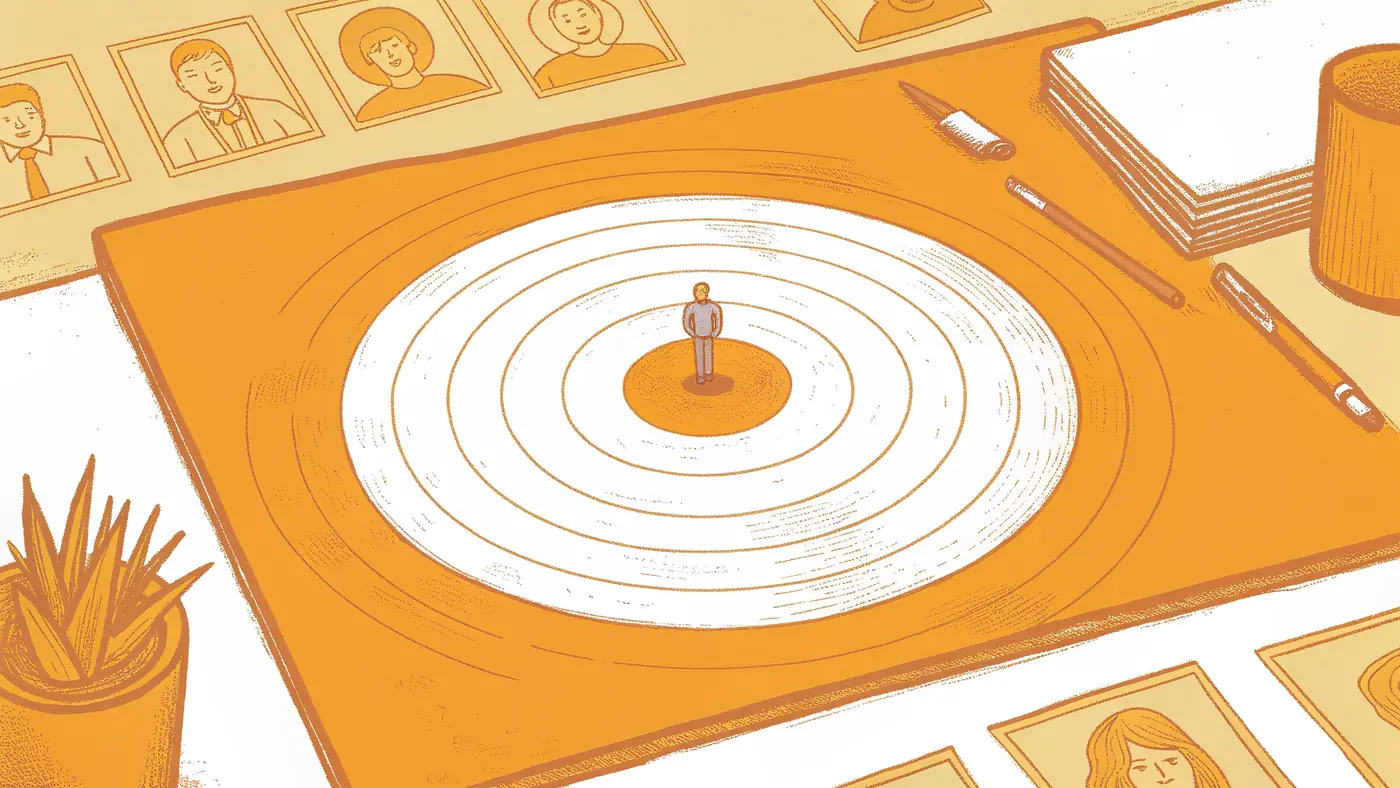
The central claim most AI coworker evaluations miss is this: choosing a tool that sticks isn’t an evaluation problem, it’s a readiness problem that most evaluation frameworks are blind to. The Census Bureau shows only 19% of businesses have adopted AI, while Stanford reports 88% enterprise “adoption”, a gap that exists because most teams trial tools without ever auditing whether their own workflows, ownership structures, and communication rhythms are ready to hand off real work. A founder can run the most thorough feature comparison in the world and still watch the tool die in week two if no one has mapped which recurring tasks have clear owners, which handoffs are currently undocumented, and whether the team has a shared operating cadence that an AI layer can plug into. The tool evaluation should come second; the internal readiness audit should come first.
*Key takeaway: The Census Bureau shows only 19% of businesses have adopted AI despite Stanford reporting 88% enterprise “adoption”, because most teams skip the internal readiness audit and go straight to the feature comparison.*
One failure pattern we see repeatedly: teams deploy fast, skip real-world testing, and discover the errors only after the tool is load-bearing. An AI counting reflections as inventory, or misidentifying items at scale, doesn’t surface in a demo. It surfaces on day eight when the damage is already done. Speed of deployment without a readiness foundation accelerates abandonment.
That readiness gap is exactly what the OpenAI State of Enterprise AI Report surfaces from the vendor side. Two key barriers to sustained adoption stand out:
- The requirement for ongoing manual re-configuration and re-briefing: tools that lack persistent memory create recurring overhead that leads directly to abandonment.
- Agents that still struggle to navigate APIs and external systems independently without operator direction, meaning a tool that can’t operate autonomously isn’t saving your team time. It’s just relocating the labor from execution to hand-holding.
The pattern shows up in practice before it appears in any vendor’s data. A founder runs a strong demo, assigns the tool a task, and by week two is spending more time re-explaining context than the tool saves. The math quietly inverts.
This is where structural design matters more than feature lists. SkyDive is built multi-teammate by default, with memory and persistence baked in, so context doesn’t evaporate between sessions. Each teammate operates inside its own per-teammate sandbox with browser access, and granular permissions mean ownership is explicit: every recurring task has a named teammate accountable for it, not a shared inbox where accountability diffuses. Scheduled runs keep work moving forward without a human trigger. The result is a system that can coordinate complex, multi-step workflows without losing track of who owns what at each stage, and that reduces the back-and-forth communication overhead that quietly consumes the hours teams thought they were saving.
The durability test is simple. Ask: if I don’t touch this tool for ten days, does it still run? Before you answer that for any tool you’re evaluating, run through this checklist:
- Confirm which recurring tasks in your workflow have a clear, named owner today.
- Confirm which handoffs between people are currently undocumented or informal.
- Check whether your team has a shared operating cadence that an AI layer can plug into.
- Ensure the tool retains memory and context between sessions without manual re-briefing.
- Ensure the tool can operate autonomously against your existing APIs and external systems without operator direction.
- Check that recurring work runs on a schedule without requiring a human trigger.
- Confirm that if you don’t touch the tool for ten days, it still runs.
If the answer to any of the final items depends on you re-briefing it, rebuilding a broken workflow, or logging into a separate interface to check its status, it hasn’t passed. Persistent memory, pre-built teammate templates, and multi-channel access mean SkyDive is designed to pass that test by default, as the baseline architecture rather than a premium add-on. The OpenAI State of Enterprise AI Report makes clear that sustained adoption requires tools built to run without constant re-briefing. SkyDive’s memory and persistence layer exists precisely to close that gap.
The Hidden Cost of Tools That Can’t Navigate External Systems Independently
The second barrier the OpenAI State of Enterprise AI Report identifies is equally corrosive to sustained adoption: agents that still require operator direction to navigate APIs and external systems don’t eliminate labor, they redistribute it. When a tool needs a human to broker every connection to a calendar, a CRM, a project management system, or a data source, the team hasn’t gained an autonomous coworker. It has gained a sophisticated drafting assistant that still depends on a human operator to move anything across a boundary. The hours saved on execution get silently consumed by the hand-holding required to complete each external action, and the net time savings that justified the purchase quietly disappear from the ledger.
This matters most at the exact moment small teams need relief: when recurring, cross-system workflows are the bottleneck. A founder who needs a teammate to pull pipeline data, update a project board, draft a follow-up, and log the outcome isn’t describing a complex enterprise integration. They are describing a Tuesday.
If the tool can draft the follow-up but requires a human to execute every adjacent step, the workflow is still broken, just broken in a different place. The failure mode is subtle enough that it rarely surfaces in a two-week trial, because the human operator compensates instinctively, filling the gaps without registering the overhead as a cost attributable to the tool. By the time the pattern is visible, the team has already normalized the workaround, and the tool’s actual autonomy ceiling has been quietly accepted as a feature rather than identified as a structural limitation.
Evaluating for this before deployment means testing not whether the tool can complete a task in isolation, but whether it can complete a task that requires touching three external systems in sequence, without a human in the loop at each handoff.
How to Choose an AI Coworker Tool That Actually Sticks
Most AI coworker evaluations fail before they start because they treat adoption as a tool problem when it is actually a readiness problem. If your workflows lack clear owners, your handoffs are undocumented, and your team has no shared operating cadence, no tool survives contact with week two regardless of how well it performed in the trial. What follows is a framework for auditing your own internal readiness first, so that when you do choose a tool, it has something real to plug into.

Next steps
If your operational load keeps routing back to you no matter how many tools you trial, the path forward starts with changing the evaluation frame. An AI coworker is a role you describe once and hand work to, not a prompt interface you manage session by session. Start with our AI teammates.
The reason AI tools die in week two is categorical, not functional: founders keep shopping for a smarter chatbot when the actual problem is fragmentation that no feature set closes. That mismatch is structural. Separately, choosing a tool that sticks is a readiness problem before it is an evaluation problem. Teams that audit which recurring tasks have clear owners, and which handoffs are undocumented, before they pick a platform are the ones that reach week three with the tool still running. Those two insights point to the same next step: configure a persistent, role-based teammate for the function where you are the single point of failure, not the one that looked cleanest in the demo.
Start with AI teammates by describing the first role in plain English, granting bounded access, and watching the first autonomous run complete the same day. From there, the teammate carries context across sessions, fires on a schedule without a human trigger, and coordinates across your existing stack without rebuilding anything you already have in place.
Frequently Asked Questions
What’s the actual difference between an AI coworker and a regular automation tool like a chatbot or agent?
A chatbot answers questions when you ask, an AI agent fires on a predefined trigger, and an AI coworker receives a high-level goal and determines the steps itself, without being walked through the logic each time. These are not points on a spectrum; they are categorically different systems. The confusion is a reasonable response to marketing language that deliberately blurs the lines, but the practical consequence is real: teams configure an agent, expect it to behave like a coworker, and burn hours debugging the gap when it doesn’t.
How do I know if what I’m using is actually an AI coworker or just a smarter chatbot?
The clearest test is whether you have to re-brief it on Monday. If the tool has no memory of the project, the client, or how last week’s task connects to this one when you return to it, it’s a prompt interface, not a coworker. A genuine AI coworker retains context across sessions and fires scheduled workflows without human initiation, which is the architectural shift that moves it from ‘question-answering interface’ to something that actually takes work off your plate permanently.
What kinds of real work can an AI coworker actually handle across different parts of my business?
This guide covers use cases across four functions: in operations, recurring admin loops like vendor follow-ups and onboarding checklists; in finance, continuous monitoring of spend against budget, flagging invoice discrepancies, and preparing weekly snapshots; in marketing, real-time ad performance monitoring, CPA spike detection, and drafted Slack summaries with recommended budget shifts; and in engineering, GitHub triage, stalled pull request flagging, and cross-tool status syncing. The common thread is tasks that recur and require cross-tool context but currently only move when the founder personally follows up.
Why do most AI tools get abandoned after the first week or two?
This guide’s argument is that it’s a category mismatch, not a habit problem. Most AI tools are question-answering interfaces that reflect work back at the founder rather than absorbing it, and no prompting habit fixes a category mismatch. Second Talent’s analysis drawing on US Census Bureau figures found that the gap between reported AI adoption and verified sustained use is enormous, because founders needed something that takes work off their plate permanently, not a tool that requires them to re-explain context every session.
Does an AI coworker work by watching my screen and clicking through apps the way a human would?
Screen-navigation approaches, where an AI model reads a visual interface of buttons and dropdowns to mimic a human clicking through menus, are fundamentally mismatched to how large language models actually process information. A true AI coworker operates through structured integrations and defined tool access instead. SkyDive is built around this distinction: each teammate gets a per-teammate sandbox with browser access and built-in tools, but the architecture is designed around what LLMs are actually good at, not around screen-scraping a UI.