AI Agent vs Assistant: Key Differences Compared (2026)
AI agent vs assistant changes who does the next step. Ops leaders, stop being the relay runner and get a day back with multi-teammate AI.
 Skydive 26 min read
Table of contents
The label on your AI tool is cosmetic. Whether you or the AI carries the work to the next step is not. Here is the distinction that actually changes your team’s workload.
The agent vs. assistant debate gets framed as taxonomy because taxonomy is comfortable. But the real question is simpler and sharper: after the AI responds, who carries the work to the next step? Most heads of operations assume the answer is obvious. Adding AI to operations means deploying a smarter chatbot that answers questions faster. The productivity gain is in better, quicker answers, not in who or what does the next step. See our AI teammates for how this works in practice.
If the answer is you, the tool is an assistant, regardless of what the vendor calls it. The label is cosmetic. The workload consequence is not. That cost is not theoretical. Workers switch between apps and tools more than 1,100 times per day, with each context switch consuming meaningful time and cognitive load. The connective tissue between tasks is itself the productivity drain.

An assistant describes. It tells you what email to send, which vendor to contact, which row in the spreadsheet needs updating. Then it waits. You execute. You route the output. You trigger the next step.
An agent does. It sends the email, contacts the vendor, updates the row, and reports back when the sequence is complete. The distinction is behavioral, and it determines whether operational AI clears your calendar or simply adds a smarter item to your to-do list.
This is the hidden architecture problem. A single assistant has no one to hand work to. Every handoff defaults back to the human.
Platforms like SkyDive address this structurally: each teammate holds its own scope, owns its step of the sequence, and hands the work forward without a human relay carrying the baton between tools.
Key takeaways
- An AI assistant stops the moment it generates output, the next step is always yours to carry.
- The real dividing line isn’t autonomy in the abstract; it’s whether the AI crosses a system or role boundary without you re-prompting it at every seam.
- Most tools marketed as ‘agents’ still require a human to trigger, monitor, and redirect them, that’s a faster assistant, not a different category.
- Data entry, notification routing, and report generation account for 62% of recoverable time in SMB operations, workflows that cross tool boundaries, not single-prompt tasks.
- The average organization runs on 130 SaaS applications; any AI that adds a destination instead of working inside existing tools compounds the fragmentation problem.
- Five dimensions separate agents from assistants in practice, autonomy, tool use, decision-making, memory, and goal persistence, and most teams only discover which one matters after absorbing the cost of the wrong choice.
- SkyDive’s Multi-teammate ships each teammate with its own identity, scope, and history, and teammates hand work to each other across those boundaries without anyone mapping the steps in advance, that’s what closes the gap the rest of these bullets name.
What Is an AI Assistant? (Reactive, Prompt-Driven, and Always Waiting on You)
Most people using AI assistants today already sense the friction but haven’t named it yet. The tool feels powerful in the moment, then somehow the workload doesn’t shrink. What follows breaks down exactly why that happens, starting with how the assistant is architected and what that architecture quietly costs you every single day.

The definition that actually holds up
An AI assistant is a prompt-response tool. You send a query; it generates output; it stops. According to industry data, AI assistants “operate on a prompt-response interaction model: the human must initiate every interaction with a prompt, and the AI responds to that single input before waiting for the next instruction.” That is not a bug. It is the architecture. The assistant is designed to answer, not to act.
“AI assistants are still reactive and task-dependent, users must explicitly prompt them for each workflow, with no clear ‘winner’ that handles everything autonomously.”
The prompt-response loop makes you the relay runner
The loop is simple: you prompt, it responds, you carry the output somewhere. Then you prompt again. Anyone who has spent a full workday this way knows the feeling: you are moving fast, but the queue is not shrinking. That is because the assistant accelerates answer production while leaving you as the execution layer. Every response it generates creates a new action item only you can close.
There is a second, quieter cost that compounds on top of this. Standard AI assistants carry no persistent memory of your workflows, your tools, or your team’s context. Every new session starts from zero. Beginners feel this sharply: they spend the first minutes of each conversation re-explaining what they do, what they need, and where things stand before they can extract anything useful. The assistant did not slow you down at any single prompt; it just added an unpaid orientation meeting to the start of every one.
A faster answer fills your inbox faster. A better draft still needs to be sent by a human hand. The assistant does not slow you down at any single prompt; it multiplies the number of things you must still do next.
Siri, Alexa, and ChatGPT: where each one hands the baton back
These three are the clearest examples of the prompt-response model in the real world, and they share one structural trait: every action requires a human trigger. Ask Siri to set a calendar reminder and it does exactly that, one item, one command, done. The moment the task requires a follow-up decision, Siri waits.
Ask Alexa to add something to a list and the same handoff applies: the next step is yours. Ask ChatGPT to draft an email and every subsequent action, copying, sending, applying, or iterating, must be initiated manually by the human user. Three different products.
The same handoff point.
What none of them solve is the ownership gap: no clear winner handles an entire workflow autonomously from trigger to resolution. Users are left stitching outputs across tools by hand, re-entering context each time, and personally tracking who needs to act next. That is not a productivity gain; it is productivity redistributed.
Reactive and task-oriented is a deliberate architecture, with a hidden price tag
Reactive design keeps the human in the loop at every micro-step, which is fine for a single task and quietly catastrophic for a team running complex, multi-step workflows. The hidden price tag is coordination overhead: status updates, follow-up pings, and the mental load of tracking who owns what at each stage, none of which the assistant touches.
SkyDive is built around a different premise. Instead of a single reactive assistant, SkyDive gives teams multiple teammates by default, each able to run code and commands, read and write files, browse the web, search the web, host web apps, process media, and give itself new tools as needed. Teammates carry persistent memory across sessions, so context does not evaporate the moment a conversation closes.
Scheduled runs mean work moves forward without a human prompt to start it. Granular permissions keep the right people in control of the right pieces and productive on day one. Templates cover inbox triage, lead enrichment, CRM hygiene, deck updates, content drafting, research, and support triage. The library expands as customers build and share.
The result is a structural shift: instead of you acting as the relay runner between a prompt and an outcome, SkyDive coordinates the handoffs, so your team stays focused on high-impact work instead of status updates.
Related Reading
- Best AI Coworker Tools in 2026 That Actually Boost Output
- 14 Best Agentic AI Companies to Watch in 2026
- 103 Best Self Hosted AI Agents to Run Locally in 2026
- What Is Agentic Automation and How It Works
- 15 AI Automation For Small Business Wins I Learned the Hard Way
- Agentic AI vs Traditional AI: Which One Actually Works?
- 18 Best AI Automation Tools 2026 to Supercharge Your Work
- Agent Communication Protocol Explained: How AI Agents Talk
- 20 Computer Use Agent Examples: Complete Guide 2026
- AI Teammates: Work Smarter With Always-On AI Coworkers
- 31 AI Agent Applications: Real-World Examples for 2026
- 7 Agentic AI For Marketing Use Cases Explained
- 13 Best Agentic Automation Platforms in 2026
- Agent to Agent Communication Protocol Explained
- 5 Layers of the Agentic AI Stack Every Builder Must Know
- How To Deploy AI Agents Without Breaking Production
- AI Agents at Work: What They Are and Where Work Is Headed
- How to Evaluate AI Agents: A Practical Step-by-Step Guide
- Agentic Assistant Tools That Actually Work for You in 2026
- How to Maximize AI Automation ROI in 2026
- 13 Types of AI Agents in the Workplace Shaping 2026
- 12 Best AI Agent for Slack Tools to Boost Team Productivity
- 9 Ways Agentic AI For Sales Is Changing How Teams Sell
What Is an AI Agent? (Goal-Driven, Autonomous, and Built to Finish the Job)
Picture a system that receives a customer complaint at 9 a.m., checks the CRM, issues a refund, drafts a resolution email, and logs the outcome, all before you finish your second coffee. That is not a faster assistant. That is a different category of tool entirely, and understanding why matters more than most ops teams realize until the wrong choice is already embedded in their workflow.

The One-Sentence Definition That Actually Holds Up
An AI agent is a system that accepts a goal, breaks it into subtasks, selects the right tools, executes each step, and self-corrects when something goes wrong, without a human re-prompting between steps. IBM frames agent autonomy around exactly this capacity: the ability to pursue multi-step objectives independently, reasoning across intermediate results rather than waiting for a new instruction after each one. That is the definition that holds up under pressure.
Why “Is Siri an AI Agent?” Draws the Clearest Line Between Agents and Assistants
Ask whether Siri is an AI agent and the answer cuts straight to the architectural line. Siri is not. It requires a human trigger for every discrete action and does not maintain goal state across those actions, as most practitioners observe when distinguishing voice assistants from true agent-mode systems. Siri responds; it does not pursue. The moment a task requires carrying a result forward into the next tool without you bridging the gap, Siri stops and waits. That pause is the line.
This is also the pause that generates the status-update spiral teams know too well: the thread of “where are we on this?” messages that pulls people out of focused work and into coordination overhead. When every hand-off between steps requires a human to re-trigger the next action, the team’s attention becomes the bottleneck. SkyDive is built specifically to remove that bottleneck: its multi-teammate architecture coordinates complex, multi-step workflows without losing track of who owns what at each stage, so the back-and-forth communication overhead shrinks and your team stays on high-impact work instead of status updates.
How Agents Reason Instead of Pattern-Match
Assistants match patterns. Agents reason. Across the market, agents adapt mid-task, self-correcting and iterating when earlier outputs fall short of the goal. A rule-based system would stop or fail silently. An agent evaluates the intermediate result, adjusts its approach, and continues. Enterprise agent workflows routinely execute dozens of discrete tool calls per run, which makes the idea of a human manually triggering each step not just inefficient but structurally impossible at any meaningful scale.
There is, however, a real failure mode worth naming honestly: AI agents handle reading and reasoning well, but they consistently struggle at the “last mile” of multi-step write-and-action flows. Autonomy breaks the moment an action has to commit to a real output, sending an email, updating a record, posting to a channel. This is where architecture matters.
SkyDive addresses this directly: anyone on the team creates teammates. Permissions control view, use, or edit on a per-teammate basis. Useful teammates spread the way useful things inside companies always spread.
A teammate can draft without sending, or escalate to a human checkpoint before a write action fires. The agent reasons freely; the guardrails govern what actually ships.
A Concrete Agent in Action
An agent receives a support ticket, checks the CRM for order history, drafts a reply, issues the refund, and logs the resolution, each step flowing into the next without a human bridging the gap. In SkyDive, that sequence runs across teammates that are multi-channel by default, meaning the same workflow can pull from email, a support inbox, or a messaging channel without rebuilding the logic for each. Built-in tools and capabilities handle the common action layer, browsing, reading, writing, calling APIs, while MCP (Model Context Protocol) support means custom or internal tools can be connected into the same reasoning loop. Memory and persistence ensure the agent carries context forward across steps and, where needed, across scheduled runs, so a workflow that begins Monday morning can pick up exactly where it left off.
Pre-built teammate templates compress the time to first run: teams do not have to architect the reasoning loop from scratch. And because every teammate operates in its own per-teammate sandbox with browser access, actions are isolated. One teammate’s write operation cannot bleed into another’s context. That is not a configuration detail. For teams coordinating multiple agents across a real workflow, it is the difference between a system that scales and one that quietly corrupts its own state.
That is what separates an agent from an assistant. Not speed. Architecture.
Key Differences Between AI Agents and AI Assistants - Autonomy, Tool Use, and Decision-Making
Five dimensions separate AI agents from AI assistants in practice, and most teams only discover which one matters by absorbing the cost of getting it wrong. The table below maps each dimension to a concrete behavioral difference so you can scan the operational gap rather than reason through it abstractly.

| Dimension | AI Assistant | AI Agent |
|---|---|---|
| Autonomy | Waits for a prompt at every step | Holds the goal and works until it’s done |
| Tool use | User specifies which tool to use | Self-selects and orchestrates tools across systems |
| Workflow scope | One prompt, one output | One goal, many coordinated steps |
| Decision-making | Judgment stays with the operator | Judgment lives inside the system |
| Memory | Resets between sessions | Persists context across steps and handoffs |
Autonomy - Assistants Wait for the Next Prompt; Agents Hold the Goal Until It’s Done
Autonomy is the primary differentiator. Across the market, AI coding assistants are reactive tools that respond to user prompts, while AI agents operate autonomously toward a goal, executing multi-step workflows and making decisions without requiring a prompt at each step. This is broadly understood as a structural distinction: assistants have low autonomy because the user must direct each task; agents have high autonomy because they pursue a defined goal independently.
The operational consequence is invisible until it compounds. Every time an assistant finishes a step and returns control to you, you absorb a context-switch: re-read the output, decide what comes next, write the next prompt, wait again. Across a ten-step workflow, that is ten interruptions you were never supposed to own.
Tool Use - User-Directed vs. Self-Orchestrated
The architectural distinction is sharp: assistants use tools in a user-directed manner, meaning the user specifies what to do, while agents self-select and orchestrate tools autonomously as part of pursuing a goal. That is not a feature gap. It is an architectural one.
An AI assistant that can call a CRM still requires you to tell it when, which record, and what to do with the result. An agent integrates with backend systems like CRMs, HRIS platforms, and email to carry out actions directly, without waiting for the next instruction. The difference between those two experiences is the difference between having a capable colleague and being that colleague’s scheduler.
Related Reading
- How to Measure AI Agent ROI Before You Scale
- 13 Best Agentic AI Platforms in 2026 for Autonomous Work
- The Future of Agentic AI For Customer Support Explained
- 13 Best AI Agent Integrations to Automate More in 2026
- How To Measure AI Agent ROI With Proven Metrics
- 14 Best Browser Use Agent Tools for AI Web Automation 2026
- The Ultimate AI Automation Tutorial for Beginners (2026)
- What Are Parallel AI Agents? A Complete 2026 Guide
- 13 Best AI Agents for Marketing Teams in 2026
- How to Set AI Agent Permissions Without Losing Control
Real-World Use Cases - When AI Assistants Work Fine and When You Actually Need an Agent
The decision of whether a workflow needs an assistant or an agent is not primarily about complexity. It is about whether the workflow crosses a system or role boundary. Data entry, notification routing, and report generation account for 62% of recoverable time in SMB operations, and knowledge workers lose a significant share of their productive time to context-switching and manual data transfer between systems.
Every Head of Operations feels it as the invisible tax they pay every time they copy a summary into a ticket, paste a vendor reply into Slack, or chase down a workflow that quietly stalled. The real question for ops teams is which tool can cross the seam between systems without a human carrying it.

62% of recoverable time in SMB operations
The Seam Test
If a human is the bridge between systems, that is an agent job. A simple, rule-based task that lives entirely inside one tool can often be handled well enough by an assistant. But the average organization runs on over 130 SaaS applications, and any workflow that requires moving an output from one tool to the next makes the human a mandatory relay node at every crossing. No improvement in answer quality changes that structural fact.
Think of the classic ops seam: a support ticket arrives in Zendesk, needs a refund actioned in Stripe, a note logged in Notion, and a follow-up drafted in email. An assistant handles one of those steps and hands the baton back. You are the baton carrier for the rest. That is not a capability gap. It is an architectural one.
What makes this architectural problem genuinely hard is not just tool fragmentation. It is the invisible coordination overhead layered on top of it. Teams lose meaningful hours not only to manual data transfer but to the back-and-forth communication that fills the gaps: status-update pings, ownership checks, and the low-grade organizational anxiety of not knowing where a multi-step workflow actually stands. That overhead is what operational research consistently flags as the silent drag on knowledge-worker output, and it is precisely what ops leaders describe when they say their team is busy but not productive.
SkyDive is built to absorb that drag structurally. It is multi-teammate by default, meaning complex, multi-step workflows can be distributed across specialized teammates, each operating in its own sandboxed environment with browser access, rather than being collapsed onto a single AI instance or, worse, onto a human coordinator. Granular permissions govern who owns what at each stage, so the question “where does this workflow stand?” has a live answer rather than a Slack thread. That is the architectural answer to the seam problem.
Where AI Assistants Genuinely Earn Their Keep
Assistants are well-suited to contained, single-system tasks where the human is already present and the output does not need to travel anywhere: drafting a first-pass proposal, summarizing a meeting transcript, generating a SQL query inside a single database, or answering a policy question from a knowledge base. The honest trade-off: assistants are worth deploying when the workflow starts and ends in one place and the user is comfortable doing the handoff manually.
For a Head of Operations or a strategically focused marketer, this is the right place to draw the line. The goal is to preserve calendar time for strategic judgment work, writing and positioning, and the high-impact decisions that require a human in the seat. An assistant that handles self-contained research or drafting tasks earns its keep because it frees that time. The problem is when organizations mistake that contained usefulness for cross-system capability it was never designed to have.
For an ops function running procurement, onboarding, and support across multiple platforms simultaneously, the manual handoff is not a minor inconvenience. It is the job.
Where Assistants Break Down - Support, Procurement, and Onboarding
Onboarding is the clearest example. An assistant can field a question about onboarding policy. It cannot provision the account, notify the manager, update the HRIS, and schedule the 30-day check-in without a human bridging each transition. Procurement follows the same pattern.
This is also where a subtler failure mode appears, one that practitioners in complex, multi-variable environments encounter directly. Pure AI flexibility is insufficient when real-world workflows require deterministic logic at critical junctures: approval gates, compliance checkpoints, and override conditions that must fire reliably regardless of what the AI infers from context. An assistant optimized for natural-language fluency has no reliable mechanism for that. The structural answer is an agent architecture that combines AI reasoning with rules-based gates.
SkyDive’s scheduled runs, MCP (Model Context Protocol) support, and built-in tools and capabilities are designed for exactly this pattern: workflows that need AI judgment at some steps and deterministic execution at others, coordinated across systems through multi-channel access rather than relying on a human to carry outputs from one platform to the next. Memory and persistence mean that a workflow stalled at step four does not lose the context built at steps one through three, a structural guarantee that the human-as-relay model can never provide. And for teams that want a faster path to deploying this architecture, pre-built teammate templates cover the most common cross-system ops patterns without requiring a build-from-scratch investment.
Tools like Glean demonstrate how enterprise search can surface context across systems, but surfacing context is not the same as acting across systems. That distinction is where agent architecture earns its place.
The result, when the architecture fits, is that your team stops functioning as the connective tissue between tools and starts doing the work that requires them. According to Speakwise and the broader body of knowledge-worker productivity research, reclaiming that time is not a marginal gain. It is the difference between an ops function that scales and one that adds headcount every time process complexity grows.
Most ‘AI Agents’ Still Require You to Trigger, Monitor, and Re-Prompt Them - That’s an Assistant
The common assumption is that adding AI to operations means deploying a smarter chatbot that answers questions faster, the productivity gain is in better, quicker answers, not in who or what does the next step. But the “agent” label is doing a lot of work it hasn’t earned. Before you evaluate any tool on features, run a simpler test: when the workflow hits a seam between systems, does the tool carry the work forward, or does it send the question back to you?
The Behavioral Test That Exposes False Agents - Does It Hand Work Forward or Hand It Back to You?

A real agent completes a handoff. A false agent surfaces one. The distinction sounds subtle until you’re the person receiving the question at 4 p.m. because a workflow tool “paused to confirm the next step” at a tool boundary it was never wired to cross.
The pattern is consistent: the tool performs well inside a single system, then stalls the moment it needs context from somewhere else. It emails you. It waits. Or it stops silently and logs nothing. You re-enter, re-prompt, and re-supply context that should have carried forward on its own. The label changed; your afternoon didn’t.
The Hidden Cost of Monitor-and-Re-Prompt - Why AI Assistants Turn Ops Leads Into Error Handlers
Workers spend 60% of their time on “work about work”, status checks, information searches, and coordination tasks rather than the skilled work they were hired to do. False agents don’t reduce that ratio. They add a new category to it: AI supervision.
The ops lead becomes the error handler by default. Not because they chose the role, but because no one else is watching the seam between the CRM and the ticketing system where the workflow quietly stopped. That invisible overhead never shows up on a roadmap. It shows up in the calendar, in the fragments, in the “everything role” that the day keeps becoming.
How AI Agents Work Autonomously Inside the Tools Your Team Already Uses and Why That Changes Everything
Most teams already know their tools aren’t talking to each other. What’s less obvious is how much of the human cost that creates lands on a single person, the ops lead who becomes the connective tissue between environments, and what happens to work when that person isn’t available. This section breaks down why AI that lives inside your existing stack solves a fundamentally different problem than AI that asks you to go somewhere new.
Why AI Agents Must Work Inside Your Existing Tools
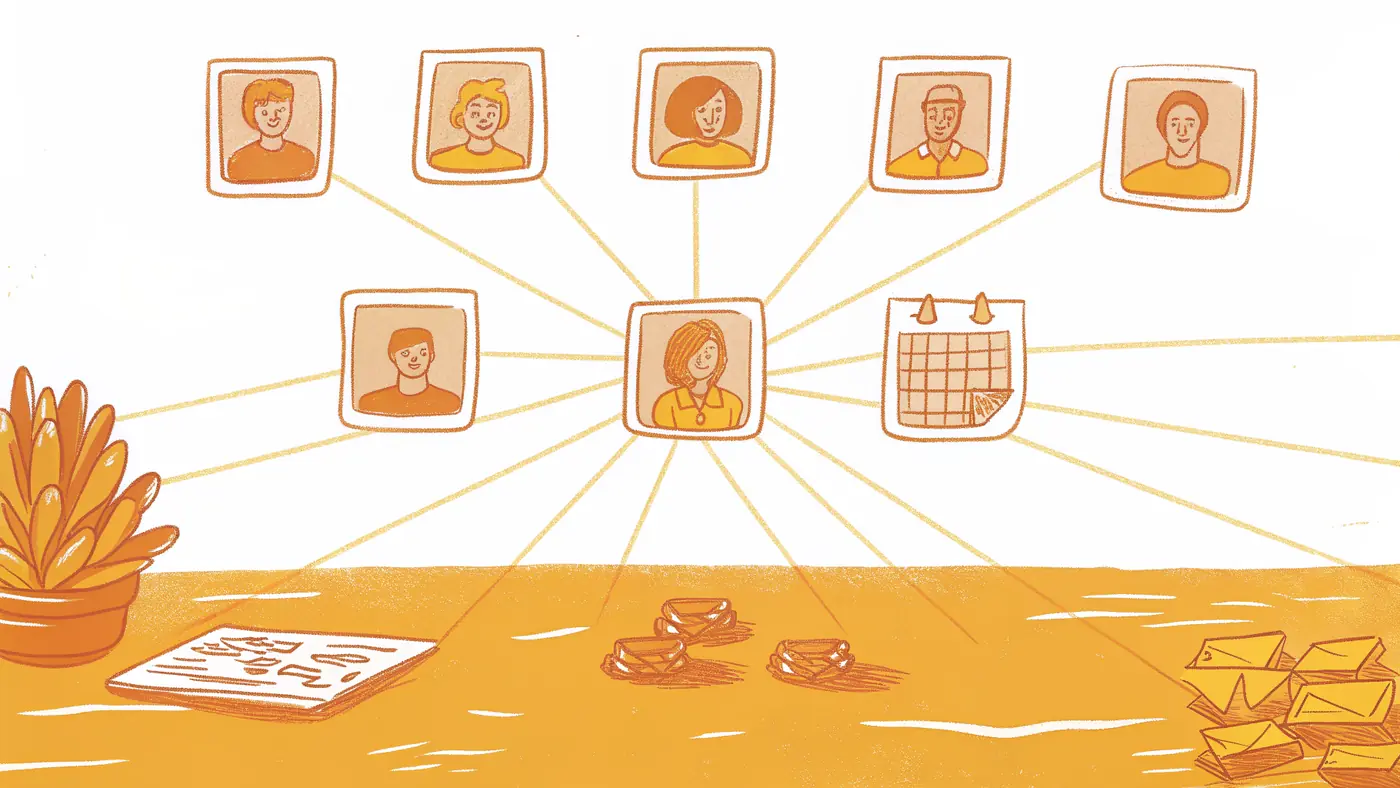
According to BetterCloud’s SaaS research, the average organization runs on 130 SaaS applications, and that number is projected to cross 200 by 2026. Work is already scattered. Any AI that adds a 131st destination compounds the problem rather than solving it. Workers lose 40% of productive time to context-switching across tools. That is not a rounding error. It is two full days per week, gone before the actual work starts.
Most teams handle this by assigning a person to bridge the gap, which is usually the ops lead. The familiar approach is to route requests manually: copy the context from Slack, open the project tool, paste, re-explain, close the loop. It works until the volume scales, and then the ops lead becomes the system.
The hidden cost is inefficiency at the point of failure. Context lives in one person’s head, and when that person is unavailable, work stops. SkyDive’s AI teammates address this directly: each teammate carries its own identity, scope, and history, so the handoff between teammates happens inside the same surface where the original request landed, with no human carrying the baton between environments. This benefit materializes specifically when multiple teammates are active simultaneously, a configuration that is on by default in the platform, so the cross-system handoff capability is available from the moment of deployment, not after manual wiring.
Picture a support escalation arriving in Slack. A multi-teammate AI system receives it, checks CRM history, routes to a billing teammate, and logs the resolution. The ops lead never touches it. That is not a workflow canvas running a pre-mapped script; it is an AI agent handoff triggered by context, not by a human decision to press forward.
The failure mode of assistant-mode AI is invisible. The assistant completes its step and then waits. Silently. Work falls into the seam.
The deeper problem with assistant-mode AI at scale is structural, and Microsoft’s own research frame makes it legible. Their finding that mass AI adoption has failed to “break down the infinite workday” reveals the core architectural flaw: when every AI output requires a human to read it, decide on it, and act on it, scaling AI adoption scales the volume of decisions landing on human desks, not away from them. Combined with evidence that knowledge workers already face up to 275 interruptions per day and spend 85% of their work week on collaboration overhead, the conclusion is that assistant-mode AI, deployed at scale, makes the human the bottleneck at higher throughput.
Related Reading
- What Is Agentic AI for Business Operations and Why It Matters
- 12 Best AI Automation for Sales Tools That Actually Work
- Gumloop vs Zapier: Which Tool Wins for AI Automation?
- 13 Best AI Automation Software Tools I Tested in 2026
- AI Agent Framework Comparison: Top Picks Ranked for 2026
- 18 Best AI Agent Platform Comparison Tools for 2026
- Zapier AI Agent: Build and Automate Smarter Workflows
- 13 Top AI Automation Tools I Tested and Ranked for 2026
- 15 Best Agentic Automation Tools to Try in 2026
- How Much Does an AI Agent Cost? 2026 Pricing Breakdown
- RPA vs AI Agents: Which Automation Wins in 2026?
Next steps
If your team is still acting as the relay runner between tools, teammates, and systems, the path forward starts with removing the human from the handoff chain entirely. Start with our AI teammates.
Every AI output that requires a human to read it, decide on it, and act on it scales the volume of decisions landing on your desk, not away from it. That is the architectural flaw Microsoft’s own research exposed in mass AI adoption, and it explains why adding faster answers has not compressed the workday for most ops teams. Separately, any workflow that crosses a system or role boundary makes the human a mandatory relay node at every junction, and no improvement in answer quality changes that structural fact. Together, those two realities point to the same next step: replacing the assistant-mode relay chain with an agent architecture that owns the handoff.
Start with SkyDive to see how its multi-teammate architecture coordinates cross-system workflows without a human bridging each step. From there, pre-built templates give your team a structured starting point across the most common ops patterns, so the first workflow runs without building the handoff logic from scratch.
Frequently Asked Questions
Why do so many people confuse AI agents with AI assistants?
The confusion comes from vendor labeling, products are often called ‘agents’ regardless of how they actually behave. This guide argues the label is cosmetic; what matters is a behavioral question: after the AI responds, who carries the work to the next step? If the answer is you, it’s an assistant, no matter what it’s called.
What’s the real difference in how agents and assistants handle multi-step tasks?
An assistant produces one output per prompt and then waits, you manually trigger every subsequent step. An agent accepts a goal, breaks it into subtasks, selects the right tools, executes each step, and self-corrects when something goes wrong, without a human re-prompting between steps. This guide illustrates this with a support-ticket example: an agent checks the CRM, issues a refund, drafts a resolution email, and logs the outcome all in one uninterrupted sequence.
Do AI agents remember context from previous sessions, or do I have to re-explain everything each time?
Standard AI assistants carry no persistent memory, every new session starts from zero, effectively adding an unpaid orientation meeting to the start of each conversation. AI agents, by contrast, persist context across steps and handoffs, so a workflow that begins one day can pick up exactly where it left off without you re-entering what’s already been done.
What happens when an AI agent makes a mistake or needs a human to approve a sensitive action?
This guide acknowledges that agents consistently struggle at the ‘last mile’ of multi-step write-and-action flows, moments like sending an email, updating a record, or posting to a channel. The answer is granular permissions and human checkpoints: a teammate can draft without sending, or escalate to a human checkpoint before a write action fires, so the agent reasons freely while guardrails govern what actually ships.
When is an AI assistant actually good enough and when do I genuinely need an agent?
A simple, rule-based task that lives entirely inside one tool can often be handled well enough by an assistant. The tipping point is what this guide calls the ‘seam test’: any workflow that requires moving an output from one tool to the next, say, a support ticket that triggers a refund in a payment system, a note in a project tool, and a follow-up email, makes the human a mandatory relay node at every crossing, and that’s an agent job.