18 Best AI Automation Tools 2026 to Supercharge Your Work
The best AI automation tools 2026, ranked for growth teams who want real output off their plate, not another workflow to maintain.
 Skydive 30 min read
Table of contents
Most AI automation tools don’t remove work. They relocate it. Here’s how to spot the ones that actually stick, and the five criteria that predict adoption before you waste another quarter trialing the wrong stack.
Most heads of GTM, growth leads, and VPs of Growth think: “If I just find the right AI automation tool, the one with better agents, cleaner UI, or more integrations, I’ll finally get real work off my plate.” The promise is real. The delivery, for most tools, is not.
The AI automation landscape 2026 has shifted considerably, but not uniformly. According to Vena Solutions, business automation spans a spectrum from simple rule-based triggers to AI-driven systems capable of interpreting goals and executing multi-step workflows with minimal human intervention. In practice, most teams land somewhere in the middle, still doing more operating than they expected.

See our AI teammates for how this works in practice. AI automation tools connect apps, trigger sequences, and execute predefined steps so humans don’t have to do them manually. In most cases, they do not think. They fire when conditions match. They stop when conditions break. The human still decides what the conditions are, writes the logic, and fixes the flow when something upstream changes. Robotic process automation (RPA) sits at the rule-based end of that spectrum.
Agentic workflows are growing fast, but they are not yet the default. Most tools teams actually use today sit firmly in the rule-based tier, dressed in AI branding. According to a McKinsey & Company global survey, only 31% of businesses have fully automated at least one function. Trading manual labor for maintenance labor is not the deal anyone signed up for.
31% of businesses fully automated even one function
The meaningful change in 2026 is who sits in the construction seat. The rise of no-code and natural-language interfaces is shifting workflow ownership from technical builders to the operators who own the outcome, a structural shift that changes which tools actually get adopted.
Key takeaways
- Most AI automation tools in 2026 still require a human to wire, maintain, and debug the workflow, the automation is real, but the operator role never disappears.
- Roughly 25% of apps are used only once after download, and most are abandoned within two weeks, a pattern that holds for AI tools handed to GTM teams without native fit into how they already work.
- The tool-abandonment cycle isn’t a discipline problem; it’s a category mismatch, workflow builders are construction kits, and most growth and GTM teams needed a coworker, not a blueprint.
- Role fit predicts adoption better than feature count, the same tool that earns a top G2 score for a RevOps engineer becomes a productivity trap for a VP of Growth who needs executed work, not a new dashboard.
- Once a task spans research, CRM enrichment, outbound copy, and a Slack flag, the human becomes the integration layer, which is the ceiling every connector-model platform eventually hits.
- SkyDive closes that gap by replacing the tool-wrangler with AI teammates that handle real work inside the systems teams already use, reachable via Slack, email, iMessage, or web chat, no workflow-building required.
The Real Cost of AI Tools That Don’t Stick Past Week Two
Trialing three AI tools in a single quarter, abandoning each one before the workflows compound, is the predictable result of buying tools built for engineers and handing them to teams built for outcomes. The common assumption among heads of GTM, growth leads, and VPs of Growth is that if they just find the right AI automation tool, the one with better agents, cleaner UI, or more integrations, they will finally get real work off their plate. Understanding why adoption collapses so consistently, and so early, is what stops the cycle from repeating.

The Three Failure Modes That Kill Adoption Before Day 30
The first failure mode is the setup wall. Knowledge worker teams consistently report that a significant share of early tool hours go to configuration, not output. The team spends its first week reading documentation, mapping fields, and building test workflows before a single real deliverable exists. By day ten, the tool feels like a project, not a resource.
The second failure mode is drift. A workflow that runs cleanly on Tuesday breaks on Friday because an upstream API changed, a field was renamed, or a trigger misfired. The team patches it. Then patches the patch. You are now maintaining the automation instead of doing the work it was supposed to replace.
There is a subtler version of this failure that rarely gets named: vendor fragility. Teams that restructure their entire workflows around a specific AI tool, deeply embedding it into daily operations, face genuine business continuity risk if that tool changes its pricing model or becomes financially unstable mid-project. Abandonment is not hypothetical; it is a real productivity threat that erases weeks of workflow investment overnight. This is exactly why SkyDive is built multi-teammate by default, with granular permissions and team collaboration baked in, so no single agent or external dependency becomes a single point of failure your team cannot survive.
The third failure mode is invisibility. The tool lives in its own tab. Nobody opens it unless they remember to. SkyDive addresses this directly through multi-channel access and scheduled runs. Teammates surface work across the channels your team already operates in, on the cadence you set, rather than waiting to be remembered.
Why Multi-Function GTM Needs More Than One AI Agent
Across the market, enterprise AI costs dropped 67 percent as companies shifted toward multi-model aggregation platforms, a structural change that makes it more practical than ever for mid-size GTM teams to run specialized agents across research, outbound, content, and analytics in parallel, rather than forcing a single tool to cover every function.
SkyDive is built for exactly this reality. Pre-built teammate templates mean you are not starting from a blank configuration on day one. Real output is available from the first session. Each teammate operates inside its own per-teammate sandbox with browser access, so research, outbound, and content functions run in parallel without colliding. The platform ships with three core capabilities:
- MCP (Model Context Protocol) support, meaning teammates connect to the systems your team already uses
- Memory and persistence, ensuring context does not reset between sessions or hand-offs
- A coordinated team structure that moves through complex, multi-step workflows without losing track of who owns what at each stage, and without the back-and-forth communication overhead that pulls focus away from high-impact work
The goal is to stop trialing tools that do not stick, get real output from AI this week, and get back a day, starting now.
How to Pick AI Tools That Last Beyond 90 Days
The most expensive question a GTM team can ask is which tool will still be generating output three months from now without requiring a rebuild. Most evaluation frameworks stop at capability: can it do the task? The more predictive question is whether the tool is architected for durability. Does it hold context across sessions, survive upstream changes without manual intervention, and distribute ownership across the team rather than concentrating it in the one person who set it up?
A practical 90-day durability check covers four dimensions. First, persistence: does the tool retain memory of prior sessions, decisions, and context, or does every run start cold? Second, resilience: when an integration breaks or a data source changes, does the system surface the failure clearly and recover, or does it silently degrade until someone notices the output stopped making sense?
Third, team portability: can any teammate pick up where another left off, or is the workflow locked inside one person’s login and mental model? Fourth, model flexibility: is the tool tied to a single underlying model whose deprecation or pricing shift would force a migration, or does it abstract across models so the team is insulated from vendor decisions made upstream? SkyDive’s multi-teammate architecture and MCP-connected memory layer are designed to pass all four checks, because a tool that fails any one of them will not survive contact with a real GTM quarter.
How to Choose an AI Automation Tool: 5 Criteria That Actually Predict Adoption
Feature checklists feel like due diligence. In practice, they measure the wrong thing. In the Journal of Medical Internet Research, Kidman et al. found that approximately 25% of apps are used only once after download, and most users abandon them within the first two weeks. This aligns with data reported by TechCrunch, which found that 24% of iOS app users opened an app only once before abandoning it. The tools that get cut are not the ones with the fewest integrations. They are the ones that demand the most from the operator before delivering anything back.
25% of apps used only once after download
The real adoption predictor is how many human-triggered steps stand between setup and first real output. Every step you add before the first win is a tax that arrives before the benefit. Most teams do not fail the tool. The tool fails to meet them where they are.
One pattern that accelerates that failure: comparison lists that group fundamentally different product categories, shared inbox platforms alongside API infrastructure providers, reactive IFTTT-style tools alongside programmable workflow engines, into the same table. Teams waste hours evaluating tools that were never actual competitors, then arrive at a decision already fatigued. The confusion is not trivial. When the product category is wrong, even a smooth onboarding cannot recover the lost trust.
Here are the five criteria that actually forecast whether an AI productivity tool survives past day fifteen.
1. Adoption Layer - Is Usage Engineered Into the Product?
Adoption friction is the first filter, and SkyDive is the reference example: onboarding flows, in-app coaching, and role-specific defaults mean reps actually use it, because the adoption work is engineered into the product from day one. Whatever tool you evaluate, ask how much of that work the product does for you versus how much lands on your team. The tradeoff: an opinionated workflow structure can feel restrictive for teams with highly custom processes that don’t map to standard GTM motions.
2. Native Stack Fit - Does the Tool Disappear Into Your Existing Workflow?
Poor integration fit does not just create friction; it creates shadow workflows. When a tool lives in a separate tab nobody opens after week two, teams quietly route around it, rebuilding the same logic in Slack threads and spreadsheets. Ask one question during evaluation: does this tool surface inside the channels where work already happens, or does it require the team to go somewhere new?
SkyDive is multi-channel by default, meaning teammates are accessible across the surfaces where work already happens rather than requiring a context switch to a separate dashboard. Granular permissions mean each teammate only touches what they should, so rollout does not require a separate negotiation with IT or a security review that delays the first real use. Across the market, the tools that survive are the ones that disappear into existing motion, not the ones that demand new motion as a prerequisite.
3. Time-to-First-Value - Can a Non-Technical User See Results in Under 14 Days?
The 14-day threshold is not arbitrary. It maps directly to the abandonment window the research above identifies. No-code tools like Bardeen can produce a first working automation in an afternoon. Self-hosted, developer-oriented platforms can take weeks before a non-technical operator sees any output at all. If the tool requires mapping data fields, defining conditionals, and architecting logic before producing anything, the configuration tax lands before the automation benefit, and the room moves on.
SkyDive’s pre-built teammate templates compress that configuration tax. A team can deploy a working teammate against a real workflow without writing logic from scratch. The template carries the structure, and the operator fills in context.
Each teammate also runs inside a per-teammate sandbox with its own browser environment, so there is no shared-state risk when spinning up something new. Scheduled runs mean the first useful output can arrive before anyone remembers to check. That combination, templates, sandboxed environments, and scheduled execution, is what shrinks the gap between “we just signed up” and “this ran without us.”
A related struggle we see consistently: teams that come from event-driven, reactive automation platforms hit a wall when they need proactive, conditional logic that does not wait for a trigger. SkyDive’s teammates support complex, multi-step workflows with memory and persistence across steps, so the automation can reason forward rather than just react. That architectural gap is what makes reactive platforms feel like a ceiling once a team’s needs grow.
4. Explainability Layer - Can Reps Trust and Override What the AI Decides?
Adoption collapses when output feels like a black box. If a rep cannot see why the AI drafted a particular message, flagged a particular lead, or skipped a particular step, they stop trusting it and start ignoring it. The minimum bar for any AI tool in a GTM workflow is a readable audit trail: the AI shows its reasoning, and the human retains a clean override path. Without that, adoption stalls at the individual contributor level regardless of how strong the tool performs in aggregate.
SkyDive’s granular permissions and team collaboration model keep human ownership visible at every stage. Complex, multi-step workflows surface who owns what at each handoff, so a rep is never looking at an output that arrived from nowhere. Memory and persistence mean the teammate carries context forward, and that same context gives a human a legible trail to inspect or override.
The back-and-forth communication overhead that normally fills that trust gap, the status-update threads asking “what did the AI do with this?”, is reduced because the workflow itself records the state. Adoption tends to break down at the layer where individual contributors lose visibility into what the tool is actually doing on their behalf.
5. ROI Instrumentation - Does the Tool Measure Its Own Impact Out of the Box?
A critical but underweighted criterion for 2026 AI automation tool selection is whether the platform ships with native ROI dashboards, throughput deltas, time-saved-per-rep, and pipeline influence, rather than requiring a separate BI layer to prove value. Tools that can’t self-report impact get cut at renewal because finance can’t justify the spend. The tradeoff: richer instrumentation often means more complex data model requirements at implementation.
18 Best AI Automation Tools in 2026 - Ranked by Who They’re Actually Built For
Scope is the honest tradeoff, and role fit is the honest ranking criterion. Pick any “best AI automation tools” list published this year and you will find the same logic underneath it: integration count, G2 score, free-tier generosity. What those lists do not tell you is that the same tool sitting at number one for a RevOps engineer is a productivity trap for a VP of Growth who needs executed work, not a canvas to maintain. Tool fit is determined by who has to operate it, not by how many apps it connects to. The list below is organized around that reality: each entry names the ICP first, the feature second.
Tool fit is determined by who has to operate it, not by how many apps it connects to.
One more thing worth stating plainly before the list: the market data itself argues against the idea that any single platform wins. Industry analysis shows that 23.9% of companies paying for Make also pay for n8n, and that Zapier, Make, and n8n each dominate a different sub-tier of the same category. Teams searching for “the one tool” are asking the wrong question. The workflow-builder category is fractured by use case, and the teams getting the most from AI automation have accepted that no single connector platform covers every workload. The more important question is whether your team has the operational bandwidth to run several, or whether you need a different model entirely.
A pattern that surfaces repeatedly across GTM teams: the tools that do not survive the second week are almost always ones where the operator becomes the engineer before seeing any output. The setup tax, the prompt engineering, the workflow construction required before a real deliverable appears, that is the abandonment trigger, not the tool’s feature list. Marketers consistently tell us they feel overwhelmed by the sheer number of AI automation tools available, making it genuinely difficult to identify what actually works for their specific situation. That is exactly what this list is built to resolve. Keep that filter active as you read each entry below.
1. SkyDive - Best Overall AI Automation Platform for 2026
Most tools on this list ask you to be the architect: build the canvas, wire the trigger, maintain the workflow. SkyDive’s AI teammates are built on a different operating premise: rather than handing the user a canvas to wire, the platform accepts a plain-language description of the work and assigns it to AI teammates that execute inside the tools the team already uses, Slack, email, or iMessage. Each teammate runs in its own browser-equipped sandbox, which means parallel workstreams do not require a shared workflow map. Research, outbound, content, and analytics can run simultaneously without duct tape or a workflow you have to babysit.
Where SkyDive moves meaningfully beyond a single-agent model is in how it handles team coordination. Multi-teammate runs are the default, not a premium add-on. Each teammate operates with granular permissions and its own memory layer, so institutional knowledge stays in the platform rather than walking out the door when a team member does. That persistence matters: the expertise built into each teammate’s context accumulates over time, making judgment repeatable and team-level rather than locked in someone’s head. For GTM teams running complex, multi-step workflows, the platform tracks who owns what at each stage, which removes the back-and-forth communication overhead that keeps teams stuck in status updates instead of high-impact work.
Beyond coordination, SkyDive ships with built-in tools and capabilities, alongside MCP (Model Context Protocol) support for teams that need to connect into broader tool ecosystems. Teammates are not empty shells waiting for integrations to be bolted on. Scheduled runs mean recurring workflows execute without someone manually triggering them each cycle, and pre-built teammate templates give teams a starting point so the first output arrives faster than starting from scratch. Multi-channel access means the same teammates can be reached and deployed across the communication surfaces the team already lives in.
The honest tradeoff: this model is purpose-built for 15-50 person funded startups where a Head of GTM needs cross-functional output without engineering overhead. If your team already has a dedicated RevOps engineer who wants to own the logic layer, the platforms below may fit better.
2. Zapier AI - Best for Non-Technical Teams Automating App Stacks
For non-technical users, Zapier is the clearest answer. Zapier connects to an exceptionally wide library of apps, making it the widest connector layer available for mainstream business ecosystems. Its Zapier Co-Pilot feature lets users build workflows by describing what they want in plain English, which meaningfully lowers the construction barrier.
The structural limitation, documented in Zapier’s pricing architecture, is that the platform counts discrete cross-app actions, so costs scale with task volume in ways that surprise fast-growing teams. Complex multi-branch logic still requires workflow construction even with Co-Pilot. Best when your stack is standard SaaS and your automations are relatively linear.
3. Make (formerly Integromat): Best for Visual Power-Users Who Need Complex Logic
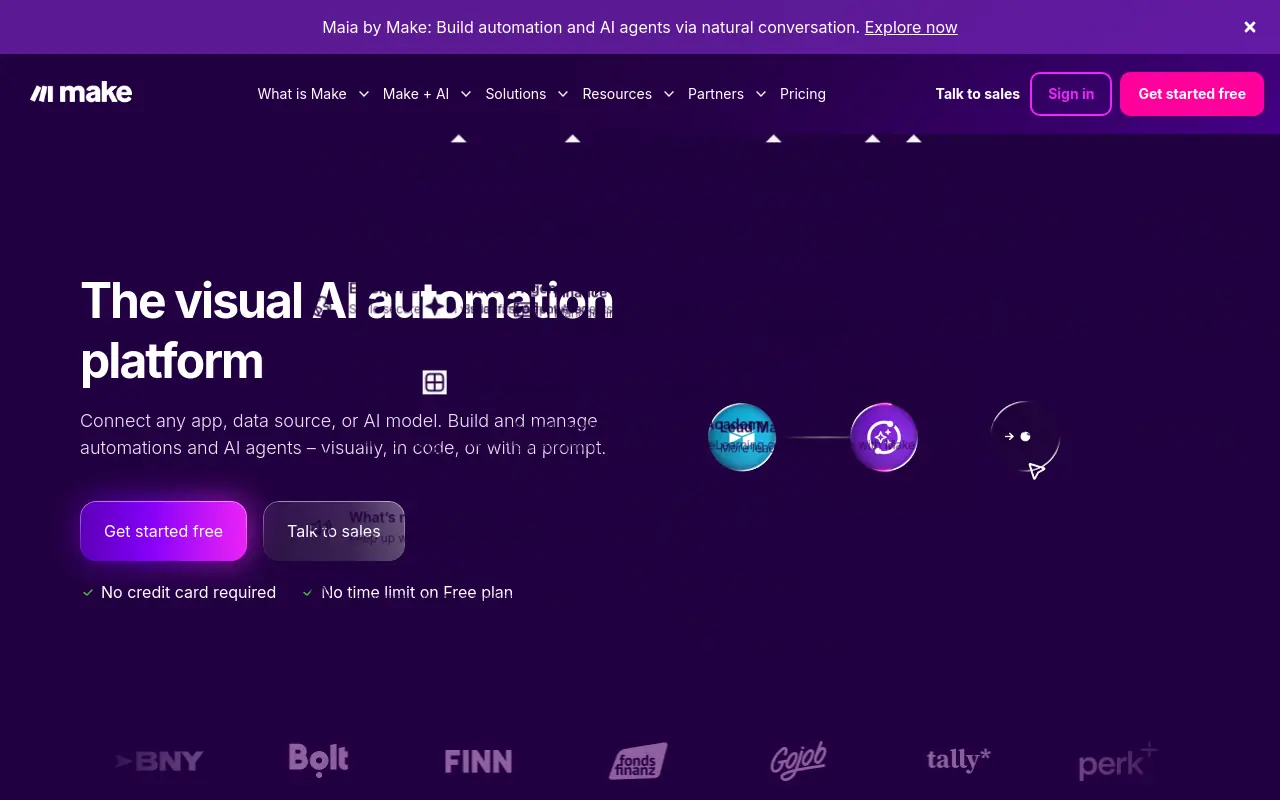 Make is the right pick for visual, granular mapping of multi-branch data pipelines where the operator genuinely wants to see and control every node. Its free tier offers a meaningful operations allowance each month, and its paid tiers scale from there at pricing that teams consistently cite as more predictable than task-based alternatives. The tradeoff is that Make rewards operators who enjoy building: the visual canvas is a feature for a RevOps engineer and a friction source for a growth lead who wants output. Most beneficial when your automation logic is genuinely complex and you have someone on the team who will maintain the map.
4. Salesforce Einstein Automate - Best for CRM-Centric Revenue Teams
Einstein Automate earns its place for revenue teams already running their GTM motion inside Salesforce. It connects flow automation, process builders, and AI-powered predictions directly to CRM data, which removes the integration layer that external tools require. The limitation is obvious: if your team is not already on Salesforce, the platform overhead required to get value here is prohibitive. For teams where Salesforce is the system of record, Einstein Automate is the lowest-friction path to automating lead scoring, opportunity routing, and renewal triggers without leaving the CRM environment.
5. n8n - Best for Developer Teams Who Want Full Self-Hosted Control
For technical users, n8n is the strongest self-hosting option available. It has native AI agent nodes and vector database support, giving developer teams the ability to build multi-agent pipelines with full data-residency control. This matters for teams with strict compliance requirements around where data lives, for example, companies in privacy-sensitive verticals or those subject to internal data-residency policies, a concern that cloud-only platforms cannot address. The honest limitation is that n8n is not a tool for non-technical operators: setup requires infrastructure decisions that a RevOps generalist will find taxing. Most beneficial when data privacy, self-hosting, and custom AI agent logic are non-negotiable requirements.
6. Glean - Best for Enterprise Knowledge Automation Across Internal Tools
Glean indexes and surfaces knowledge across an enterprise’s internal tools, making it the strongest option for large organizations where institutional knowledge is scattered across Confluence, Slack, Google Drive, and dozens of other systems. The AI layer answers questions by pulling from verified internal sources rather than generating from scratch. Glean also offers workflow execution capabilities, including work execution, agent orchestration to automate work across systems, and an agent builder, making it more than a knowledge retrieval layer. It does not replace outbound or campaign automation. Most beneficial when the primary pain is employees spending hours searching for information that already exists somewhere in the company’s stack.
7. HubSpot AI Automation - Best for Inbound Marketing Teams on a Unified Platform
HubSpot’s AI automation layer is most valuable when the team is already running marketing, CRM, and support inside HubSpot. The platform’s AI tools handle email personalization, lead scoring, workflow triggers, and content suggestions without requiring external integrations. The tradeoff is the same one that applies to any all-in-one platform: teams not already on HubSpot face a significant migration cost before seeing value, and teams with complex outbound or multi-channel motions will find the automation logic less flexible than dedicated workflow builders. Best for inbound-led teams where the full funnel lives in one place.
8. Monday AI - Best for Project-Driven Teams Automating Work Management
Monday AI sits at the intersection of project management and automation, making it the right pick for teams whose primary pain is work coordination rather than GTM execution. Its AI features automate task assignment, status updates, and deadline tracking inside the Monday canvas. The limitation for GTM teams specifically is that Monday is optimized for project visibility, not for executing research, outbound, or content workflows. Most beneficial when the team’s bottleneck is coordination overhead across multiple projects rather than the volume of external-facing work.
9. Botpress - Best for Teams Building Custom AI Customer Support Agents
Botpress gives CX and product teams a visual studio for building, testing, and deploying AI agents that handle tier-1 support at scale, with LLM-powered intent recognition and seamless human-handoff logic. It’s the strongest pick for companies that need a branded, deeply customized chatbot rather than an off-the-shelf widget. The tradeoff: building sophisticated agents still requires meaningful configuration time and ongoing prompt tuning.
10. Zendesk AI - Best for Scaling Support Operations Without Adding Headcount
Zendesk’s 2026 AI suite auto-triages tickets, suggests agent replies, and resolves common queries end-to-end through its generative AI bot, all natively inside the ticketing workflow support teams already use. It’s the right call for mid-market and enterprise support orgs that need to deflect volume without rebuilding their stack. The limitation: AI features are add-on priced, and costs compound fast at high ticket volumes.
11. EasyAgent - Best for Marketing Teams Automating Multi-Channel Campaign Workflows
EasyAgent is purpose-built for marketing teams that need to connect Slack, Asana, Google Sheets, and ad platforms into automated campaign workflows without engineering support. Its multi-AI model support lets teams choose GPT-4o, Claude, or Gemini per workflow step. The tradeoff is maturity: as a newer entrant, its integration library is narrower than Zapier or Make, and enterprise SSO features are still rolling out.
12. GitHub Copilot Workspace - Best for Software Engineers Automating Dev Workflows
GitHub Copilot Workspace extends beyond code completion into full task-to-PR automation, engineers describe a feature or bug fix in natural language and Copilot drafts a plan, writes code, and opens a pull request. It’s the strongest AI automation pick for developer productivity in 2026. The limitation: it works best within GitHub-native workflows and adds less value for teams on GitLab or Bitbucket.
13. Stepper - Best for No-Code Teams Building AI-First Workflow Automations
Stepper positions itself as an AI-first alternative to legacy no-code tools, letting non-technical users build multi-step automations where AI decision-making is the default, not an add-on. Its skill-set library accelerates deployment for common use cases like lead routing and content generation. The tradeoff: Stepper’s ecosystem of supported apps is still growing, and power users may hit integration ceilings that Make or Zapier don’t have.
14. Intercom Fin AI - Best for SaaS Companies Automating Conversational Support at Scale
Intercom’s Fin AI agent resolves customer queries autonomously by drawing on your help center, product docs, and conversation history, with measurable resolution rates that most competitors can’t match out of the box. It’s the ideal pick for SaaS companies with rich documentation and high chat volume. The limitation: Fin’s performance degrades significantly for companies with sparse or poorly structured knowledge bases.
15. Freshdesk Freddy AI - Best for SMBs Needing Affordable Support Automation
Freshdesk’s Freddy AI brings ticket auto-classification, canned-response suggestions, and basic bot deflection to small and mid-sized support teams at a price point that enterprise platforms can’t touch. It’s the right pick for growing companies that need AI-assisted support without committing to Zendesk or Salesforce pricing. The tradeoff: Freddy’s AI capabilities are less sophisticated than enterprise alternatives, particularly for complex multi-turn conversations.
16. Insider - Best for E-Commerce Teams Automating Personalized Customer Journeys
Insider’s AI marketing automation platform specializes in cross-channel personalization, predicting churn, recommending products, and triggering individualized journeys across email, SMS, push, and web. It’s built for e-commerce and retail brands with large customer databases and complex segmentation needs. The limitation: onboarding requires significant data integration work, and smaller teams without a dedicated CRM manager will struggle to unlock its full value.
17. Thunai - Best for Customer Support Teams Needing AI That Learns From Conversations
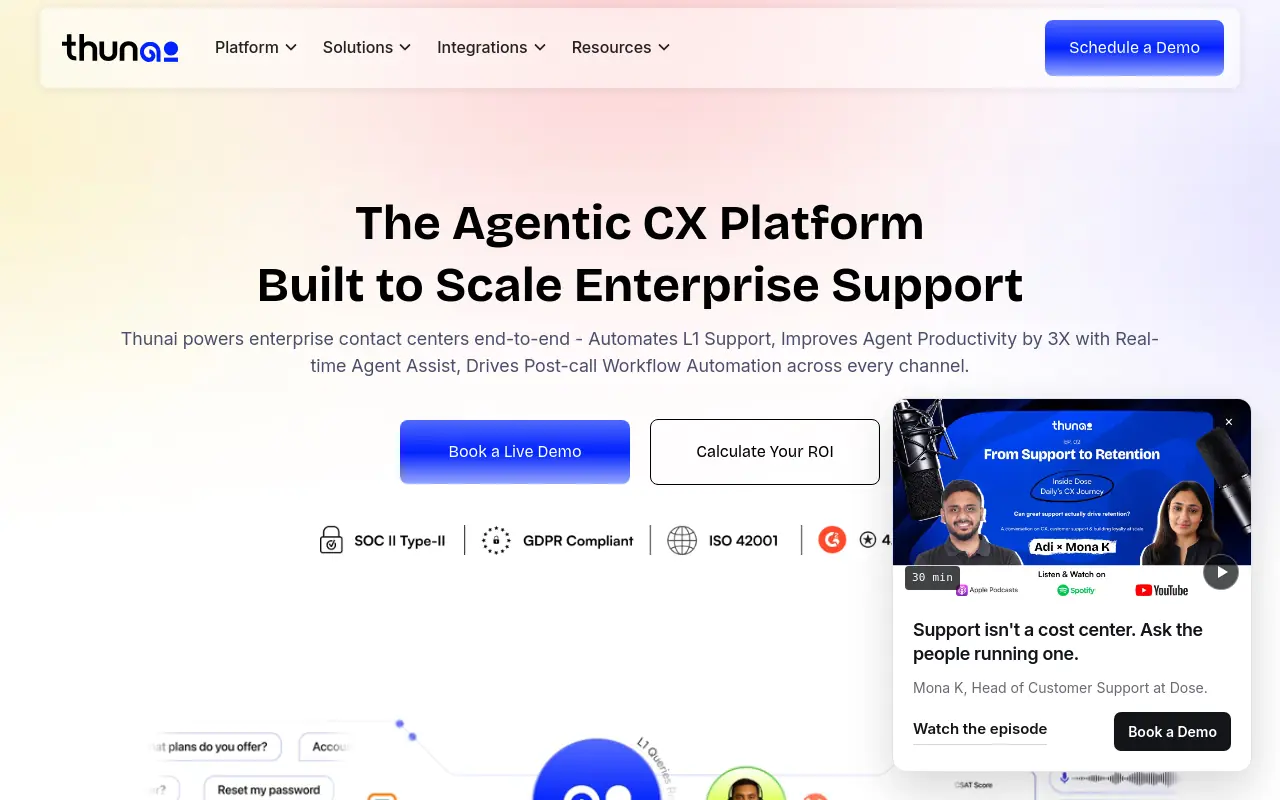 Thunai’s AI support platform continuously learns from resolved tickets and agent interactions to improve its autonomous response accuracy over time, making it increasingly effective the longer it’s deployed. It’s the right fit for support teams willing to invest in a learning-curve period for compounding long-term gains. The tradeoff: early-stage performance is modest, and teams needing immediate high deflection rates may be disappointed in the first 60 days.
18. Bardeen - Best for Individual Knowledge Workers Automating Browser-Based Tasks
Bardeen’s Chrome extension lets sales reps, recruiters, and researchers automate repetitive browser tasks, scraping LinkedIn profiles, populating CRMs, and triggering multi-step playbooks, without any backend infrastructure. It’s the best AI automation tool in 2026 for individual contributors who need personal productivity automation rather than team-wide workflow orchestration. The limitation: it’s browser-bound, so it can’t automate server-side or background processes.
Related Reading
- The Future of Agentic AI For Customer Support Explained
- 13 Best Agentic AI Platforms in 2026 for Autonomous Work
- How to Measure AI Agent ROI Before You Scale
- AI Agent vs Assistant: Key Differences Compared (2026)
- How To Measure AI Agent ROI With Proven Metrics
- The Ultimate AI Automation Tutorial for Beginners (2026)
- 14 Best Browser Use Agent Tools for AI Web Automation 2026
- 13 Best AI Agent Integrations to Automate More in 2026
- How to Set AI Agent Permissions Without Losing Control
- What Are Parallel AI Agents? A Complete 2026 Guide
- 13 Best AI Agents for Marketing Teams in 2026
Specialized AI Automation Assistants vs Workflow Platforms - Which Category Are You Actually Buying?
The label “AI automation tool” covers two products with opposite operating models. Buying the wrong one doesn’t just waste a subscription; it installs a new job on your plate and quietly calls it automation.
“Users are frustrated by web-based AI tools that break workflow and lack OS-level integration, driving demand for specialized native AI assistants over browser-based workflow platforms.”

Workflow Platforms Sell You a Construction Kit, Not a Coworker
Specialized AI automation assistants and workflow automation platforms are different categories. AI automation assistants accept a goal and figure out the steps; workflow platforms hand you a canvas and ask you to architect every step yourself.
Across the market, Zapier, Make, and similar tools “give you a canvas and connectors, but the user must define every conditional, every data mapping, and every step.” The logic lives in your head, not in the tool. That distinction matters more than any integration count.
Why Conflating the Two Categories Is the Root Cause of Most AI Tool Churn
The problem is a category mismatch. Workflow platforms are infrastructure, powerful for ops-minded builders who want granular control. They are the wrong purchase for a Head of GTM whose work spans research, content, outbound, and customer conversations simultaneously, and who has no appetite for a maintenance queue.
If you’ve personally trialed a dozen tools and none survived the second week, the problem is rarely the tool’s feature set. Every platform still made you the engineer. That friction compounds fast on a stretched GTM team.
The Hybrid Tier - Promise vs. Reality for Non-Technical Buyers
Zapier’s Co-Pilot feature layers natural language input on top of its traditional Zap builder. That is a real improvement. But what most teams report holds true here too: the Co-Pilot “layers natural language interaction on top of its traditional Zap builder”; the underlying architecture still requires the user to own the logic. Natural language input lowers the construction barrier; it does not eliminate it. For non-technical buyers, that distinction matters: you will move faster with Co-Pilot than without it, but you are still the engineer of record for every workflow you build.
Pros and Cons at a Glance
| ✓ Pros | ✗ Cons |
|---|---|
| Lowers construction barrier with natural language input | Underlying architecture still requires user to own the logic |
| Non-technical buyers move faster with Co-Pilot than without it | User remains the engineer of record for every workflow built |
AI Automation Tools FAQ - The Questions GTM Teams Ask Before They Commit
Buyers searching for the best AI tools in 2026 rarely need a definition of automation. What they actually need are answers to the questions that stall a real buying decision:
- Who owns the thing after it’s built?
- Does it survive a cross-functional workflow?
- Will it still be running eight weeks from now?

Most FAQ sections skip those entirely.
Which AI Automation Tools Are Most in Demand in 2026?
“Most popular” is a market-position signal, not a suitability signal. According to Cledara’s Data Hub, n8n holds a 0.49% adoption share (ranked #33 overall) while Make sits at 0.40% (ranked #43). N8n climbed 54 rank positions in the past 12 months; Make climbed one. Zapier remains the consensus default for breadth, with the widest integration ecosystem of the three. As multiple industry sources summarize: Zapier leads on integrations, Make on visual branching logic, and n8n on technical self-hosting control.
A GTM head running a 20-person team with no dedicated ops engineer has a very different fit profile than the engineering-led company driving n8n’s momentum.
The Operator-Dependency Test
The most underrated question before committing to any AI automation tool is: “who owns this when the person who set it up leaves?”
Tools fail from missing adoption layers. When a platform requires a dedicated internal champion to configure, maintain, and debug it, the automation is only as durable as that person’s employment. The right criterion is whether the system’s operating logic persists independently of the person who originally built it.
How to Tell in Week One Whether a Tool Will Last
The most reliable signal is whether a non-technical team member can operate the tool without the person who set it up. Run a simple test during your trial: hand the tool to someone who was not in the onboarding call and ask them to complete a real task without documentation support.
If they cannot, the tool’s long-term survival depends on a single internal champion rather than on genuine team adoption. A second signal is maintenance frequency. Ask the vendor how often active users update their workflows and for what reasons.
Tools that require regular patching to stay functional are trading automation benefit for a new category of operating overhead.
Next steps
If your GTM team has burned through tool after tool without getting real work off the plate, the path forward starts with accepting that the connector model has a structural ceiling, not a fixable flaw.
The operator-dependency test from the adoption research makes one implication clear: any tool that requires a dedicated internal champion to configure and maintain it is only as durable as that person’s employment. The abandonment pattern, where most tools fail not from poor features but from missing adoption layers, makes a second implication equally clear: the configuration tax arrives before the automation benefit every time, and stretched teams do not survive that gap. Together, they point to a system that accepts a description of the work and operates from there, rather than one that hands you a canvas and calls it automation.
Start by exploring AI teammates from SkyDive. Deploy a teammate against a real workflow this week, and the first scheduled output runs without you triggering it.
Frequently Asked Questions
What’s the difference between an AI chatbot and an AI automation tool?
AI automation tools connect apps, trigger sequences, and execute predefined steps so humans don’t have to do them manually, they fire when conditions match and stop when conditions break. A chatbot responds to prompts in conversation, whereas automation tools (especially agentic ones like SkyDive) can execute complex, multi-step workflows with memory and persistence across steps, reasoning forward rather than just reacting to a single input.
Why do most AI automation tools get abandoned within the first two weeks?
The three failure modes are the setup wall (spending the first week on configuration before any real output exists), drift (workflows that break when an upstream API changes and require constant patching), and invisibility (the tool lives in a separate tab nobody remembers to open). The abandonment trigger is almost always the setup tax, prompt engineering and workflow construction required before a real deliverable appears, not the tool’s feature list.
Can non-technical operators use AI automation tools without engineering support?
It depends entirely on the tool. No-code platforms can produce a first working automation in an afternoon, while self-hosted, developer-oriented platforms can take weeks before a non-technical operator sees any output. SkyDive is built for this gap specifically, pre-built teammate templates and plain-language descriptions mean a team can deploy a working teammate against a real workflow without writing logic from scratch, so the first useful output can arrive before the first week is over.
Is one AI automation platform enough to run a full GTM motion, or do I need several tools?
Market data shows that teams searching for ‘the one tool’ are asking the wrong question, the workflow-builder category is fractured by use case, and 23.9% of companies paying for one major platform also pay for a competing one. SkyDive addresses this by running multiple specialized AI teammates in parallel, covering research, outbound, content, and analytics simultaneously inside per-teammate sandboxes, so cross-functional GTM output doesn’t require stitching together several separate tools or maintaining a shared workflow map.
How do AI automation tools help with content creation workflows?
Most rule-based automation tools can trigger content-related sequences but still require a human to define every condition and fix flows when something upstream changes. SkyDive’s teammates support multi-step workflows with memory and persistence, meaning a content-focused teammate can carry context forward across sessions rather than resetting each time, and scheduled runs ensure recurring content tasks execute without someone manually triggering them each cycle.