12 Best AI Agent for Slack Tools to Boost Team Productivity
Ops leaders, choose the right AI agent for Slack across every channel and stop being the human router your team was supposed to replace.
 Skydive 25 min read
Table of contents
One bot in one channel isn’t a strategy. Here’s why the single-agent model keeps routing work back to you, and what a multi-teammate architecture actually fixes.
Most heads of operations assume the fix is a smarter, better-trained chatbot in a central channel, one powerful enough AI agent should be able to handle requests from anywhere. So most teams searching for an AI agent for Slack are about to make the same mistake: they find a capable-looking bot, drop it into one channel, and wait for the fragmentation to stop. Three weeks later, the Head of Ops is still re-explaining context in every thread, still manually routing requests that arrived in the wrong place, still the single point of failure the tool was supposed to replace. See our AI teammates for how this works in practice.
The mental model is the problem. A Slack AI agent integrates directly into Slack as a team member that can be @mentioned, assigned work, and trusted to act.
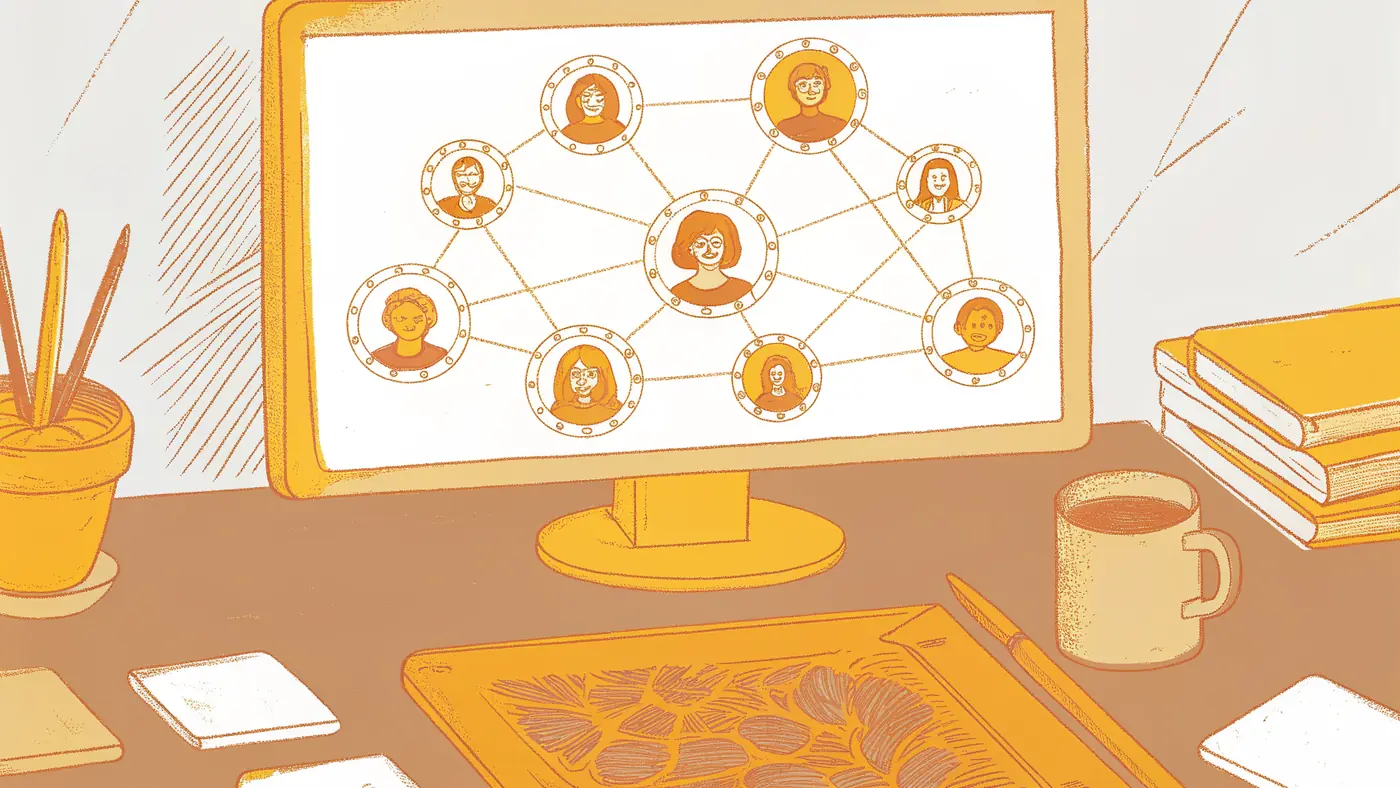
That’s the core capability: not a search panel bolted onto the sidebar, but a participant inside the conversation where the work is already moving. It reads context, holds state across threads, and responds to triggers without waiting for a human to open a separate interface. Knowledge retrieval, action execution, and security-aware access are what separate an AI agent from a simple responder.
A genuine agent queries connected data sources, pulls a live answer from your CRM or knowledge base, and surfaces it inside the thread where the question was asked. It doesn’t suggest that someone go check a tool; it checks the tool and comes back with the result.
A real agent can also open a ticket, update a record, or trigger a downstream workflow without a human completing the step manually. Security-aware access means the agent only retrieves and acts on data the requesting user is permitted to see. Without that, you have a liability. Work doesn’t stay in one channel. According to the American Psychological Association’s research on task switching, workers can lose up to 40% of productive time to context switching across the many SaaS tools the average company runs. A single bot installed in #general cannot follow a request that surfaces in a DM, arrives by email, or lands in another tool’s queue.
40% of productive time lost to context switching
Key takeaways
- Dropping one bot into one channel is the most common Slack AI mistake, it centralizes the interface while leaving the fragmentation completely intact.
- Every Slack AI agent runs on an event-driven architecture, which means it only acts on signals it was wired to receive, anything outside that wiring stays invisible.
- The gap between demo performance and real-work performance is where most AI agent evaluations fall apart; the only criterion that matters is whether the work lands without routing the hard part back to a human.
- A single capable agent proves value but hits a structural ceiling, the shift from ‘we have a Slack bot’ to ‘we have a bench of AI teammates’ is an architectural decision, not a feature upgrade.
- Vendors email at 7 PM, founders text from their cars, customers submit forms through web portals, an agent that only listens in Slack misses all of it by design.
- SkyDive closes that gap with multi-channel access that surfaces agents in Slack, email, iMessage, and web chat, iMessage support in particular is rare across the competitive set, which matters the moment work starts moving outside the channels you configured.
How Slack AI Agents Work and Where the Single-Bot Model Breaks Down
Slack AI agents all share the same event-driven foundation, and understanding that foundation is what separates teams that deploy bots and move on from teams that actually remove themselves from the loop. The architecture looks simple until it hits production, where scoping constraints, cross-tool blind spots, and the limits of a single-bot model force humans back into judgment calls the agent was supposed to handle. What follows breaks down how the engine actually works, where native, third-party, and custom-built agents differ, and why the failure mode most teams hit is architectural rather than a configuration problem.

The Event-Driven Engine Underneath Every Slack AI Agent
Every Slack AI agent, whether native or third-party, runs on the same foundation: Slack’s event-driven messaging architecture. Per Base’s 2025 guide to Slack AI features, agents connect to Slack by listening for events, messages, reactions, and workflow triggers, then executing actions in response. The chat interface is just the surface. The engine underneath is a stream of discrete events, each one scoped to the channel or thread where it fired.
“Agents hitting production have exposed a wave of reliability and governance failures. Observability, supervisor agents, and babysitting bots are all symptoms of the single-bot model breaking down at scale.”
That scoping is the architectural constraint most teams never see until it bites them. And when it does bite, the symptom is always the same: a human ends up making the judgment call that the bot was supposed to eliminate, burning exactly the calendar time that should have been reserved for strategic and positioning work.
Native Slack AI vs. Third-Party Agents vs. Custom-Built
Native Slack AI handles summarization, AI-powered search, and workflow triggers entirely within the platform. Per the Slack Help Center, those features are scoped to content inside Slack itself. Work that moves to email, Notion, Jira, or any tool outside the platform is invisible to them.
Third-party agents extend the reach by connecting via the Slack API, allowing them to query external databases or create tickets. But each one operates within the scope of the channels and tools it is explicitly connected to, and in locked-down corporate environments with restrictive IT permissions, even that limited deployment often hits a wall before it ships. Custom-built agents via the Slack Agentic Kit give developers the most control, though the engineering lift is real, ongoing, and pulls skilled time away from higher-value work.
Three distinct layers. None of them follow context across every surface where work actually travels.
The Three Failure Modes of a Single Bot Handling Real Cross-Tool Work
Context is often scattered across Slack, Notion, Jira, and a dozen other tools with no clear signal about which to query first, so a human ends up making that judgment call every time. That is failure mode one: the routing tax never disappears; it just moves from the bot back onto your team, eating into the focused time that strategic judgment work actually requires.
Failure mode two is governance and reliability collapse at scale. Teams that push a single-bot model into production quickly discover the need for observability layers, supervisor agents, and manual babysitting loops. These aren’t signs of a bot that needs better training; they’re architectural symptoms of asking one agent to hold context it was never designed to hold across multi-step, cross-tool workflows.
Failure mode three is the IT ceiling. Broad tool access is a prerequisite for any single-bot model that aims to coordinate work across channels and systems. Locked-down work laptops and restrictive corporate permissions routinely block that access entirely, making the model non-viable before a single workflow completes.
SkyDive is built around a different premise: multi-teammate by default. Rather than one bot attempting to span every tool and channel, SkyDive deploys per-teammate sandboxes, each with its own browser, granular permissions, and scoped access, coordinated across multi-channel workflows through a shared memory and persistence layer. Pre-built teammate templates mean teams aren’t starting from scratch, and MCP (Model Context Protocol) support ensures each teammate can reach the right external context without requiring blanket tool permissions that IT will reject.
Scheduled runs and built-in coordination tools keep complex, multi-step workflows on track. Agents can run code and commands, read and write files, browse the web, search the web, host web apps, and process media. An agent can give itself new tools as needed. So the humans on your team can stay on the writing, positioning, and strategic judgment work that actually moves the needle.
12 Best AI Agent for Slack Tools That Actually Move Work Forward
The longest integration list in any Slack app directory tells you almost nothing about whether a tool will actually close a ticket, ship a draft, or move a deal forward without routing the hard part back to you. That gap between demo performance and real-work performance is where most AI agent evaluations quietly fall apart. The twelve tools below are evaluated on one criterion: does the work land back on the human, or does it actually get done?
1. SkyDive - Best AI Agent Platform for Slack-Native Multi-Teammate Workflows
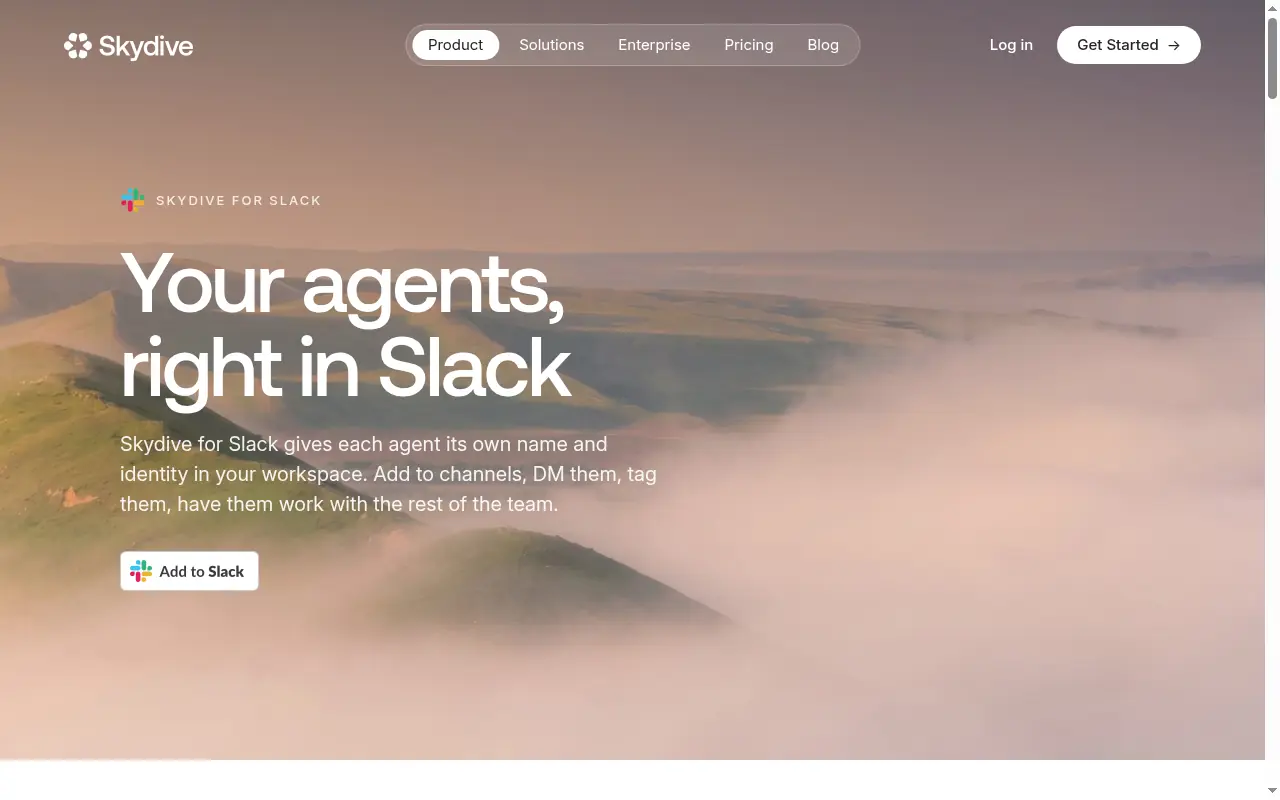 Most Slack AI setups deploy one agent into one channel and call it an automation strategy. SkyDive’s multi-teammate architecture deploys a bench of specialized agents, each with its own per-teammate sandbox and browser access, so a vendor onboarding request that arrives via iMessage, escalates to a Slack thread, and closes in email never requires a human to route it between surfaces.
The architecture addresses a structural problem that trips up teams who have tried and abandoned point solutions: Slack’s API rate limits, permission walls, and notification logic were designed for human inbox management, not for AI agents that need to continuously listen, act, and loop back. That design mismatch is why single-agent Slack integrations feel clunky in practice even when they look clean in a demo. SkyDive’s granular permissions model and per-teammate sandboxes are built around this constraint, giving each agent scoped, persistent access rather than forcing every action through the same bottlenecked API surface.
The built-in tools and capabilities, including MCP (Model Context Protocol) support, scheduled runs, memory and persistence, and pre-built teammate templates, mean teams are not stitching together their own infrastructure to make multi-step workflows run reliably. Coordinating a team through complex, multi-step workflows without losing track of who owns what at each stage is handled at the platform level, not pushed back to the person who was trying to get out of the loop. That directly reduces the back-and-forth communication overhead that pulls teams away from high-impact work and into status-update threads.
The real tradeoff: this architecture is built for funded teams of 15 to 50 people. A solo operator with a single workflow will not feel the compounding benefit until request volume justifies multiple agents working in parallel. But for teams that have already trialed tools that did not stick, spending weeks configuring a bot only to find the same handoff gaps in a different location, the bench-of-agents model offers a structural answer rather than another workaround.
There is a second concern that does not surface in most evaluations: the risk that AI agents handling messy communication inputs will silently push bad data into critical systems. When an agent misreads a Slack thread and writes an incorrect value into an ERP or a finance flow, the error is often invisible until downstream systems reflect it. SkyDive’s granular permissions and team collaboration controls exist to bound this risk. Agents operate with defined scope, and the memory and persistence layer means context is carried forward rather than reconstructed from scratch in each new message, reducing the conditions that produce confident-sounding wrong answers.
2. Slack AI - Best Native AI Agent for Teams Already Deep in the Slack Ecosystem
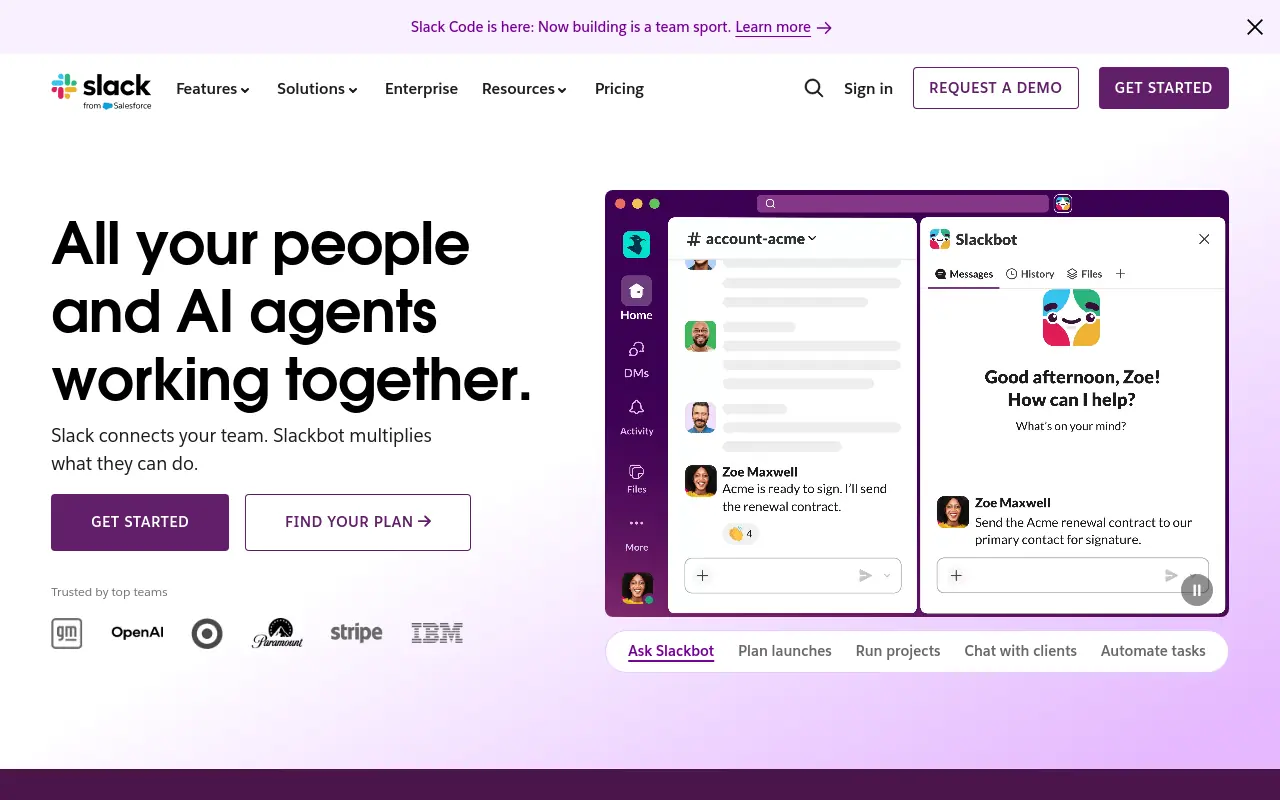 Slack AI is the fastest path to summarization, thread recap, and channel search for teams that do not want to configure anything. Zero setup and zero new vendor relationships are genuine advantages, and Salesforce’s internal data indicates Slack AI saves users measurable time on message triage each week. The structural limitation is that Slack AI is a layer on top of Slack’s existing surfaces, not an agent that takes action across external systems. It reads and summarizes well; it does not file tickets, update records, or hand off to another tool without a human bridging the gap.
3. Salesforce Agentforce for Slack - Best AI Agent for Revenue Teams Managing Deals in Slack
Agentforce brings CRM context directly into Slack channels, so account executives can surface deal status, next steps, and contact history without switching tabs. For revenue teams already running Salesforce, the integration removes a real friction point. The honest limitation, reported consistently by teams who have deployed it, is that Agentforce adds a notification layer more often than it eliminates one. If the underlying CRM data is incomplete or inconsistently maintained, the agent surfaces that noise into Slack rather than resolving it, which means data hygiene becomes a prerequisite, not an afterthought.
4. ClearFeed - Best AI Agent for Slack-Based Customer Support Ticketing
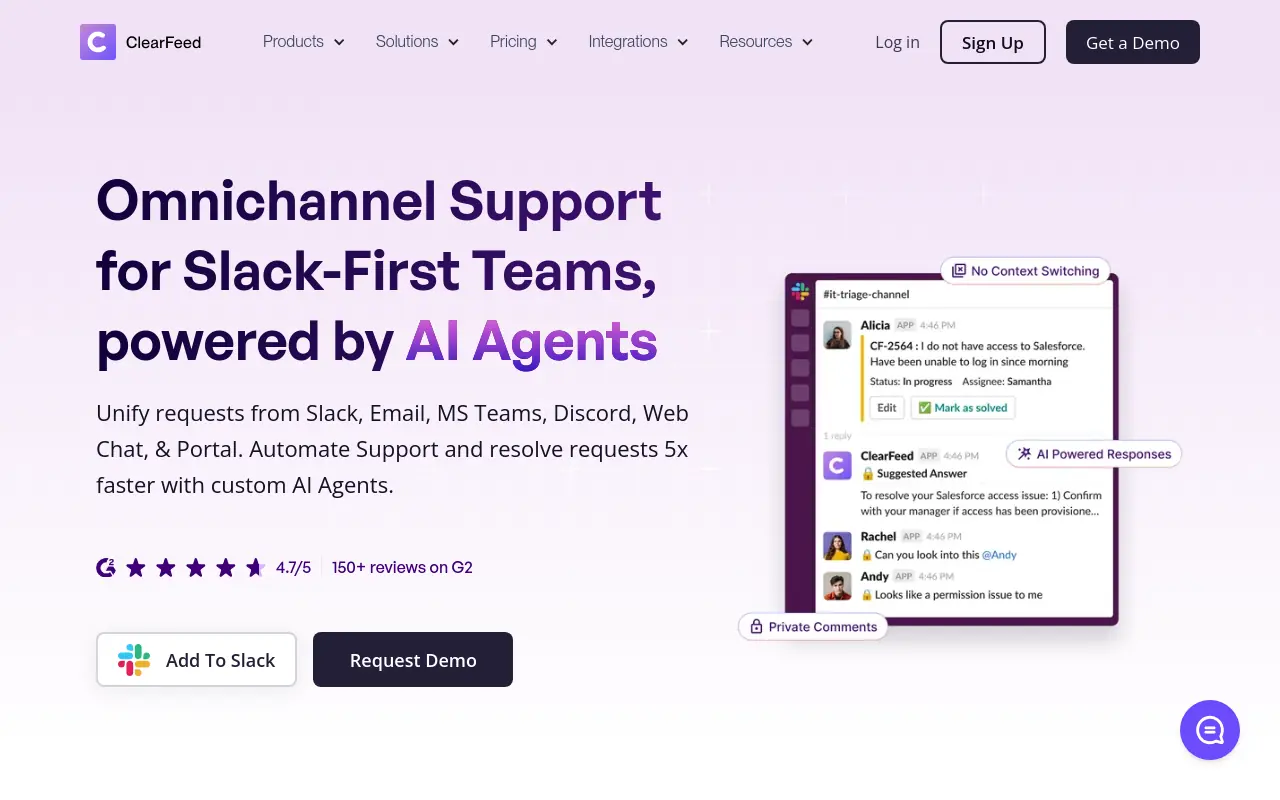 ClearFeed converts Slack messages into tracked support tickets, routes them to the right queue, and keeps the conversation thread linked to the ticket record. For B2B teams running customer support through shared Slack channels, this solves a real problem: requests that arrive in chat and disappear into thread history. The tradeoff is scope. ClearFeed excels at the intake and routing layer but relies on human agents to resolve the underlying issue. Teams expecting the tool to automate resolution will find themselves back in the loop faster than the demo suggested.
5. Notion AI for Slack - Best AI Agent for Knowledge Retrieval Across Docs and Channels
Notion AI’s Slack integration lets teams query their Notion workspace directly from a channel, pulling answers from docs, databases, and project pages without leaving the conversation. For knowledge-heavy teams where the answer to most questions already exists somewhere in Notion, this removes a meaningful search step. The limitation is that it is retrieval, not action. Notion AI will surface what the doc says; it will not update the doc, create a new page, or trigger a downstream workflow based on what it finds. Teams that need write-access automation will need a second tool alongside it.
6. Zapier AI Agents for Slack - Best for Connecting Slack Actions to Hundreds of External Apps
Zapier’s breadth of app connections is its clearest advantage: if the tool you need to reach has a Zapier integration, you can wire a Slack trigger to it without writing code. For simple, linear workflows, this works reliably. The challenge surfaces at complexity. Agentic chains that span multiple conditional steps and several apps introduce failure points at each node, and when a step breaks silently, the operator often does not find out until the downstream system reflects the error. Zapier is well-suited for Slack workflow automation with predictable, single-path logic; it is a harder fit for multi-step agentic work where error recovery matters.
7. Otter.ai for Slack - Best AI Meeting Note Agent That Delivers Summaries Directly to Channels
Otter.ai records, transcribes, and summarizes meetings, then pushes those summaries into designated Slack channels automatically. For teams where meeting notes consistently fail to reach the people who were not in the room, this closes a genuine gap. The scope is narrow by design: Otter handles the meeting-to-channel pipeline and does it well. It does not participate in the work that follows the meeting, assign action items to tools, or track whether anything in the summary actually gets done. It is a documentation agent, and buyers should evaluate it on that basis.
8. Intercom Fin AI Agent for Slack - Best for Customer-Facing Support Teams Needing AI Resolution at Scale
 Fin resolves customer support conversations autonomously using a team’s existing knowledge base, and its resolution rates in published benchmarks are high enough to meaningfully reduce human ticket volume for teams with well-documented content. The pricing model is the decision point: Fin charges per resolution, which works in favor of teams with moderate, predictable volume and against teams where ticket counts spike seasonally or grow fast. At scale, per-resolution pricing compounds quickly, and teams that did not model their actual ticket volume against the cost structure before signing have found the economics shift faster than expected.
9. Linear AI for Slack - Best AI Agent for Engineering Teams Triaging Bugs and Issues from Slack
Linear AI connects bug reports and feature requests that surface in Slack directly to Linear’s issue tracker, with AI-suggested priority levels and assignee recommendations based on the team’s existing project history. For engineering teams where Slack is the first place a bug gets named but rarely where it gets formally tracked, this closes a real handoff gap. The practical caveat is that the AI suggestions for priority and assignee are recommendations, not decisions. Teams that have piloted it report the suggestions are useful as a starting point but still require a human to confirm before the issue moves forward, which means it accelerates triage without fully removing the human from it.
10. Guru AI for Slack - Best AI Agent for Surfacing Verified Company Knowledge at the Point of Need
Guru proactively surfaces verified knowledge cards inside Slack when it detects a question that matches content in the company’s knowledge base, without requiring the user to search. For onboarding and tribal knowledge problems, this is a meaningful intervention: new hires get answers in the channel where they are already working rather than being told to check a wiki they have not learned to navigate yet. Guru’s value compounds as the knowledge base grows and stays current; it erodes quickly when cards go stale. Teams that do not have a content maintenance process in place before deploying Guru will find the agent surfacing outdated information with the same confidence it surfaces accurate information.
11. Tembo AI Coding Assistant for Slack - Best AI Agent for Developer Teams Debugging Postgres in Chat
Tembo’s AI assistant is purpose-built for Postgres, which makes it unusually precise for developer teams whose infrastructure runs on it. Rather than a general-purpose coding agent, Tembo understands database-specific context: query performance, schema questions, and configuration issues that a general LLM handles inconsistently. The tradeoff is obvious but worth stating plainly: if your stack is not Postgres-centric, Tembo is not the right tool. Its depth is the product of its narrow focus, and teams looking for a general engineering assistant will find the scope limiting before they find the depth useful.
Related Reading
- How to Measure AI Agent ROI Before You Scale
- The Future of Agentic AI For Customer Support Explained
- 13 Best Agentic AI Platforms in 2026 for Autonomous Work
- 13 Best AI Agent Integrations to Automate More in 2026
- 14 Best Browser Use Agent Tools for AI Web Automation 2026
- AI Agent vs Assistant: Key Differences Compared (2026)
- How To Measure AI Agent ROI With Proven Metrics
- The Ultimate AI Automation Tutorial for Beginners (2026)
- What Are Parallel AI Agents? A Complete 2026 Guide
- 13 Best AI Agents for Marketing Teams in 2026
- How to Set AI Agent Permissions Without Losing Control
How to Connect an AI Agent to Slack and What Most Setup Guides Skip
Getting a Slack AI agent running is genuinely straightforward. Keeping it scoped, controlled, and useful across the workflows that actually matter to your team is where most setup guides quietly stop helping. This section breaks down the three real paths to deploying an agent in Slack, what each one costs you in scope, engineering time, or control, and the permission problem that almost every tutorial leaves out.

Three Paths to Deploying a Slack AI Agent
There are three distinct paths for connecting an agent to Slack: installing a pre-built app from the Slack App Directory (no-code), building a custom integration through Slack’s APIs and developer tooling, or routing through a third-party orchestration platform. Each path solves a real problem, and each one carries a cost the tutorial buries.
The no-code path is fast. The Slack App Directory lists thousands of third-party apps, which means you can have something running in under an hour. The cost is scope: you get what the app’s developer decided to build, scoped to the channels and permissions they configured. The moment your work lives somewhere that app was not designed to reach, you are back to manual routing.
Pros and cons at a glance
| ✓ Pros | ✗ Cons |
|---|---|
| No-code path is fast, something running in under an hour | No-code scope limited to what the app’s developer decided to build |
| Thousands of pre-built apps in the Slack App Directory | Agent may reply authoritatively on consequential topics without guardrails |
| Highest-control path: define exactly what agent can see and do | Custom builds require engineering time to scope, maintain, and extend |
| Custom builds let you scope exactly which tools the agent can touch | Custom path most beneficial only when workflows are genuinely unusual |
One cost that setup guides almost never address is permission scope. It is easy to wire up an agent and not realize it has enough access to reply authoritatively on consequential topics, client deadlines, project sign-offs, team commitments, without any guardrails in place. That gap is not theoretical; it is the first thing that surprises teams when an agent goes live. SkyDive is built with granular permissions and team collaboration controls precisely because a teammate that can touch everything, unchecked, is a liability. You define what each SkyDive teammate can see, which channels it can access, and what it is authorized to act on, before it ever sends a message.
What Model Context Protocol (MCP) Does That Custom API Plumbing Never Could
Model Context Protocol (MCP) is an open standard that lets AI agents connect to external tools, data sources, and services through a single, consistent interface rather than one custom integration per tool. In practical terms: instead of hand-coding a bridge between your Slack agent and Notion, then another bridge to Linear, then another to Google Drive, MCP lets those connections share a common layer. A team using MCP can wire an agent to all three systems and have context flow automatically, rather than being copy-pasted by hand across tools.
SkyDive includes native MCP support, which means you are not hand-rolling those bridges yourself. The protocol layer is already there, so adding a new data source or tool to your SkyDive teammates does not require rebuilding integrations from scratch or multiplying the surface area that can break.
This matters most for the problem that quietly kills productivity on AI-connected teams: open tasks falling through the cracks between platforms. When context has to be manually moved from Slack to a project tool and back, nothing stays current, and teams end up running a separate task manager just to know who owns what. SkyDive’s memory and persistence, combined with MCP support and multi-channel access, are built to hold that context across systems automatically, so your teammates can coordinate complex, multi-step workflows without losing track of who owns what at each stage, and your team stops spending cycles on status updates that should never have needed to happen.
MCP’s adoption has accelerated sharply among developer teams building production agents because it solves the compounding maintenance problem that point-to-point API plumbing creates. Every new tool you add to a custom-wired setup multiplies the surface area that can break. MCP reduces that to a single protocol to maintain.
Building Custom Slack AI Agents with the Agentic Kit and Events API
Developers building custom Slack AI agents typically start with Slack’s Agentic Kit and the Events API, which together let an agent listen for specific triggers inside Slack (a message, a mention, a reaction) and respond with actions that reach outside the workspace. This is the highest-control path: you define exactly what the agent can see, what it can do, and which tools it can touch.
The trade-off is real. Custom builds require engineering time to scope, maintain, and extend. The developer path is most beneficial when your workflows are genuinely unusual and no off-the-shelf agent comes close to fitting them.
For teams that want high control without a full custom build, SkyDive is multi-teammate by default and ships with pre-built teammate templates, scheduled runs, and a per-teammate sandbox with browser, so you can get specificity without starting from a blank API canvas. The goal is the same one the custom path promises: reducing the back-and-forth communication overhead so your team can stay focused on high-impact work instead of status updates.
The One Capability That Separates AI Teammates from AI Tools in Slack
A vendor emails at 7 PM. A founder texts a decision request from their car. A customer submits a form through a web portal. The Slack bot you configured sits perfectly still, waiting for a message it will never receive. That gap is not a configuration problem. It is an architectural one.

Why “Installed in Slack” Still Means the Work Has to Find the Agent
The assumption feels reasonable: your team lives in Slack, so an agent that lives there too should intercept most of the work. The problem is that work does not live anywhere permanently. As HubEngage noted in March 2026, effective internal platforms must meet employees where they already work rather than requiring behavioral change to route everything to a centralized hub. A Slack-native agent does the opposite. It waits. The work has to travel to it, and that travel is a human’s job.
iMessage as a Work Surface - The Gap No Slack-Native Agent Closes
For founders and ops leads, iMessage is not a personal channel. It is where decisions get made. Investors send term sheet questions over it. Vendors confirm delivery timelines there. A key hire accepts an offer through it. No Slack-native agent reaches that surface, which means every iMessage that contains a work decision either gets manually copied into Slack or disappears from the record entirely. That is a daily occurrence for anyone running a 15-to-50-person company.
Multi-Channel Coverage With Persistent Context Is the Actual Differentiator
What separates an AI teammate from an AI tool is channel coverage paired with persistent context. A smarter model confined to one channel automates replies but does nothing about the coordination overhead that lives between channels, and that overhead is where most of the friction accumulates.
Related Reading
- What Is Agentic AI for Business Operations and Why It Matters
- 12 Best AI Automation for Sales Tools That Actually Work
- 13 Best AI Automation Software Tools I Tested in 2026
- 18 Best AI Agent Platform Comparison Tools for 2026
- 13 Top AI Automation Tools I Tested and Ranked for 2026
- How Much Does an AI Agent Cost? 2026 Pricing Breakdown
- Zapier AI Agent: Build and Automate Smarter Workflows
- AI Agent Framework Comparison: Top Picks Ranked for 2026
- 15 Best Agentic Automation Tools to Try in 2026
- Gumloop vs Zapier: Which Tool Wins for AI Automation?
- RPA vs AI Agents: Which Automation Wins in 2026?
Next steps
If your team is still manually routing work that arrives in the wrong channel, re-explaining context to a bot that lost the thread when the conversation moved to email, the path forward starts with treating the unit of work as a bench of specialized teammates rather than a single agent waiting in one channel.
The trust gap that leaves 93% of workers skeptical of AI outputs is an architectural problem, not a model quality problem: when agents are channel-bound, the re-explanation loop they force on users is what registers as unreliability. That means fixing trust means fixing coverage. Channel coverage paired with persistent context is also what separates an AI teammate from an AI tool, because a smarter model confined to one channel automates replies but does nothing about the coordination overhead that lives between channels, and that overhead is where most of the friction actually accumulates. Together, these two insights point to one action: deploy agents that follow the work across every surface where the work actually lives, rather than configuring one more bot that waits to be found.
Start with AI teammates to see how SkyDive’s bench-of-agents model covers Slack, email, and iMessage through per-teammate sandboxes and shared persistent context. From there, you can map your highest-friction handoff points to specific teammates, configure granular permissions so each agent only touches what it should, and run your first multi-channel workflow without writing a single line of integration code.
Frequently Asked Questions
Is there a way to get started with a Slack AI agent without building one from scratch?
Yes, SkyDive offers pre-built teammate templates so teams aren’t starting from scratch. These templates come with built-in tools like MCP support, scheduled runs, and memory and persistence already wired together, which removes the engineering lift of standing up multi-step workflows on your own.
How does a Slack AI agent keep track of conversational context across a long thread or multi-step workflow?
A genuine Slack AI agent holds state across threads rather than reconstructing context from scratch in each new message. SkyDive’s memory and persistence layer carries context forward across steps, which reduces the conditions that produce confident-sounding wrong answers when an agent misreads a thread.
Will a single Slack bot work if our IT team has locked-down permissions on corporate devices?
In practice, no. This guide identifies the IT ceiling as one of the three core failure modes of the single-bot model. Broad tool access is a prerequisite for any single-bot approach, and restrictive corporate permissions routinely block that access before a single workflow completes. SkyDive’s granular permissions model and per-teammate sandboxes are specifically designed around this constraint, giving each agent scoped access rather than requiring blanket tool permissions that IT will reject.
How does Agentforce work with Slack for sales teams?
Agentforce brings CRM context directly into Slack channels so account executives can surface deal status, next steps, and contact history without switching tabs. This guide notes an honest limitation: if the underlying Salesforce data is incomplete or inconsistently maintained, Agentforce surfaces that noise into Slack rather than resolving it, making data hygiene a prerequisite rather than an afterthought.
Can a Slack AI agent connect to external tools using the MCP protocol?
Yes, MCP (Model Context Protocol) support allows an agent to reach the right external context without requiring blanket tool permissions. SkyDive includes MCP support so each teammate in a multi-agent workflow can query the appropriate external source without the kind of broad access grants that IT teams typically reject.