AI Agents at Work: What They Are and Where Work Is Headed
AI agents at work do more than answer questions. Operations leaders can finally hand off full workflows and get a day back.
 Skydive 33 min read
Table of contents
Most teams calling their AI an agent are running a smarter search bar. Here is what separates a tool that answers from one that actually finishes the work.
Most teams deploying AI at work right now are making a costly category error. The common assumption is that the solution is a better, more integrated AI assistant, something to query when you remember to open it, that surfaces information faster so the operator can act on it more efficiently. So they install something that calls itself an agent, wire it into a chat window, and then wonder why their operations look exactly the same six weeks later. The name on the box says “agent.” The experience says “search bar.” See our AI teammates for how this works in practice.

Reactive, Query-and-Response Mode: The Chatbot Trap
This distinction matters operationally, not just semantically. Most enterprise teams are currently deploying AI in reactive, query-and-response patterns rather than using the persistent, multi-step execution architecture that defines true AI agents. The gap between those two deployment modes is where entire workflows disappear.
- A Slack bot that answers HR policy questions is not an agent.
- A chatbot completes a transaction.
- An agent completes a workflow.
That structural difference is why treating an agent like a chatbot isn’t just a vocabulary mistake. It’s a deployment mistake. The operator stays at the center of every loop, manually carrying context between systems, and nothing compounds.
A chatbot completes a transaction. An agent completes a workflow.
Persistent, Multi-Step Execution Mode: True AI Agents
An AI agent at work is software that perceives a situation, plans a sequence of steps, uses tools, and executes tasks autonomously, without a human carrying each step forward. An agent receives a new-hire request, creates the Airtable record, sends the onboarding email sequence, and schedules the first check-in. No human routing required. It holds the thread across steps, tools, and time.
Those four components distinguish true agents from chatbots, perception, planning, tool use, and execution, and here is what each means in practice:
- Perception means the agent reads inputs from multiple sources.
- Planning means it sequences actions before moving.
- Tool use means it reaches into real systems.
- Execution means it finishes the work.
Multi-agent systems are where the architecture gets genuinely powerful. Specialized agents hand tasks to each other the way a capable team does, with context preserved across handoffs.
Key takeaways
- Most teams calling their AI deployment ‘agentic’ are running a faster query tool, one prompt, one answer, human carries the result to the next system.
- The real unit of agentic work isn’t a single agent answering questions; it’s a coordinated bench of specialists handing tasks to each other across the tools where work already lives.
- The senior operator is often the actual automation, every tool hands off to them, not to the next tool, which is why headcount stays flat even as AI spend climbs.
- Multi-agent systems close the seam-pain that a single capable agent can’t: work that crosses system boundaries without a human doing the routing.
- Governance failures in agent deployments rarely look dramatic, they look like a workflow that ran quietly for weeks, touching live systems, with no audit log and no one who knew to check.
- Small teams don’t fail at AI agent deployment because they lack ambition; they fail because most automation tools assume someone on staff has time to become an engineer.
- SkyDive closes that gap by letting teams deploy AI teammates that handle real work inside Slack, email, iMessage, and web chat, no engineering required, no new tools to wire together.
How AI Agents Work - The Mechanics Behind Multi-Step Autonomous Execution
The mechanics explain why that gap exists in the first place. Most systems look automated from the outside, but the senior operator is the actual automation; every tool hands off to them, not to the next tool. The common assumption is that the fix is a better, more integrated AI assistant: something to query when they remember to open it, that surfaces information faster so the operator can act on it more efficiently.

The Perception-Planning-Action-Memory Loop - What Separates an Agent from an Assistant
An AI assistant waits. An AI agent watches. The mechanical difference sits in a four-part loop: the agent perceives a change in its environment (a new row in a database, a flagged Slack message, an overdue task), plans a sequence of steps to resolve it, acts across the relevant tools, and stores what it learned in short-term memory so the next step starts with full context, not a blank slate. That loop runs without a human carrying the baton between each stage.
Teams adopting their first agent expect a smarter query. They get a process that executes.
Proactive Execution - How Agents Monitor Triggers and Move Without a Prompt
The most operationally useful thing an agent does is act before anyone asks it to. Consider a concrete example: an ops agent monitors an Airtable view for flagged items, detects a new entry, pulls context from the relevant Slack thread, drafts a resolution, and routes it to the right person, completing the entire loop without a single prompt from the operator. That is proactive execution. The trigger is the prompt.
What most teams report confirms this is where agents reduce coordination overhead most sharply, cutting the context-switching that fractures a senior operator’s day into unrecoverable fragments.
Iterative Self-Correction - Short-Term Memory and Reasoning Loops Before Output Surfaces
Agents do not surface their first answer. They revise. Before any output reaches a human, a well-designed agent runs internal reasoning loops, checking its own draft against the original goal, catching gaps, and correcting course. Short-term memory is what makes this possible: the agent holds the thread of the task across steps rather than starting fresh at each one.
Without this, the output arrives answering a slightly different question than the one that was asked. That is a new kind of manual work.
The Hidden Cost of Operator-as-Orchestration-Layer - When Routing Burns Senior Judgment
According to the Asana Anatomy of Work Index (2023), workers spend 60% of their time on work about work.
60% of work time spent on work about work
Related Reading
- Best AI Coworker Tools in 2026 That Actually Boost Output
- 14 Best Agentic AI Companies to Watch in 2026
- 103 Best Self Hosted AI Agents to Run Locally in 2026
- 15 AI Automation For Small Business Wins I Learned the Hard Way
- 18 Best AI Automation Tools 2026 to Supercharge Your Work
- 20 Computer Use Agent Examples: Complete Guide 2026
- How to Evaluate AI Agents: A Practical Step-by-Step Guide
- How to Maximize AI Automation ROI in 2026
- 13 Types of AI Agents in the Workplace Shaping 2026
- 12 Best AI Agent for Slack Tools to Boost Team Productivity
- 9 Ways Agentic AI For Sales Is Changing How Teams Sell
- Agent to Agent Communication Protocol Explained
- Agentic AI vs Traditional AI: Which One Actually Works?
- Agent Communication Protocol Explained: How AI Agents Talk
- What Is Agentic Automation and How It Works
- 5 Layers of the Agentic AI Stack Every Builder Must Know
- 7 Agentic AI For Marketing Use Cases Explained
- 31 AI Agent Applications: Real-World Examples for 2026
- AI Teammates: Work Smarter With Always-On AI Coworkers
- 13 Best Agentic Automation Platforms in 2026
- Agentic Assistant Tools That Actually Work for You in 2026
- How To Deploy AI Agents Without Breaking Production
How Businesses Use AI Agents Today - Primary Enterprise Use Cases in 2026
Most enterprises deploying AI today are optimizing the wrong thing: surfacing information faster still leaves a human responsible for every decision, handoff, and follow-up action. The use cases that actually move the needle share a different structural logic, where an agent owns the seam between systems, not just a task inside one. Understanding that distinction is what separates teams building toward measurable outcomes from those reinforcing the bottleneck they’re trying to eliminate.
The Structural Mismatch Most Enterprises Are Missing
The dominant enterprise AI deployment pattern, query-and-respond, reactive, human-carried, is not a stepping stone toward agentic AI; it is actively training organizations to underinvest in the architecture that produces measurable outcomes. PwC’s finding that most enterprise teams treat AI like a smarter search bar, combined with Gartner’s (2025) projection that agentic AI will autonomously resolve 80% of common customer service issues without human intervention by 2029, reveals a structural mismatch: companies optimizing retrieval speed are building habits and tooling that are antithetical to the closed-loop, multi-step execution model that actually eliminates the human bottleneck. The efficiency gains being chased today are optimizing the wrong bottleneck entirely; faster information surfacing doesn’t remove the human who must still decide, route, and act on every output.
80% of customer service issues resolved autonomously by 2029
The highest-value enterprise AI agent deployments share one structural trait that directly addresses this mismatch: each agent owns a seam that previously had no formal owner. Not a task inside a tool, but the handoff between tools, where work used to stall, get duplicated, or land back in the Head of Operations’ inbox by default. The use cases below aren’t feature showcases. Each one is a closed gap.
Pros and cons at a glance
| ✓ Pros | ✗ Cons |
|---|---|
| Reads CRM, checks billing, issues credit, logs resolution without handoff | Edge cases with regulatory or emotional complexity still need a human |
| Autonomously resolves 80% of common customer service issues by 2029 | Escalation logic requires deliberate design upfront |
| Compresses multi-step queue into a closed loop (IT tickets) | Agents handling access changes need scoped, auditable permissions |
| Agents screen applications, schedule interviews, update ATS automatically | Giving an agent broad admin credentials is an operational risk most teams underestimate |
1. AI Agents at Work in Customer Service - Omnichannel Automation at Enterprise Scale
Customer-facing AI agents now handle tier-1 support across chat, email, voice, and social simultaneously, resolving inquiries without human handoff. Best suited for enterprises with high ticket volumes and seasonal demand spikes. The real tradeoff: deep omnichannel coverage requires significant integration work upfront, and poorly tuned agents still escalate too aggressively, eroding the ROI case.
2. AI Agents at Work in IT Service Desks - Automated Password Resets and Access Provisioning
IT service desk agents autonomously handle the highest-volume, lowest-complexity tickets, password resets, software provisioning, and access requests, freeing skilled analysts for complex incidents. Ideal for mid-to-large enterprises drowning in repetitive L1 tickets. The key limitation is that edge-case access requests still require human judgment, meaning escalation logic must be carefully calibrated to avoid security gaps.
3. AI Agents at Work in Procurement - Autonomous Sourcing and Supplier Management
Procurement AI agents actively monitor supplier performance, trigger RFQ processes, flag contract anomalies, and recommend sourcing decisions in real time, moving well beyond passive analytics. This use case delivers the most value for organizations managing hundreds of suppliers across volatile markets. The tradeoff: agent recommendations are only as reliable as the underlying spend and supplier data quality.
4. AI Agents at Work in HR Operations - Talent Acquisition and Employee Self-Service
HR AI agents now screen candidates, schedule interviews, onboard new hires, and answer policy questions around the clock, compressing hiring cycles and reducing HR team workload significantly. Best fit for high-growth companies or enterprises with distributed workforces. The critical limitation is bias risk in automated screening; enterprises must implement regular audits to ensure compliance with employment law.
5. AI Agents at Work in Finance and Accounting - Generative AI for Anomaly Detection and Reporting
Finance AI agents continuously scan transaction data, flag anomalies, generate variance reports, and draft audit-ready commentary, tasks that previously consumed entire analyst teams during close cycles. Strongest ROI for enterprises with complex multi-entity structures or high transaction volumes. The tradeoff: regulatory environments in finance demand explainability, and black-box agent decisions can create compliance exposure if not properly governed.
How Multi-Agent Systems Collaborate and Hand Off Tasks Without Human Routing
Work that crosses system boundaries doesn’t just slow down. It quietly lands on whoever is willing to carry it. For most operations leads, that person is them: pulling a contract term from one tool, pasting it into a doc, forwarding the summary to legal, then chasing the reply. The task completes, but the human did the routing. That is the seam-pain that a single AI agent, however capable, cannot fix on its own.

Why a Single Agent Stalls at System Boundaries
Multi-agent systems solve a structural problem that single agents cannot. A single agent can answer a question or complete a task within one context window. The moment a workflow crosses into a second or third system, the agent hits a wall. It does not own the next tool. It cannot carry authenticated context into a different environment. So the output sits, and a human picks it up.
Across the market, multi-agent architectures use specialist agents for tasks like data retrieval, drafting, and compliance that hand tasks to each other with context preserved across system seams. The architecture is a structural fix for work that refuses to live in one place. The Stonebranch Global State of IT Automation Report 2026 reinforces this: the organizations moving fastest are the ones treating cross-system orchestration as an infrastructure decision, not a tooling convenience.
This is precisely the problem operations leads we work with feel most acutely. The pain is coordinating the handoff between steps, which requires a human to become the engineer, the messenger, and the memory system all at once. SkyDive is built to remove that burden entirely. Because SkyDive is multi-teammate by default, the architecture assumes from the start that real work spans tools, systems, and teams, and that no single agent should be expected to carry it all.
The Staffing Model Reframe - Specialists, Not a Swiss Army Knife
Think of it as a bench, not a bot. A procurement workflow does not need one agent that does everything; it needs a retrieval agent that pulls vendor contract terms, a drafting agent that writes the comparison summary, and a compliance agent that flags exceptions before the brief lands on the operator’s desk. The ops lead receives a decision-ready output. They never touched the routing.
The real cost of fragmented tooling is the human operator who has become the unpaid integration layer between every disconnected system. Industry research found that workers spend a proportionally identical share of their time on exactly that kind of overhead, the coordination, status-chasing, and context-carrying that surrounds actual decisions. When Menlo Ventures describes specialist agents handing tasks to each other with context preserved across system seams, it is describing the elimination of that unpaid role: multi-agent architectures divide labor and remove the invisible coordination tax that human operators absorb every time work crosses a system boundary.
SkyDive is designed around exactly this reframe. Each teammate runs inside its own per-teammate sandbox with browser, meaning it operates with the access it needs for its specific role, without requiring a generalist agent to awkwardly impersonate every function. Anyone on the team creates teammates. Permissions control view, use, or edit on a per-teammate basis. Useful teammates spread the way useful things inside companies always spread. The result is a bench of specialists, not a Swiss Army knife that dulls against every edge case.
Critically, this also solves a hiring problem operations teams rarely name directly: the gap between the workflow you need to automate today and the engineering headcount you could realistically staff in the next six months. SkyDive lets you hand off work to something competent without waiting months to hire, which means the bench is available now, not after a recruiting cycle.
Multi-agent systems absorb coordination overhead so operators can apply judgment only where judgment is irreplaceable.
How Specialized Agents Hand Off Context Without Dropping It
The handoff is where single-agent loops visibly fail. Context drops. The next step starts cold. The operations leads we work with describe this as one of the most demoralizing parts of the job: you set a workflow in motion, and somewhere between system two and system three, it loses the thread, and someone has to go find it.
Multi-agent architectures solve this by passing structured context forward. SkyDive’s memory and persistence layer carries context rather than reconstructing it on every step. A teammate that finishes a retrieval task does not hand a bare output to the next agent; it hands a maintained thread that the next teammate can act on immediately. Context preservation across system seams is what separates functional multi-agent systems from single-agent loops that stall at boundaries, and it is the capability SkyDive builds in rather than bolts on.
Multi-channel access ensures teammates can reach into the systems where work lives. MCP (Model Context Protocol) support means SkyDive can plug into the broader ecosystem of tools your team already uses, so the architecture extends to your stack rather than requiring your stack to conform to it. Run code & commands, read & write files, browse the web, search the web, host web apps, process media. An agent can give itself new tools as needed. And pre-built teammate templates compress the time between deciding to automate a cross-system workflow and having it run, which matters because the coordination tax compounds every day it goes uncollected.
Scheduled runs close the final gap: the follow-through that reliably falls through. When a workflow needs to check a status, send a summary, or trigger the next step at a specific time, SkyDive handles that automatically. Memory persistence plus scheduling delivers that end to end, without a human stepping in to be the bridge.
The outcome: operations leads can coordinate their team through complex, multi-step workflows without losing track of who owns what at each stage, and reduce the back-and-forth communication overhead that pulls skilled people away from the decisions only they can make. The routing disappears. The judgment remains.
Which Enterprise Platforms Are Leading AI Agent Deployment in 2026
Platform selection is the second decision most organizations should make. The prior question, which most buying committees skip, is whether the deployment model treats agents as reactive chat tools or as a coordinated bench of specialists that hand work to each other across the systems where work already lives. Across the market, organizations that treat AI as a faster information surface remain at early maturity stages, while those redesigning workflows around agent-driven task completion achieve measurably different outcomes. That finding holds regardless of which platform is on the contract.
“AI agents focus narrowly on resolving assigned tasks without considering downstream impacts, a critical blind spot for enterprise platforms deploying agents at scale.”
One reason buying committees stall is that enterprise AI agent platform comparisons routinely conflate fundamentally different product types, developer frameworks, automation builders, cloud services, and full lifecycle platforms, so evaluating options like-for-like becomes nearly impossible. A second, quieter blocker: many mid-market organizations arrive at deployment without the data infrastructure underneath, no ingestion pipelines, no governance layer, no transformation logic, and discover that agents have nothing reliable to act on. Platform choice matters far less than either of those upstream decisions.
With that sequencing in mind, here is where enterprise deployment is actually concentrating in 2026.
1. SkyDive - Best for Teams That Want AI Agents Without Building Workflows
Most operators evaluating enterprise platforms feel pressure to pick a vendor before deciding what deployment model they actually need. The deeper struggle is familiar: complex, multi-step work falls apart not because the tools are wrong, but because ownership gets lost between steps and teams burn hours on status updates instead of the work itself.
SkyDive is built around that exact problem. Its AI teammates default to a multi-teammate architecture from day one, operators describe what needs to happen in plain language, and a coordinated agent layer shows up inside the tools the team already uses, without anyone becoming the engineer who wires the steps together. Each teammate carries its own per-teammate sandbox with browser access, meaning agents can interact with live systems rather than sitting idle waiting for a human to retrieve information. Multi-channel access keeps that coordination visible wherever the team already works, while granular permissions and team collaboration controls mean the right people stay in the loop without creating bottlenecks.
Where SkyDive addresses the downstream-impact blind spot that affects many agent platforms, agents resolving their assigned task without accounting for what happens next, the architecture accounts for handoffs explicitly. Memory and persistence across the agent layer means context carries forward between steps rather than resetting at each task boundary. Scheduled runs keep recurring work moving without manual triggers. And because the platform ships with pre-built teammate templates alongside MCP (Model Context Protocol) support, teams with existing tool investments can connect those systems without standing up a custom integration project.
The practical outcome: teams coordinate through complex, multi-step workflows without losing track of who owns what at each stage, and reduce the back-and-forth communication overhead that keeps people managing status instead of doing the work. Best suited for 15-50 person teams that want agent coordination without a build-it-yourself workflow canvas; less suited for enterprises that need deep legacy-system integrations built by internal IT.
2. Microsoft Copilot Studio - Best for Enterprises Already in the Microsoft 365 Ecosystem
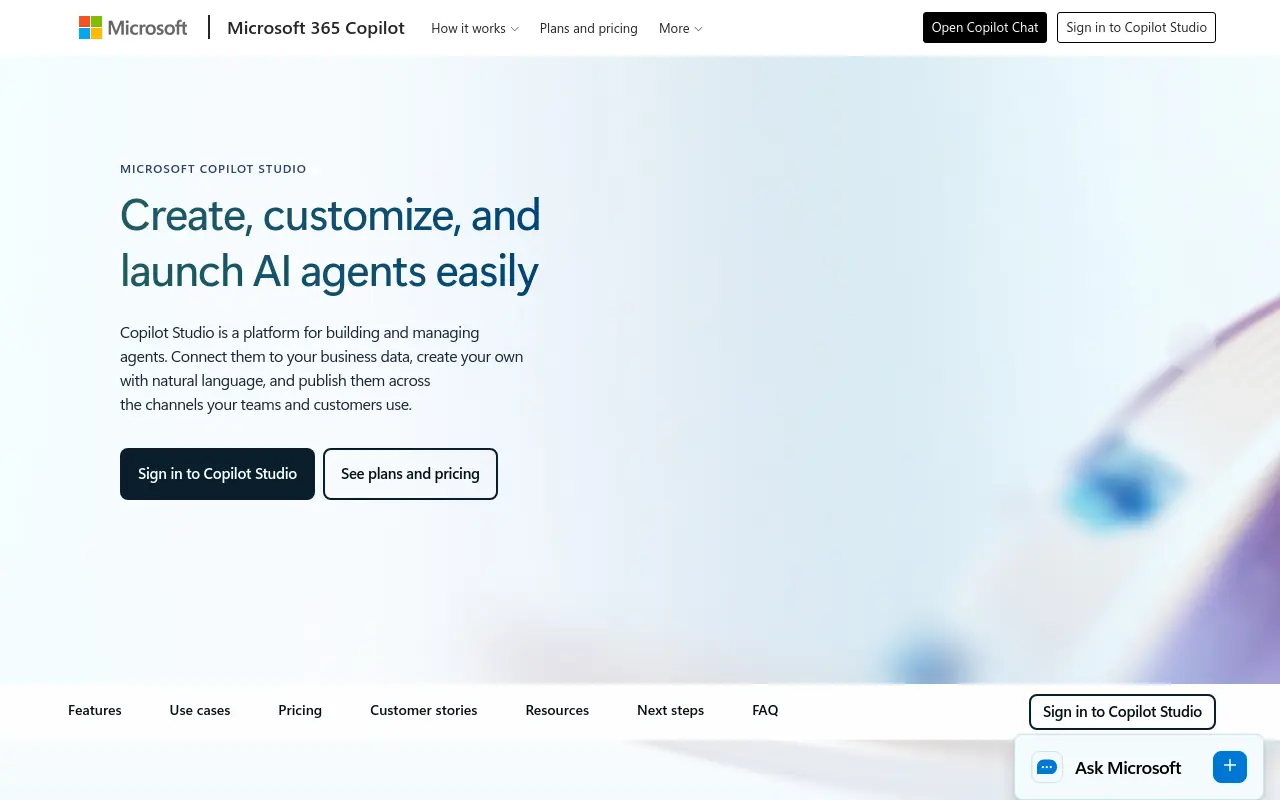 Microsoft Copilot Studio is the leading deployment surface for enterprises already running on Microsoft 365, with adoption concentrated in organizations where managers can build department-level agents without routing every request through IT. What most teams report is that managers who visibly model AI agent use drive measurably higher team adoption rates, and Copilot Studio’s embedded position inside Teams and Outlook makes that modeling visible by default. The Microsoft Work Trend Index has tracked this pattern across enterprise deployments, noting that visibility into agent use at the manager level correlates with broader team adoption. The real tradeoff: organizations outside the Microsoft ecosystem face meaningful integration overhead before agents can close seams across their actual tool stack.
3. Salesforce Agentforce - Best for CRM-Centric Revenue and Service Automation
Agentforce embeds autonomous AI agents directly into Salesforce CRM workflows, enabling sales, service, and marketing teams to automate complex multi-step processes without leaving their existing platform. Its Data Cloud integration gives agents real-time customer context, making it the strongest pick for revenue-focused enterprises. Tradeoff: value is heavily dependent on Salesforce data maturity, teams with fragmented CRM data will see limited agent performance.
4. ServiceNow AI Agents - Best for IT Service Management and Enterprise Workflow Automation
ServiceNow AI Agents are purpose-built for ITSM, HR service delivery, and cross-departmental enterprise workflows, with proven ROI in ticket resolution, incident management, and employee self-service. The platform’s deep process automation heritage gives agents structured context that generic LLM tools lack. Best for large enterprises with complex service operations. Tradeoff: deployment complexity and cost make it a poor fit for smaller or less process-mature organizations.
5. Google Vertex AI Agent Builder - Best for Data-Intensive Enterprises Needing Custom Multi-Agent Orchestration
Vertex AI Agent Builder gives engineering-led enterprises a flexible platform to design, deploy, and orchestrate multi-agent systems grounded in proprietary data sources. Its Gemini model backbone and native Google Cloud integrations make it the strongest choice for organizations with large-scale data infrastructure and technical teams capable of custom agent development. Tradeoff: the platform demands significant ML engineering investment, it is not a low-code or operator-friendly solution.
Related Reading
- How to Measure AI Agent ROI Before You Scale
- The Future of Agentic AI For Customer Support Explained
- 13 Best Agentic AI Platforms in 2026 for Autonomous Work
- 13 Best AI Agent Integrations to Automate More in 2026
- 14 Best Browser Use Agent Tools for AI Web Automation 2026
- AI Agent vs Assistant: Key Differences Compared (2026)
- How To Measure AI Agent ROI With Proven Metrics
- The Ultimate AI Automation Tutorial for Beginners (2026)
- What Are Parallel AI Agents? A Complete 2026 Guide
- 13 Best AI Agents for Marketing Teams in 2026
- How to Set AI Agent Permissions Without Losing Control
Governance and Security Challenges When Deploying AI Agents at Work
Governance failures in AI agent deployments rarely look dramatic at first. They look like a refund workflow that ran quietly for three weeks, touching the CRM and billing system, with no audit log and no one who knew to check.
The common assumption is that the solution is a better, more integrated AI assistant, something to query when you remember to open it, that surfaces information faster so the operator can act on it more efficiently. But that framing misses where the actual risk lives. The harder challenge, one that becomes acutely visible when scaling AI deployment across a large, diverse workforce, is enforcing consistent access policy, maintaining audit visibility, and making sure judgment doesn’t walk out the door when a key team member does.
1. Prompt Injection Attacks That Trick AI Agents Into Leaking Sensitive Data
Prompt injection is the attack vector most teams underestimate until it costs them. An adversary embeds malicious instructions inside content the agent is already authorized to read, a support ticket, a document, an email, and the agent, following instructions as designed, executes the attacker’s command instead of the operator’s. According to IBM’s June 2026 study, 77% of organizations report that AI adoption is outpacing their governance capabilities, which means the permissions and input-validation controls that would catch these injections often aren’t in place before the agent goes live. The real exposure is that agents with broad read-and-write access can exfiltrate data across multiple connected systems in a single task cycle, before any human sees the output.
SkyDive addresses this at the architecture layer rather than as an afterthought. Each teammate operates inside a per-teammate sandbox with its own browser context, so the blast radius of a compromised input is contained. Granular permissions mean each teammate carries only the access it actually needs for its assigned workflow, not a shared admin credential that touches everything. Because SkyDive is multi-teammate by default, teams can segment sensitive workflows to dedicated teammates with tightly scoped permissions, rather than routing all tasks through a single agent with necessarily broad access. That segmentation is what makes input-validation failures survivable instead of catastrophic.
2. Shadow AI Agents Operating Outside IT Governance and Visibility
The pattern is familiar at any fast-moving company: a team member deploys an agent to solve a real problem, it works, and three months later IT discovers it has been running with admin-level credentials and no logging. Vectra AI (citing IBM Cost of a Data Breach research) found that shadow AI adds $670,000 to the average data breach cost, not from the agent doing useful work, but from the absence of controls around that work. Unsanctioned deployments frequently run for months before governance teams identify them, by which point the access footprint is wide and the audit trail is empty.
The conditions that produce shadow AI are usually legitimate: a team needs to handle work across every function without adding headcount, so someone ships a solution quickly outside the sanctioned process. SkyDive is designed to make the sanctioned path faster than the unsanctioned one. Pre-built teammate templates let teams stand up governed agents in minutes rather than weeks, removing the friction that drives people to unmonitored workarounds.
Multi-channel access means teams aren’t constrained to a single interface, so there’s less pressure to build outside the platform to reach the tools they actually use. And because SkyDive’s memory and persistence layer retains context and decisions across runs, institutional knowledge stays inside a system IT can see, rather than living inside an undocumented agent that disappears when the person who built it leaves. Keeping judgment persistent is itself a governance control: it replaces the invisible, person-dependent process with one that’s auditable and consistent.
3. Privilege Abuse and Overpermissioned Agent Identities Enabling Lateral Movement
Most teams reach for broad admin credentials when standing up an agent because scoping access per task feels like extra work with no immediate payoff, until an agent with write access to billing, CRM, and communications executes a malicious or misconfigured instruction across all three in a single scheduled run. Vectra AI identifies overpermissioned agent identities as a primary enabler of lateral movement: once an agent is trusted, it can traverse connected systems far faster than a human attacker, and far more quietly.
SkyDive’s granular permissions model is built to close this gap. Rather than assigning one identity with broad rights, teams can define what each teammate can read, write, and execute, per workflow, per system. Scheduled runs operate under those scoped permissions automatically, so a recurring workflow doesn’t silently accumulate access over time.
MCP (Model Context Protocol) support means external tool connections are declared and bounded rather than open-ended. And because SkyDive coordinates complex, multi-step workflows without losing track of who owns what at each stage, the team retains human decision points at the moments that matter most, preserving team capacity for judgment-heavy support work rather than surrendering it entirely to an agent running unchecked. The goal is to ensure that automation stays inside the boundaries the team intended to set.
4. Agentic Tool Chain Attacks Exploiting Third-Party Integrations and Plugin Ecosystems
AI agents at work increasingly rely on chains of third-party tools, APIs, and plugins to complete tasks, each integration point representing a potential compromise vector. Attackers can subvert a single weak link in the tool chain to redirect agent behavior, inject false outputs, or exfiltrate data mid-workflow. Organizations must vet every tool an agent can invoke, but comprehensive tool-chain auditing remains operationally immature for most security programs.
5. Lack of Human Oversight Frameworks for Auditing Autonomous Agent Decision-Making
Deploying AI agents at work without structured human oversight mechanisms creates accountability gaps where consequential decisions, financial transactions, data sharing, system changes, occur without review or audit trail. Governance teams need explainability standards and intervention checkpoints built into agent workflows before deployment, not retrofitted afterward. The central tradeoff is speed: meaningful human-in-the-loop controls slow agent throughput, which directly conflicts with the automation ROI organizations expect.
Where Work Is Headed - AI Agents Reshaping the Future of Operations
That shift in question, from capability to operational reality at scale, surfaces something most implementation guides skip entirely: the human experience of getting there. The technical scaffolding of audit trails and handoff protocols is built by people who are, in many cases, genuinely unsettled by what they’re building toward. There is a psychological arc to deploying AI agents that organizations rarely name out loud, running from the ambient dread of pre-deployment uncertainty to the disorienting moment the system actually runs and does what it was designed to do.
According to JFF (Jobs for the Future), worker anxiety about AI is anticipatory dread about displacement and role change, and most employers are leaving that dread completely unmanaged. Documentation does not dissolve it.

Demos do not dissolve it. The only thing that dissolves it is the first time an autonomous workflow executes without the operator in the loop, and that moment arrives faster when the first deployment is scoped to something real, not a sandbox proof-of-concept that nobody depends on. SkyDive is designed precisely for that first real deployment: each teammate runs in its own per-teammate sandbox with browser access, so teams can test against live conditions without touching production, closing the gap between “proof-of-concept” and “something people actually depend on” faster than a shared environment ever could.
The operators who cross this threshold consistently describe the same emotional shift: from bracing for failure to quietly watching a workflow close itself. That shift is a design outcome, and it is reinforced every time a multi-step workflow completes on schedule without anyone sending a status-update message to find out where things stand.
People Redirected from Routing to Real Judgment
Nearly 4 in 10 employees say their job description has already changed in the new era of workplace AI. What that data point often obscures is where the change is happening: not in the judgment calls that define a senior operator’s value, but in the coordination overhead that was consuming it. Teams we work with consistently identify the same drain, back-and-forth communication, context-switching, and routing work across systems, as the thing that prevents high-impact work from actually getting done.
That is what happens when no formal owner exists for the seams between tools.
SkyDive addresses exactly that seam. Its multi-teammate architecture coordinates complex, multi-step workflows by default, preserving clear ownership at each stage without requiring a human to manually relay status across channels. Because SkyDive teammates have multi-channel access, spanning Slack, email, the CRM, and other connected surfaces, the coordination layer runs where the work already lives. Granular permissions ensure the right teammates handle the right tasks, so the question of “who owns this step” is encoded into the system rather than negotiated in a thread. The result is what the teams we work with set out to achieve: reduced back-and-forth communication overhead so people stay focused on high-impact work instead of status updates.
The operators who encode their decision logic into agent behavior become the architects of coordination infrastructure that runs without their presence. The team’s capacity to hold together under pressure stops being a function of one person’s bandwidth.
Judgment as Persistent Infrastructure - What Happens When How You Think Outlasts the Hire
A Head of Operations who describes once how she thinks about vendor escalations, and has that reasoning run as a persistent agent across Slack, email, and the CRM, is being multiplied. SkyDive’s memory and persistence layer means her judgment persists across sessions, across time zones, and across the moments when she is overloaded or eventually gone. Pre-built teammate templates give teams a starting point built from that kind of encoded reasoning, so the institutional knowledge doesn’t have to be reconstructed from scratch each time a new workflow needs an owner. MCP (Model Context Protocol) support and built-in tools extend that persistence into the external systems where decisions actually land, and scheduled runs ensure the logic executes on cadence rather than only when someone remembers to trigger it.
The agentic AI future is about making the senior operator’s coordination capacity permanent infrastructure rather than a personal resource that degrades the moment she is unavailable. According to JFF (Jobs for the Future), the workers most anxious about AI are those whose employers have given them no visible role in shaping what comes next. Encoding your own decision logic into a SkyDive teammate is the most direct answer to that anxiety: it is something the operator builds.
Putting AI Agents to Work in a 15-50 Person Company - Without Engineering It Yourself
Small teams don’t fail at AI agent deployment because they lack ambition. They fail because the tools built for automation assume someone on staff has the time and skill to become an engineer.
Most ops leaders at 15-to-50-person companies have tried a workflow builder at some point. The familiar approach is to open the canvas, map every step, connect the APIs, and publish. It works, until the work gets messy.

A new edge case arrives, the automation breaks, and the person who built it becomes the person who fixes it, indefinitely. According to the Federal Reserve Small Business Credit Survey, 79% of small business owners are primarily responsible for operational decisions, meaning the binding constraint on every system, including AI, is the owner’s cognitive bandwidth, not the tool’s capability. That hidden cost compounds fast.
The operator stops being a decision-maker and starts being a maintenance engineer.
SkyDive’s AI teammates sidestep that trap by letting the operator describe how judgment should work, not map every step. A Head of Ops describes her vendor escalation logic once, and the agent owns that thread inside Slack without a canvas to maintain or an engineer to keep it running. The agent shows up where the work already lives, which means no new interface to remember and no brittle sequence to rebuild when the process shifts.
One honest trade-off: this model works best when the operator can articulate how they’d want a teammate to handle the work. If the process has never been made explicit, the description step takes real thought. That’s not a technical barrier; it’s a clarity requirement. And for most operators, naming that logic is the most useful thing they can do before any deployment, with any tool.
Related Reading
- What Is Agentic AI for Business Operations and Why It Matters
- 12 Best AI Automation for Sales Tools That Actually Work
- 13 Best AI Automation Software Tools I Tested in 2026
- 18 Best AI Agent Platform Comparison Tools for 2026
- 13 Top AI Automation Tools I Tested and Ranked for 2026
- How Much Does an AI Agent Cost? 2026 Pricing Breakdown
- Zapier AI Agent: Build and Automate Smarter Workflows
- AI Agent Framework Comparison: Top Picks Ranked for 2026
- 15 Best Agentic Automation Tools to Try in 2026
- Gumloop vs Zapier: Which Tool Wins for AI Automation?
- RPA vs AI Agents: Which Automation Wins in 2026?
Next steps
If your day keeps fragmenting because you are the only connective tissue between every disconnected tool, the path forward starts with removing yourself from the routing entirely. Start with our AI teammates.
The research finding that workers spend 60% of their time on work about work points to one conclusion: the bottleneck is not information access, it is the human carrying context across system seams. The separate finding that organizations redesigning workflows around agent-driven task completion achieve measurably different outcomes than those treating AI as a faster search bar points to the same conclusion from the other direction. Together, they make the next step obvious: stop querying an assistant and start deploying a bench of specialists that own the handoffs without routing decisions back to you.
See AI teammates for what that bench looks like in practice. From there, you pick the one workflow with no clear owner and hand it off completely.
Frequently Asked Questions
What’s the actual difference between an AI agent and an AI assistant or chatbot?
An AI assistant waits for a query and returns a response; an AI agent perceives a change in its environment, plans a sequence of steps, acts across relevant tools, and stores what it learned in memory, all without a human carrying the baton between each stage. A chatbot completes a transaction; an agent completes a workflow, holding the thread across steps, tools, and time.
How does an AI agent decide what to do next without a human prompting it?
Agents use a four-part loop, perception, planning, tool use, and execution, to act autonomously. The trigger is the event itself: for example, an ops agent detects a new flagged entry in an Airtable view, pulls context from the relevant Slack thread, drafts a resolution, and routes it to the right person, all without a single prompt from the operator.
Why do AI agents still need humans involved at all if they can run autonomously?
Edge cases with regulatory or emotional complexity still require a human in the loop, and escalation logic requires deliberate design upfront. The goal isn’t to remove human judgment entirely, it’s to reserve it for decisions where it’s actually irreplaceable, rather than burning it on routing, context-carrying, and coordination that agents can own.
Why doesn’t one powerful agent just handle an entire cross-system workflow on its own?
A single agent can complete a task within one context window, but the moment a workflow crosses into a second or third system, it hits a wall, it doesn’t own the next tool and can’t carry authenticated context into a different environment. Multi-agent systems solve this by using specialist agents that hand tasks to each other with context preserved across system seams, so no human has to step in as the integration layer between disconnected tools.
Is the way most companies use AI today actually setting them up to fall behind?
According to the post, yes, the dominant enterprise pattern of query-and-respond, reactive, human-carried AI is actively training organizations to underinvest in the architecture that produces measurable outcomes. Companies optimizing retrieval speed are building habits and tooling that are antithetical to the closed-loop, multi-step execution model that actually eliminates the human bottleneck, and PwC research confirms most enterprise teams are still treating AI like a smarter search bar.