20 Computer Use Agent Examples: Complete Guide 2026
Computer use agents give ops leaders a way to reclaim manual work without API keys, integrations, or engineering tickets slowing the team down.
 Skydive 34 min read
Table of contents
Your automation stack hits a wall wherever there is no API. Computer use agents work like a human operator instead: they see the screen, click the buttons, and get the task done without a single integration.
Most heads of operations think that if they pick the right automation platform and wire up the right integrations, the in-between work will finally disappear. But most automation tools start with a prerequisite: someone has to build the connection first. An engineer files a ticket, a vendor exposes an endpoint, a workflow platform wires the two systems together, and only then does any work get handed off.
For ops teams running on a mix of legacy portals, modern SaaS tools, and software that was never designed to talk to anything else, that prerequisite is often permanent. The integration never gets built. The work stays manual.

That gap is exactly what a computer use agent is designed to close. Tools like SkyDive’s AI teammates work the way a human operator does: open a browser, log in, and get the task done, with no API key and no engineering ticket required, an architecture validated by the sandboxed-browser model described in Menlo Ventures’ 2025 State of Generative AI in the Enterprise report, which identifies isolated-session deployment as the emerging enterprise standard. See our AI teammates for how this works in practice.
A computer use agent (CUA) is an autonomous AI agent that controls a computer the same way a person does. It looks at the screen, moves the cursor, clicks buttons, fills in fields, and types. No integration layer sits underneath it.
The agent reads what is visible and acts on what it sees. Scripts need coordinates, and workflow builders need APIs. CUAs need neither.
The perception layer is a vision-language model (VLM): a model trained to read screenshots as structured meaning, not raw pixels. It identifies buttons, input fields, dropdown menus, error messages, and modal dialogs the same way a trained operator would scan a screen on their first day. OSWorld and WebArena results published through early 2025 show leading AI Computer Use Agent (CUA) implementations completing multi-step browser tasks at rates that would have been implausible two years prior.
API integrations only work when both systems expose compatible endpoints, which leaves a large class of tools permanently outside the reach of any integration platform. That is a structural constraint of the API-first model itself, and it is why a growing share of in-between work remains manual regardless of which workflow platform an ops team adopts.
Key takeaways
- Computer use agents don’t need an API, a webhook, or an engineer to start, they log in and navigate the way a human operator would, which means any tool with a browser is already in scope.
- The perception-reasoning-action loop runs on screenshots: a vision-language model reads the screen, decides the next action, executes it, and reads the screen again, no selector maintenance, no brittle XPath strings.
- RPA breaks the moment a UI changes because it was always following a script, not reading a screen; computer use agents adapt because they’re interpreting pixels, not memorizing coordinates.
- The major 2026 platforms split into developer APIs, enterprise orchestration layers, and open-source frameworks, benchmark scores travel widely, but the gap that matters is what happens when the tool hits a system no one wired an integration for.
- The highest-value deployments aren’t on anyone’s roadmap: they’re the copy-paste between a modern CRM and a legacy ERP, the post-call data entry, the order-status ticket that requires three logins before anyone can type a reply.
- Giving an agent credentials means giving it the same blast radius as your most trusted employee, isolated sessions, scoped access, and audit trails aren’t optional hardening; they’re the baseline.
- SkyDive closes the loop with a per-teammate sandbox: each teammate gets its own computer with a browser, logs into your existing tools the way a human operator would, and works across systems no one has wired an integration for.
How Do Computer Use Agents Work? (The Continuous Feedback Loop Explained)
Most automation breaks the moment the interface changes, because it was never really reading the screen in the first place. Computer use agents work differently: they perceive, reason, and act in a continuous loop that mirrors how a human actually moves through software, which is what makes them capable of handling work that traditional tools simply cannot reach. Walking through each step of that loop shows exactly where the capability comes from and why SkyDive teammates can operate inside any tool you can open, without APIs or custom connectors.

Perception - Reading the Screen the Way a Human Eye Does (But Faster)
Every action cycle begins with a screenshot. Understanding why requires tracing the full perception-reasoning-action loop that separates computer use agents from every prior generation of automation. A vision-language model reads that image and extracts structured meaning from it, identifying text fields, drop-down menus, buttons, and the surrounding context.
This isn’t pixel-matching. Agents that combine vision with reasoning significantly outperform text-only approaches; the WebVoyager benchmark showed that equipping an agent with vision meaningfully raises task completion compared to text-only approaches alone. The agent isn’t guessing at the interface.
It’s reading it.
One of the most common sticking points for non-developers is the gap between understanding what a computer use agent is and knowing how to make one actually useful in a daily, non-technical workflow. The perception step is where that gap starts to close. Because SkyDive teammates read the screen visually, exactly as a human would, they don’t require you to expose an API, write a connector, or understand the internals of any tool. If you can open it, a SkyDive teammate can work in it. That is the practical unlock: the work that used to sit on your calendar because no automation could reach it now gets handled without you.
Reasoning - How the LLM Holds the Goal in Mind While Handling Chaos
The large language model doesn’t just choose the next click. It holds the full goal in working memory, tracks progress, and handles interruptions. A pop-up mid-task, a login screen that appeared unexpectedly, a form that reordered its fields after a software update: the reasoning layer treats each of these as new information, not as failure conditions. As Adnan Masood, PhD. documents in his analysis of the state of computer use agents, error-recovery responsibility in CUA architectures sits entirely inside the reasoning step, not in any pre-built exception handler, a distinction that separates genuine intelligence from brittle scripted fallback logic.
That’s the core difference from a macro. The intelligence is live.
This is also where SkyDive’s memory and persistence layer matters. Because each teammate retains context across sessions, it doesn’t restart its understanding of your workflow every time it runs. Combine that with Scheduled runs, where a teammate executes a full multi-step workflow on a defined cadence without you triggering it manually, and the reasoning layer starts preserving something genuinely scarce: your calendar time for strategic judgment work. Repetitive research, data gathering, routine reporting, and status assembly happen on schedule; the work that actually requires your positioning instincts and strategic thinking stays yours.
SkyDive is multi-teammate by default, and each teammate operates inside its own per-teammate sandbox with browser, so complex workflows can be coordinated across teammates without one agent’s context bleeding into another’s. The reasoning layer doesn’t just hold a single goal in mind, across a SkyDive team, multiple goals are tracked in parallel, with granular permissions and team collaboration controls that keep the right teammate working on the right task at each stage.
Action - Virtual Keystrokes, Clicks, and Scrolls Sent to the Real Interface
Once the reasoning layer decides what to do, the agent executes it directly against the interface: a click, a keystroke sequence, a scroll, or a terminal command. No API call. No integration layer.
The agent interacts with the screen exactly the way a human operator would, which means it works on any tool a human can open, including legacy systems that were never built to be automated. Adnan Masood, PhD. underscores that this screen-native execution model is precisely what makes computer use agents applicable far beyond software development contexts, a reality that matters most to marketers, writers, and strategists who spend their days in tools that were never designed with automation in mind.
SkyDive extends the action layer with built-in tools and capabilities and MCP (Model Context Protocol) support, so teammates aren’t limited to what they can click; they can invoke structured capabilities when the task calls for it. Multi-channel access means teammates show up in Slack, email, iMessage, and web chat, the conversation surfaces the team already lives in, with iMessage support being novel across the competitive set. And because workflows are often non-trivial, pre-built teammate templates give teams a productive start on day one: templates for inbox triage, lead enrichment, CRM hygiene, deck updates, content drafting, research, and support triage. The library expands as customers build and share.
The practical result: time that was previously consumed by execution, the clicking, the copying, the navigating, the status-checking, is returned to the people on the team whose judgment actually moves the work forward. Writing and positioning work, strategic marketing decisions, and the kind of thinking that can’t be scheduled into a Scheduled run stay protected. Everything else runs without you.
Related Reading
- Best AI Coworker Tools in 2026 That Actually Boost Output
- 103 Best Self Hosted AI Agents to Run Locally in 2026
- 15 AI Automation For Small Business Wins I Learned the Hard Way
- 18 Best AI Automation Tools 2026 to Supercharge Your Work
- How to Evaluate AI Agents: A Practical Step-by-Step Guide
- How to Maximize AI Automation ROI in 2026
- 9 Ways Agentic AI For Sales Is Changing How Teams Sell
- Agent to Agent Communication Protocol Explained
- Agentic AI vs Traditional AI: Which One Actually Works?
- Agent Communication Protocol Explained: How AI Agents Talk
- What Is Agentic Automation and How It Works
- 5 Layers of the Agentic AI Stack Every Builder Must Know
- 7 Agentic AI For Marketing Use Cases Explained
- 31 AI Agent Applications: Real-World Examples for 2026
- AI Teammates: Work Smarter With Always-On AI Coworkers
- 13 Best Agentic Automation Platforms in 2026
- Agentic Assistant Tools That Actually Work for You in 2026
- How To Deploy AI Agents Without Breaking Production
- AI Agents at Work: What They Are and Where Work Is Headed
- 12 Best AI Agent for Slack Tools to Boost Team Productivity
- 14 Best Agentic AI Companies to Watch in 2026
- 13 Types of AI Agents in the Workplace Shaping 2026
How Computer Use Agents Differ from Traditional RPA and Where RPA Still Breaks
Ops teams that invested in RPA made a reasonable bet. The bots handled repetitive, predictable tasks, freed up hours, and looked like the future of automation. The problem is that “predictable” turned out to cover far less ground than anyone expected.

RPA’s Core Dependency - Why a Single Layout Change Kills the Bot
Computer use agents differ from traditional Robotic Process Automation (RPA) in one foundational way: RPA bots don’t read screens, they memorize them. Every automation is built on CSS selectors, fixed coordinates, and object repository entries that map to specific elements on a specific screen. When that screen changes, the map is wrong. The bot stops.
RPA bots don’t read screens, they memorize them.
According to Supergood’s 2026 analysis, enterprise portals redesign meaningfully one to three times a year, and each selector-drift break costs four to sixteen developer hours to fix, adding up to fifty or more dev-hours annually per portal integration before licensing. That’s not a bug. That’s the architecture.
How CUAs Replace Coordinate Maps with Multimodal Reasoning and Natural Language Goals
Unlike RPA, computer use agents reason about what they see rather than matching pixel coordinates to a script. A CUA takes a screenshot, interprets the screen’s current state using a vision model, determines the next logical action toward a high-level goal, and recalibrates after every step. If a legacy ERP portal changes its login flow after a quarterly update, an RPA bot breaks. A CUA reads the new screen and continues.
Natural language direction changes the ops equation entirely. Instead of mapping every logical branch in advance, you give one high-level command: “Pull the outstanding invoices from the supplier portal and log them in the tracker.” The agent handles the branches.
The Hidden Cost RPA Left Behind
The tools that matter most to ops teams are often the ones that were never designed to be automated: legacy vendor portals, industry-specific SaaS with no public API, and internal tools built before modern integration standards existed. RPA’s coordinate-based architecture treats those tools as permanent blockers. CUAs treat them as just another screen to read.
Major Computer Use Agent Platforms and Implementations in 2026
The major computer use agent platforms in 2026 split cleanly into three categories, each serving a different level of technical readiness and organizational infrastructure.
- Developer-first APIs that require engineering to operationalize
- Enterprise orchestration layers built for existing Microsoft or Google infrastructure
- Open-source frameworks for teams that want full control
Benchmark scores circulate widely across all of them. What those scores rarely show is the gap that matters most to an ops leader: As Adnan Masood, PhD. documents, computer use agents score approximately 85% on the OSWorld benchmark yet complete only 20.6% of real long-horizon workflows in production, illustrating that the perception-action loop that works in controlled tests still breaks down frequently in open-ended, real-world conditions. The platform differentiation vendors advertise addresses the wrong failure mode entirely.
20.6% Real-world long-horizon task completion rate
1. SkyDive - Best Computer Use Agent Platform for Operator Teams
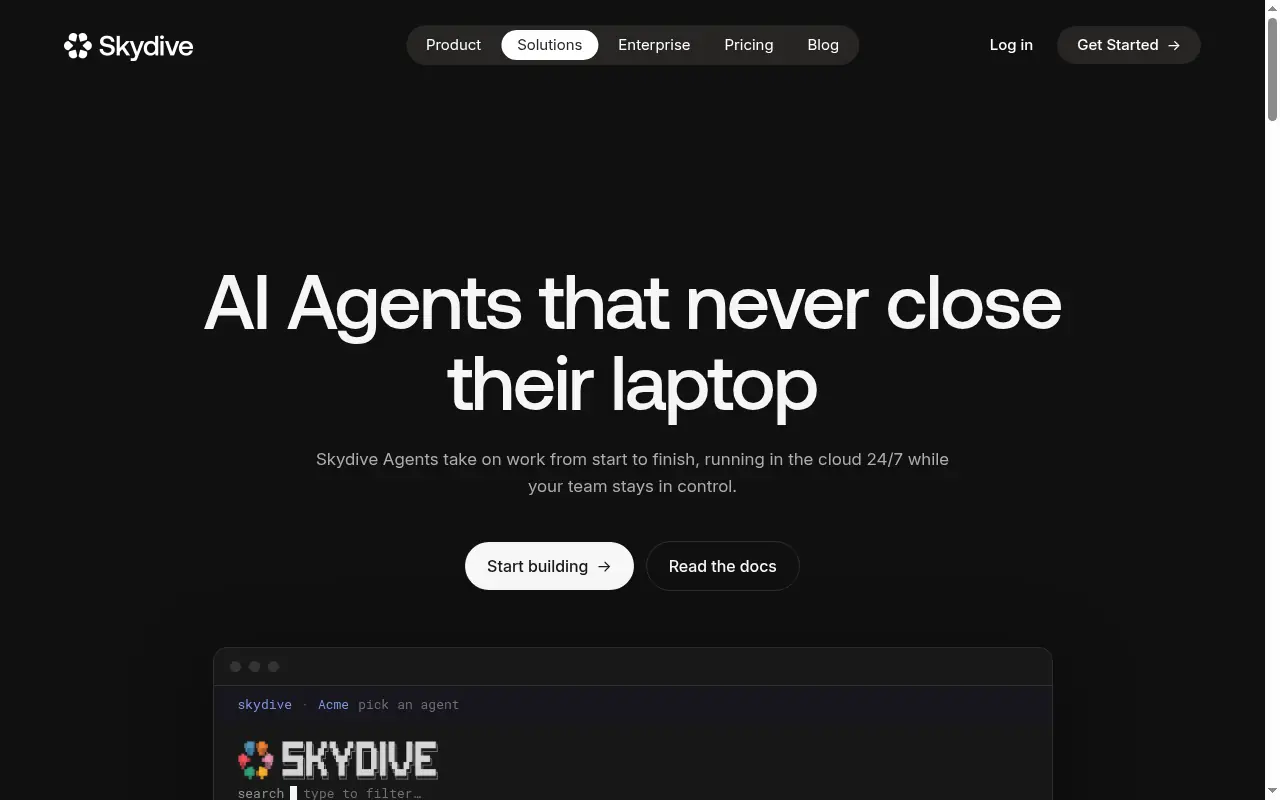 SkyDive stands out by deploying AI teammates that work inside the tools your team already uses, Slack, email, iMessage, and web chat, without requiring workflow construction. Operators simply describe what they need and the platform builds from that description. The multi-teammate architecture means complex tasks get distributed intelligently across specialized agents. The main tradeoff: it’s optimized for operator-led deployments, so highly technical developer-first teams may want more low-level API control.
2. Anthropic Claude Computer Use - Best for API-First Developer Implementations
Claude’s computer use API, documented by Anthropic’s Economic Index (March 2026), is one of the most capable foundations available for custom agentic builds. It lets agents interpret screenshots and execute mouse and keyboard actions across desktop environments with strong accuracy. For engineering teams building proprietary workflows, that raw capability is a genuine advantage. The tradeoff is structural for ops leaders without dedicated engineering support: every deployment requires wrapping the API in a usable workflow, which means the integration dependency doesn’t disappear; it shifts to your own team’s build queue.
3. OpenAI Operator - Best Computer Use Agent for Consumer-Facing Task Automation
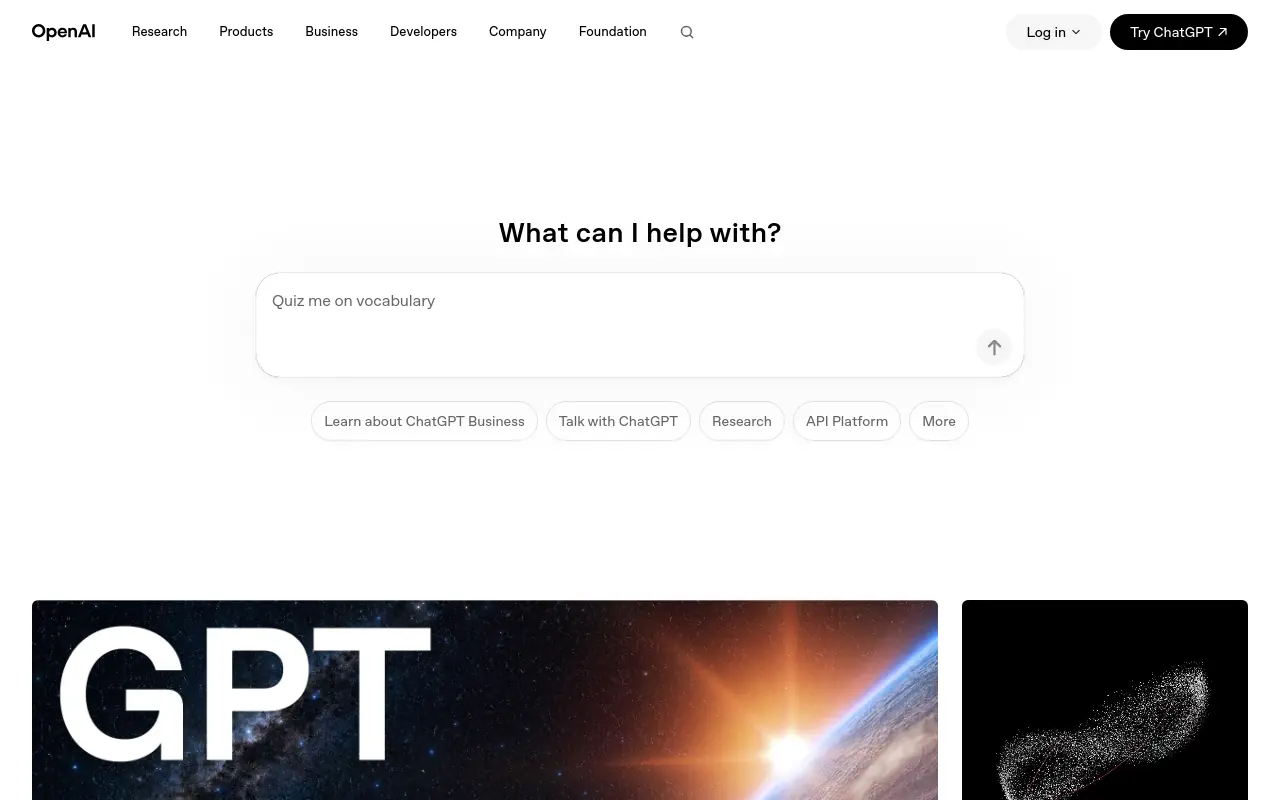 OpenAI’s Computer-Using Agent powers Operator, which handles well-scoped, single-session tasks with a genuinely polished experience. Its capabilities include:
- Booking
- Searching
- Filling forms
It is one of the most accessible entry points for teams new to computer use agents. The limitation that surfaces quickly in enterprise operations contexts is session continuity. Multi-step operational workflows that span tools, require credential handoffs, or depend on context from prior sessions exceed what Operator’s single-session model is designed to handle. For ops teams whose workflows don’t end at the browser tab, that boundary surfaces quickly.
4. Google Gemini 2.5 Computer Use - Best for Browser and Mobile Task Benchmarks
Google DeepMind’s Gemini 2.5 Computer Use model, released via the Gemini API, is positioned as a top performer on browser and mobile computer use benchmarks, outperforming leading alternatives in structured evaluations. It’s the right pick for teams already embedded in the Google ecosystem or building mobile-first agent experiences. The limitation is that it’s API-only with no native orchestration layer, and real-world generalization outside benchmark tasks still requires significant prompt engineering and integration work.
5. Microsoft Agent Framework - Best for Enterprise Multi-Agent Orchestration at Scale
Microsoft’s Agent Framework, showcased at Build 2026, provides enterprise teams with a structured approach to building multi-agent systems with observability, evaluation pipelines, and open-source governance baked in. It’s the strongest fit for large organizations running complex, multi-step agent harness patterns inside Azure and Microsoft 365 environments. The tradeoff is significant platform lock-in, teams outside the Microsoft ecosystem will find integration overhead high and the framework less portable than model-agnostic alternatives.
6. Simular Agent S - Best Open-Source Computer Use Agent Framework for Researchers
Agent S by Simular AI is an open-source computer use agent framework on GitHub that enables researchers and developers to build, customize, and evaluate GUI-based agents without vendor lock-in. It’s the right choice for academic teams, AI researchers, and startups that need full transparency into agent decision-making and want to experiment with novel architectures. The key tradeoff is that it requires hands-on engineering to deploy in production, there’s no managed hosting, support tier, or enterprise-ready orchestration layer included.
20 Computer Use Agent Examples - Real Use Cases Across Operations, Sales, and Support
The most valuable computer use agent deployments rarely touch the workflows that make it onto a roadmap. They close the invisible gaps: the manual copy-paste between a modern CRM and a legacy ERP, the post-call data entry that consumes a rep’s afternoon, the order tracking ticket that requires logging into three systems before anyone can type a reply. According to the Salesforce State of Sales Report (2024), sales reps spend only about 28% of their week actually selling. The rest disappears into cross-tool admin, data entry, and the undocumented human relay work that survives every prior integration effort.
28% Of reps’ week actually spent selling
One reason this problem persists is that practical, relatable examples of computer use agents applied to ops, admin, sales, and support work are genuinely hard to find. Most content skews toward developer-facing architecture diagrams or abstract capability lists, useful to engineers, inaccessible to the ops leader, sales manager, or support lead who actually owns the friction. The 20 deployments below are organized around the specific seams where that friction concentrates, written for the people who live inside those workflows every day, not the teams building them.
The 20-use-case framing that dominates computer use agent content implicitly assumes that value scales with the number of tasks an agent can touch. It doesn’t. The highest-cost in-between work clusters in specific seams between systems that were never designed to talk to each other. Deploying agents broadly without first mapping where that judgment-heavy relay work actually concentrates means automating the easy, visible tasks while the real friction stays untouched. The examples below are organized around those seams, not around capability categories, because preserving your team’s capacity for judgment-heavy work, and handling volume across every function without adding headcount, are the outcomes that actually move the business.
Most ops leaders assume that deploying an agent against a legacy tool or an unintegrated system means a months-long engineering project first, so the seam-work stays manual indefinitely. The prerequisite disappears when each agent gets its own sandboxed computer with a browser, logging into your existing tools the way a human operator would. That is the architecture behind SkyDive’s AI teammates, and it is what makes the 20 deployments below possible against the stack you already have, without waiting on IT.
1. SkyDive - Best All-in-One Computer Use Agent for Sales and Operations
SkyDive earns the top slot for funded startups and ops-heavy teams that need agents operating across multiple tools simultaneously, without an engineering prerequisite. The platform is multi-teammate by default: each AI teammate gets its own sandboxed browser with multi-channel access, logs into your existing tools the way a human would, and hands work off to other teammates across sessions, coordinating complex, multi-step workflows without losing track of who owns what at each stage. Anyone on the team creates teammates.
Permissions control view, use, or edit on a per-teammate basis. Useful teammates spread the way useful things inside companies always spread. Memory and persistence carry context forward between runs, and scheduled runs handle recurring work automatically without manual triggers.
Pre-built teammate templates get you to a working deployment faster, while MCP (Model Context Protocol) support connects teammates to the broader tooling ecosystem your team already relies on. The result: less back-and-forth communication overhead, and a team that stays focused on high-impact work instead of status updates. The honest tradeoff: teams that need Fortune 500-scale compliance documentation or deeply custom enterprise orchestration will find it sized for operators, not IT departments.
2. CRM Auto-Logging Agent - Eliminating Manual Sales Data Entry
Salesforce’s sales research puts non-selling time at roughly 72% of a rep’s week, with manual CRM logging as one of the largest single contributors. A CRM Auto-Logging Agent reads call transcripts or email threads, opens the CRM, and fills in contact records, deal stages, and activity notes without rep involvement, preserving team capacity for the judgment-heavy conversations that actually move deals forward. Most beneficial when your team runs a high volume of calls per week and post-call entry is visibly eating pipeline time. The tradeoff: nuanced deal context that lives only in a rep’s head still requires human review before logging.
3. Agentforce SDR - Autonomous Outbound Sales Development Agent
Agentforce SDR handles prospecting sequences autonomously, researching accounts, drafting personalized outreach, logging activity, and advancing leads through defined pipeline stages, and its deep native integration with Salesforce’s data model is a genuine advantage for teams that have standardized on that ecosystem. Reporting, attribution, and pipeline visibility work out of the box in ways that third-party tools require additional configuration to match. The practical boundary for ops leaders: prospects living in external systems or legacy sources require a separate enrichment step before the agent can act on them, which means teams running hybrid stacks will encounter that seam early.
4. Decagon - AI Resolution Agent for Complex Customer Support Tickets
Decagon operates as a computer use agent that resolves customer support tickets end-to-end, handling order tracking, returns, and subscription changes without human escalation. It targets enterprise support teams seeking high autonomous resolution rates on judgment-heavy tickets. The tradeoff is that performance on open-ended, non-structured queries requires significant training data and tuning before production deployment.
5. Zamp AI - Autonomous Invoice Processing Agent for Finance Operations
Manual invoice processing costs organizations significantly more per invoice than automated alternatives, with the per-invoice cost gap widening considerably when exception handling volume is factored in. Zamp AI reads incoming invoices across formats, extracts line items, matches against purchase orders, and routes exceptions for human approval. It is most valuable for finance teams processing high invoice volumes where manual keying creates both cost drag and audit risk. The tradeoff: invoices with non-standard layouts or handwritten fields still generate higher exception rates that require human intervention.
6. Ema - AI Agent for Accounts Payable Fraud Detection and Approval Workflows
Ema sits inside the AP workflow as a second-pass reviewer, flagging duplicate submissions, mismatched vendor details, and anomalous payment amounts before they reach the approval queue. It is most beneficial for finance ops teams that process high invoice volumes across multiple vendors and lack a dedicated fraud analyst. Poor data quality costs organizations an average of $12.9 million per year, and AP fraud enabled by manual review gaps is a material contributor. The honest limitation: Ema’s detection logic requires an initial calibration period against your historical invoice data before it reaches reliable accuracy.
7. Order Tracking Resolution Agent - Autonomous E-Commerce Support Automation
Common use cases for computer use agents in e-commerce support include reading an inbound order inquiry, logging into the carrier portal, retrieving tracking status, cross-referencing the order management system, and drafting a resolution reply without human involvement. This is the seam-work that consumes support teams: four tools, no native connections, and a ticket queue that grows faster than headcount. Handling that volume without adding headcount, and keeping human agents focused on the escalations that actually need them, is precisely where this deployment earns its place. The agent is most valuable when your support volume spikes seasonally and resolution paths are predictable. The tradeoff: carrier portal UI changes can interrupt the agent’s navigation flow and require a prompt update to restore accuracy.
8. Fulfillmenttools - Agentic Order Routing and Inventory Orchestration Agent
Fulfillmenttools applies agent logic to order routing decisions: reading real-time inventory positions across locations, applying fulfillment rules, and routing orders to the optimal node without manual dispatcher involvement. It is the right pick for omnichannel retailers managing inventory across multiple fulfillment locations where manual routing creates both delay and error. The tradeoff: the agent’s routing logic requires explicit rule configuration upfront, and edge cases like split shipments or backorder scenarios need defined escalation paths before the agent handles them reliably.
9. Fluent Commerce AI Agent - Retail Inventory Availability and Promising Automation
Fluent Commerce’s agent layer handles inventory promising: reading stock positions across distributed locations, applying allocation rules, and returning accurate availability commitments to customer-facing systems in real time. Most beneficial for retailers where inventory inaccuracy at the point of promise creates downstream fulfillment failures and customer service volume. The limitation worth noting: the agent’s accuracy depends directly on the quality of inventory data feeding into it.
10. MindStudio Scheduling Agent - Autonomous Calendar and Meeting Reminder Automation
MindStudio’s computer use agent framework enables teams to build autonomous scheduling agents that handle calendar coordination, meeting reminders, and follow-up sequences without human intervention. It’s ideal for operations and sales teams drowning in scheduling overhead. The tradeoff is that building a production-ready agent requires workflow design investment upfront, making it less plug-and-play than dedicated scheduling SaaS tools.
11. Vellum AI Appointment Agent - Structured Booking Automation for Service Businesses
Vellum’s computer use agent approach to appointment scheduling automates booking confirmation, rescheduling, and reminder delivery for service-based businesses. It’s the right pick for small and mid-sized businesses that need reliable appointment automation without enterprise-level complexity. The key limitation is that highly customized booking logic, such as multi-provider availability rules, requires additional configuration beyond out-of-the-box setup.
12. Pipeline Intelligence Agent - Autonomous Deal Risk Monitoring and CRM Alerting
A computer use agent that continuously monitors CRM pipeline data, compares deal stage changes over time, and surfaces at-risk opportunities to sales managers without manual report-pulling. It’s designed for revenue leaders who need real-time pipeline visibility without relying on rep-entered data. The tradeoff is that alert quality degrades when underlying CRM data hygiene is poor, making data governance a prerequisite.
13. Contact Enrichment Agent - Autonomous Prospect Data Completion from External Sources
This computer use agent automatically enriches contact and company records by pulling data from external databases and cross-referencing meeting and email signals, eliminating manual research for sales reps. It’s best for outbound-heavy teams where rep time spent on research directly competes with selling time. The limitation is that enrichment accuracy varies by industry and geography depending on external data source coverage.
14. AML Screening Agent - Autonomous Compliance Monitoring for Financial Operations
A computer use agent deployed in regulated financial environments that autonomously screens transactions and counterparties against AML watchlists, flags anomalies, and generates audit trails without manual analyst intervention. It’s purpose-built for compliance teams at financial institutions facing high transaction volume. The tradeoff is that false positive rates require tuning, and human review workflows must remain in place for flagged cases.
15. Follow-Up Email Drafting Agent - Autonomous Post-Meeting Outreach Generation
A computer use agent that automatically generates personalized follow-up email drafts and action item summaries immediately after sales meetings, reducing the time between conversation and next-step execution. It’s the right fit for account executives managing high meeting volume who lose deals to slow follow-up. The limitation is that draft quality depends on meeting transcript accuracy, making recording and transcription infrastructure a prerequisite.
16. Subscription Management Agent - Autonomous Plan Change and Cancellation Handling
A computer use agent that autonomously processes subscription upgrades, downgrades, pauses, and cancellation requests by navigating billing systems and updating customer records without support rep involvement. It’s ideal for SaaS and subscription e-commerce businesses with high self-service ticket volume. The key design challenge is defining safe action boundaries, subscription changes with financial implications require clear approval thresholds.
17. Store Operations Agent - Autonomous In-Store Fulfillment Task Orchestration
A computer use agent that orchestrates in-store fulfillment tasks, pick, pack, and ship, by autonomously assigning work to store associates based on real-time order priority and staff availability. It’s designed for omnichannel retailers using physical stores as fulfillment nodes. The tradeoff is that agent effectiveness is constrained by the quality of real-time staff availability data, which varies significantly across store technology maturity levels.
18. Sales Coach Agent - Autonomous Rep Performance Feedback and Call Scoring
A computer use agent that reviews recorded sales calls, scores rep performance against defined criteria, and delivers personalized coaching feedback without requiring manager time. It’s the right pick for sales enablement teams at scale who cannot provide individualized coaching across large rep populations. The limitation is that scoring rubric calibration requires upfront investment and ongoing refinement as sales methodology evolves.
19. Returns Processing Agent - Autonomous Refund Authorization and Logistics Coordination
A computer use agent that autonomously evaluates return eligibility, authorizes refunds within defined policy parameters, and coordinates reverse logistics label generation without human support involvement. It’s best for high-volume e-commerce retailers where returns processing creates significant support queue backlog. The tradeoff is that edge cases, damaged goods disputes, policy exceptions, still require human judgment and escalation pathways.
20. Meeting Briefing Agent - Autonomous Pre-Call Research and Agenda Preparation
A computer use agent that automatically compiles pre-meeting briefing documents by pulling CRM history, recent news, and contact activity data before each scheduled call, delivering a ready-to-use agenda to the rep. It’s ideal for enterprise account executives managing complex, multi-stakeholder deals where preparation time is a competitive differentiator. The limitation is that briefing depth depends on CRM data completeness and available public information sources.
Related Reading
- The Future of Agentic AI For Customer Support Explained
- 13 Best Agentic AI Platforms in 2026 for Autonomous Work
- How to Measure AI Agent ROI Before You Scale
- 13 Best AI Agent Integrations to Automate More in 2026
- AI Agent vs Assistant: Key Differences Compared (2026)
- How To Measure AI Agent ROI With Proven Metrics
- The Ultimate AI Automation Tutorial for Beginners (2026)
- 14 Best Browser Use Agent Tools for AI Web Automation 2026
- 13 Best AI Agents for Marketing Teams in 2026
- How to Set AI Agent Permissions Without Losing Control
- What Are Parallel AI Agents? A Complete 2026 Guide
Security and Risks of Computer Use Agents and How Enterprise Teams Deploy Safely
Computer use agents operate with the same access rights as the person who handed them the credentials, which means a misconfigured deployment is a live risk running silently across your production systems. Understanding where that risk actually comes from, and how the architecture of a deployment either contains or compounds it, is what separates teams that scale agents safely from those that discover the problem after the fact. This section breaks down the access and blast radius dynamics that catch first-time deployments off guard, then covers the infrastructure controls that enterprise teams use to keep them in check.

Computer Use Agent Access Level and the Blast Radius Risk
When a computer use agent logs into your CRM, opens your billing platform, and starts moving data between systems, it has the same access footprint as the person who gave it the credentials. That distinction changes everything about how you should think about deploying one.
This is where teams running computer use agents for the first time consistently run into trouble. The failure modes are not clean. Agents misunderstand context, take the wrong action mid-task, continue executing steps they should have stopped at, or carry out technically valid operations that produce genuinely harmful outcomes. On a sandboxed test environment, that is a recoverable problem. On a live production system with broad credentials and no human in the loop, it is a categorically different level of risk, and one that compounds silently over time.
The time dimension makes this concrete. It takes an average of 194 days to identify a data breach and 64 days to contain it, a combined 258-day window during which unmonitored automated access can cause compounding damage. An unmonitored agent acting with the same access level as a trusted employee could quietly expand damage across that entire window before anyone notices. When the agent also controls multi-channel access, email, browser, integrated platforms, the blast radius grows with every credential it touches.
How Isolated VM Sandboxes Contain the Risk
Enterprise-grade computer use agent deployments are secured by running each agent session inside an isolated virtual machine, provisioned on demand, scoped to a single task, and destroyed the moment that task completes. No persistent state. No residual access. The VM never accumulates a history that a bad actor could exploit.
A financial ops team running this model provisions a disposable environment for each agent session, injects time-limited credentials, executes the task, then destroys the environment entirely. The security model is built into the architecture. SkyDive is built around this structural approach: each AI teammate operates inside its own per-teammate sandbox with browser, credentials are scoped and temporary, and granular permissions are set at the teammate level, so no single agent carries standing access it does not need for the task at hand. When the session ends, the attack surface ends with it.
This design also solves the coordination problem that compounds agent risk in team settings. When multiple agents are running across a workflow, each with its own access scope, the question of who owns what at each stage cannot be left ambiguous. SkyDive’s multi-teammate architecture keeps ownership explicit: every teammate is assigned a defined role, operates within its scoped permissions, and hands off to the next stage cleanly. That structure is what prevents one agent’s access from bleeding into another’s task domain, and it is what keeps complex, multi-step workflows from drifting into unmonitored territory.
Irreversible Actions Require Human Approval
Any action a computer use agent cannot undo should require explicit human approval before execution. Sending an email to a client list, submitting a financial transaction, deleting a record, these are not actions an agent should execute unilaterally. Each represents a point in the workflow where a human confirmation gate is required. That gate is not overhead; it is the difference between a recoverable mistake and an irreversible one.
The reliability and access limitations of computer use agents are real operational constraints, not edge cases. Teams that treat approval checkpoints as architectural requirements, rather than post-launch additions, are the ones that catch wrong-action failures before they become costly breach statistics. SkyDive’s granular permissions and team collaboration layer support this by keeping every teammate’s scope explicit and auditable, so the humans overseeing the workflow always have a clear, predictable view of what each agent is authorized to do next, and where it must stop and wait for sign-off. No team member, human or AI, should be walking blindly into their next task or handoff.
How to Evaluate Whether a Computer Use Agent Platform Is Ready for Your Operations Team
Most platforms that demo well fall apart the moment an ops team tries to run them in production. The difference usually comes down to three things: whether agents operate in genuinely isolated environments, whether a non-technical ops lead can actually deploy without calling in engineering, and whether the platform lives where your team already works. What follows breaks down each of these so you can pressure-test any platform before it becomes your team’s problem.

The Sandboxed-Browser Test - Why Shared Sessions Are a Hidden Ops Risk
The failure mode is quiet. An agent logs into your CRM, completes a task, and the session stays open. The next agent inherits it.
Credentials bleed across tasks, and suddenly one misfired action has access it was never meant to have. Teams often discover this only after something goes wrong. According to Menlo Ventures’ State of Generative AI in the Enterprise report, enterprises are moving from AI experimentation to operational deployment, which means the blast radius of a shared session is no longer theoretical.
Each agent needs its own isolated environment, with no shared browser tab carrying context from the last task.
“Computer use agents interacting via visual/human-readable interfaces are architecturally flawed for operations teams. LLMs are not optimized for GUI-level interaction, making reliability a concern for production workflows.”
Plain-Language Deployment - Can a Non-Technical Ops Lead Ship It Without Engineering?
Most platforms that look deployable in a demo require a developer the moment you leave the demo. That gap is where automation projects stall. The Menlo Ventures report is direct: enterprise AI adoption is increasingly driven by business unit leaders and ops teams, not centralized IT. A platform that requires engineering to configure each new task doesn’t serve that reality. It just moves the bottleneck.
Where the Agent Lives Matters as Much as What It Can Do
A tool that requires opening a separate interface is a tool most ops teams will stop opening within a few weeks.
Durable adoption happens when the agent surfaces inside the tools the team already lives in: a Slack message, an email thread, a shared doc. Requiring a context switch to a separate platform every time a task needs to be delegated works against that.
Related Reading
- What Is Agentic AI for Business Operations and Why It Matters
- 12 Best AI Automation for Sales Tools That Actually Work
- 13 Best AI Automation Software Tools I Tested in 2026
- 18 Best AI Agent Platform Comparison Tools for 2026
- 13 Top AI Automation Tools I Tested and Ranked for 2026
- How Much Does an AI Agent Cost? 2026 Pricing Breakdown
- Zapier AI Agent: Build and Automate Smarter Workflows
- AI Agent Framework Comparison: Top Picks Ranked for 2026
- 15 Best Agentic Automation Tools to Try in 2026
- Gumloop vs Zapier: Which Tool Wins for AI Automation?
- RPA vs AI Agents: Which Automation Wins in 2026?
Next steps
If your week is built around being the human relay between tools that were never designed to talk to each other, the path forward starts with recognizing that this is a capability gap, not an integration gap. APIs only connect what was built to be connected. The in-between work survives every platform you add precisely because no platform was built to close it. Start with our AI teammates.
The benchmark data makes the next step concrete. Agents that score 85% in controlled tests complete only 20.6% of real long-horizon workflows in production, which means the platform differentiation most vendors lead with addresses the wrong failure mode entirely. At the same time, the majority of rep time lost to non-selling work and the hours each week consumed by legacy system dependencies do not distribute evenly across tasks. They cluster in the seams between systems that no integration effort has ever reached. Together, those two findings point away from another platform evaluation and toward deploying against the specific, highest-cost seam your team currently owns manually.
Start with AI teammates from SkyDive. Each one gets its own sandboxed browser, logs into your existing tools the way a human operator would, and requires no engineering prerequisite. Describe the outcome you need, and the teammate handles the execution from there.
Frequently Asked Questions
How is a computer use agent different from RPA?
RPA bots memorize fixed screen coordinates and CSS selectors, so a single layout change breaks them, costing four to sixteen developer hours per fix, according to Supergood’s 2026 analysis. Computer use agents instead take a screenshot, interpret the current screen state with a vision model, and recalibrate after every step, so if a portal changes its login flow after an update the agent simply reads the new screen and continues.
Do I need to give the agent instructions in a specific technical format, or can I just describe what I want in plain language?
Plain language is enough. Instead of mapping every logical branch in advance, you give one high-level command, for example, “Pull the outstanding invoices from the supplier portal and log them in the tracker”, and the agent handles the branches on its own.
How do computer use agents handle unexpected interruptions mid-task, like a pop-up or a surprise login screen?
The reasoning layer treats interruptions as new information rather than failure conditions. A pop-up mid-task, an unexpected login screen, or a form that reordered its fields after a software update are each processed and handled by the LLM in real time, without any pre-built exception handler required.
Can a computer use agent work inside tools that have no API and were never designed to be automated?
Yes, because the agent interacts with the screen exactly the way a human operator would, it works on any tool a human can open, including legacy systems and industry-specific SaaS that were never built with automation in mind. No API key or engineering ticket is required.
How do computer use agents perform in real-world workflows compared to benchmarks?
Benchmark scores and real-world performance diverge significantly: leading implementations score around 85% on the OSWorld benchmark but complete only about 20.6% of real long-horizon workflows in production, because the perception-action loop that works in controlled tests still breaks down frequently in open-ended conditions.